Appendix E - Command Line Interface
20
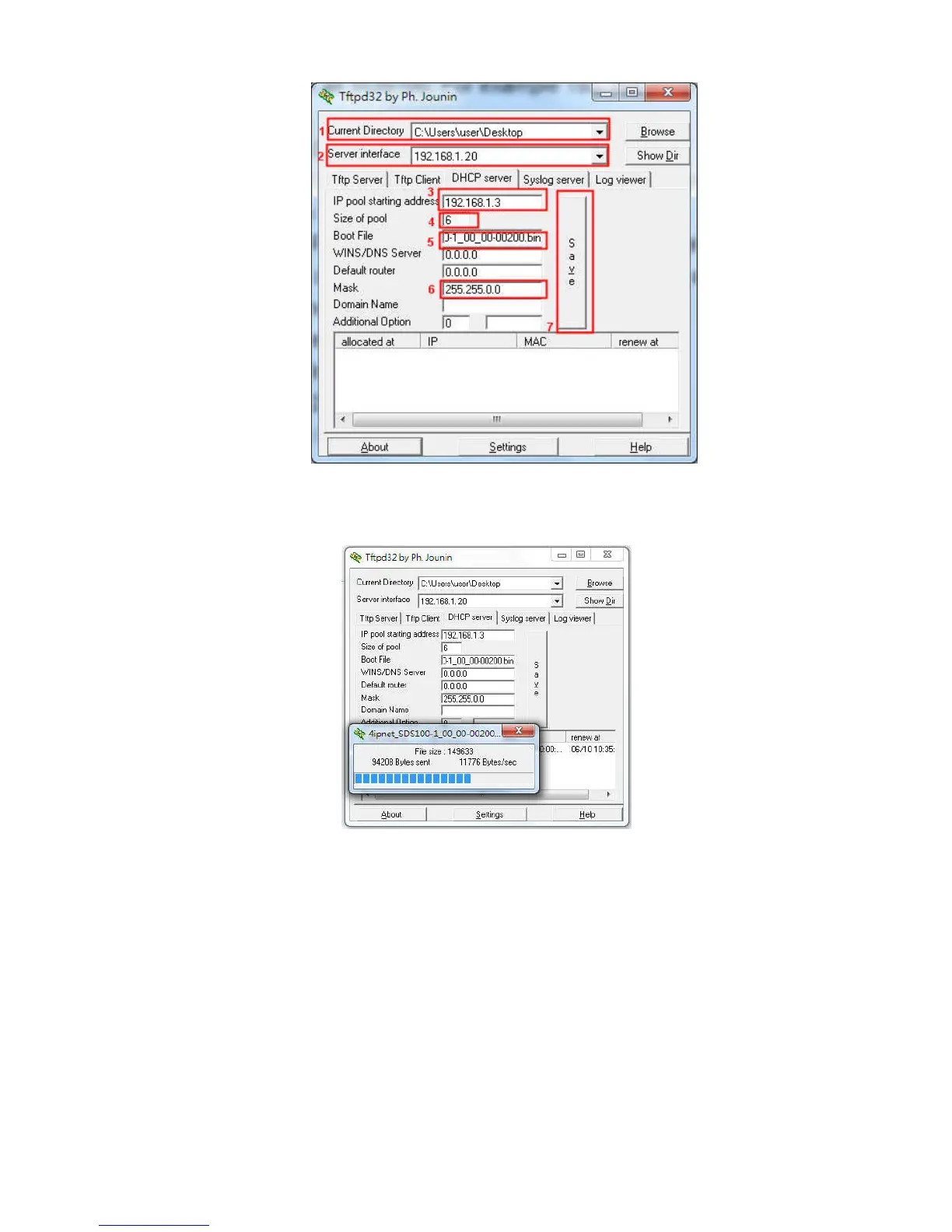
Step4: Click Apply of Firmware Upgrade in DSA-1000’s web interface. DSA-1000 will automatically res-
tart and connect to tftpd32 server set in Step3 as a DHCP client, download the firmware and perform the
upgrade. Progress can be observed on tftpd32.
Step5: When complete, check the information displayed at Software Version, DSA-1000 have successful-
ly upgraded to the new firmware.



 To Previous Page