If you face any problem during setting up your camera, please do not hesitate to email us at support@epicamera.com.
Our technical support will get back to you as soon as we can. Thanks.
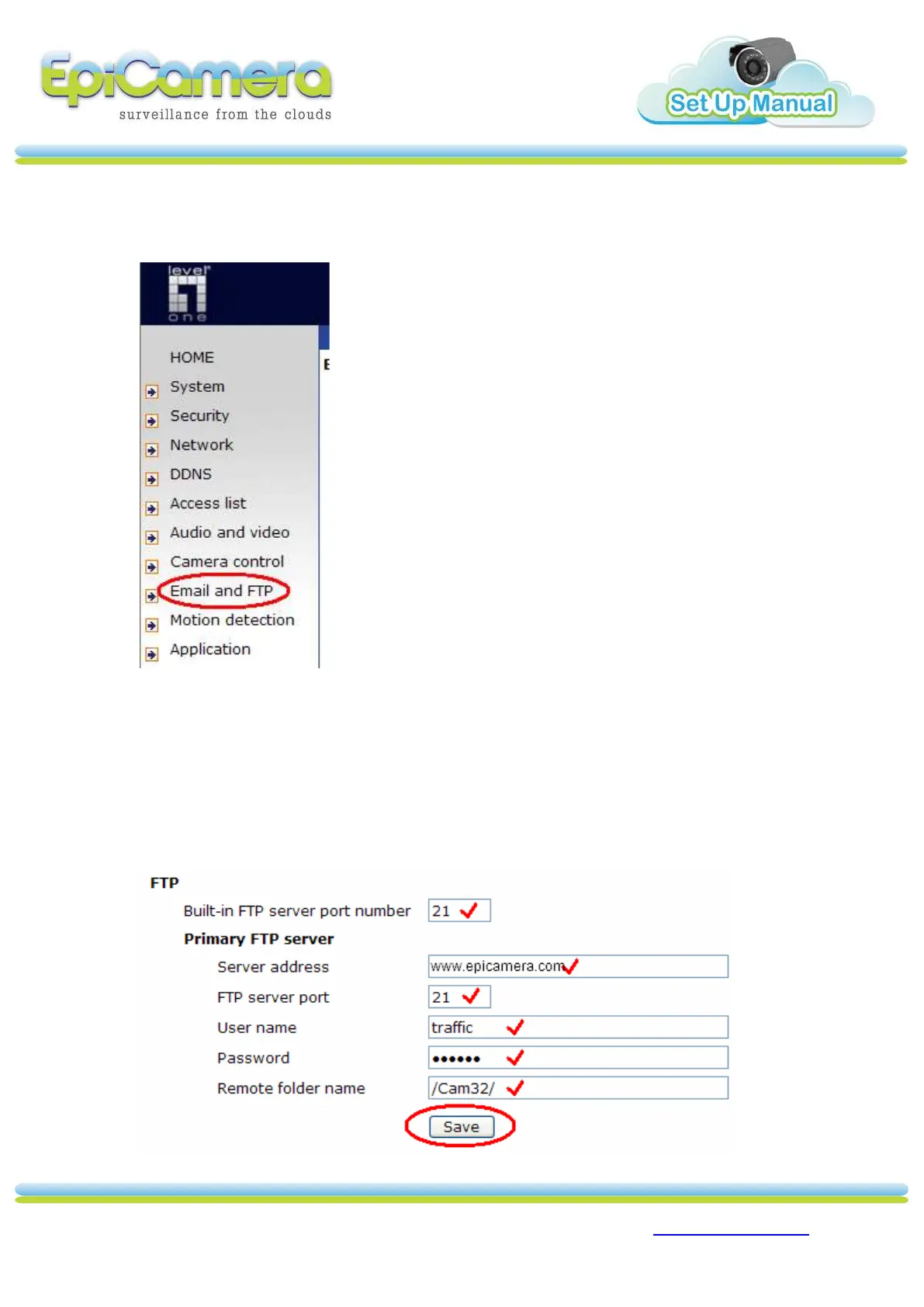
For FTP Setup
1. Under Configuration, Click `Email and FTP’.
2. Fill in the box.
a. FTP Server IP: www.epicamera.com.
b. Account: (FTP Login ID).
c. Password: (FTP Password).
d. Directory: (/Camera No. /) via “/Cam1/” or “/Cam2/” or “Cam32/”.
e. Click `Save’ to save your setting.



 To Next Page