If you face any problem during setting up your camera, please do not hesitate to email us at support@epicamera.com.
Our technical support will get back to you as soon as we can. Thanks.
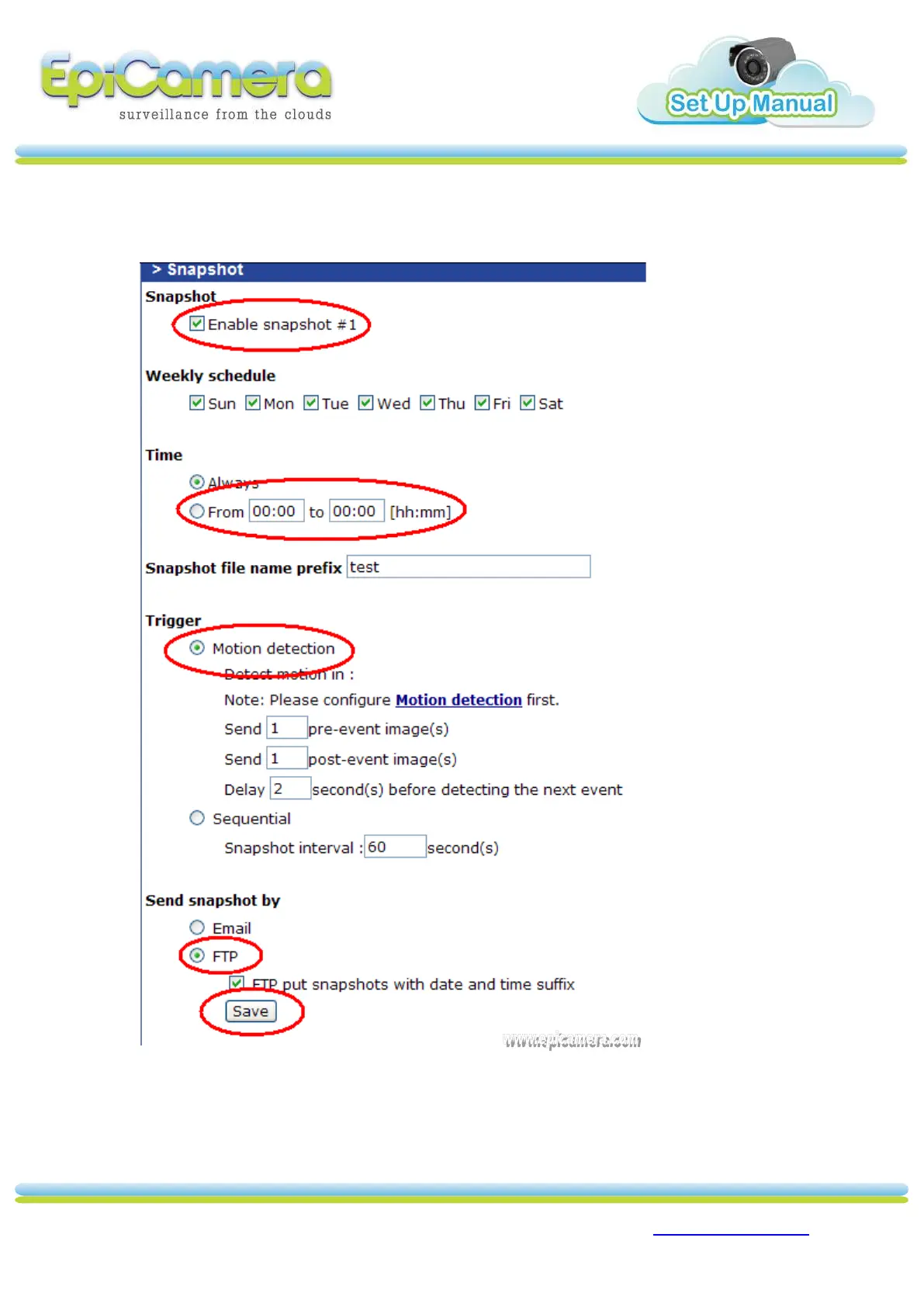
2. Under `Snapshot’ option, `Enable’ snapshot #1. To configure schedule, choose
desire days and time. Under Trigger, choose `Motion detection’. Send snapshot by
`FTP’ and Click `Save’.



 To Previous Page