Hardware Manual
11
Installing the Camera on a Surface
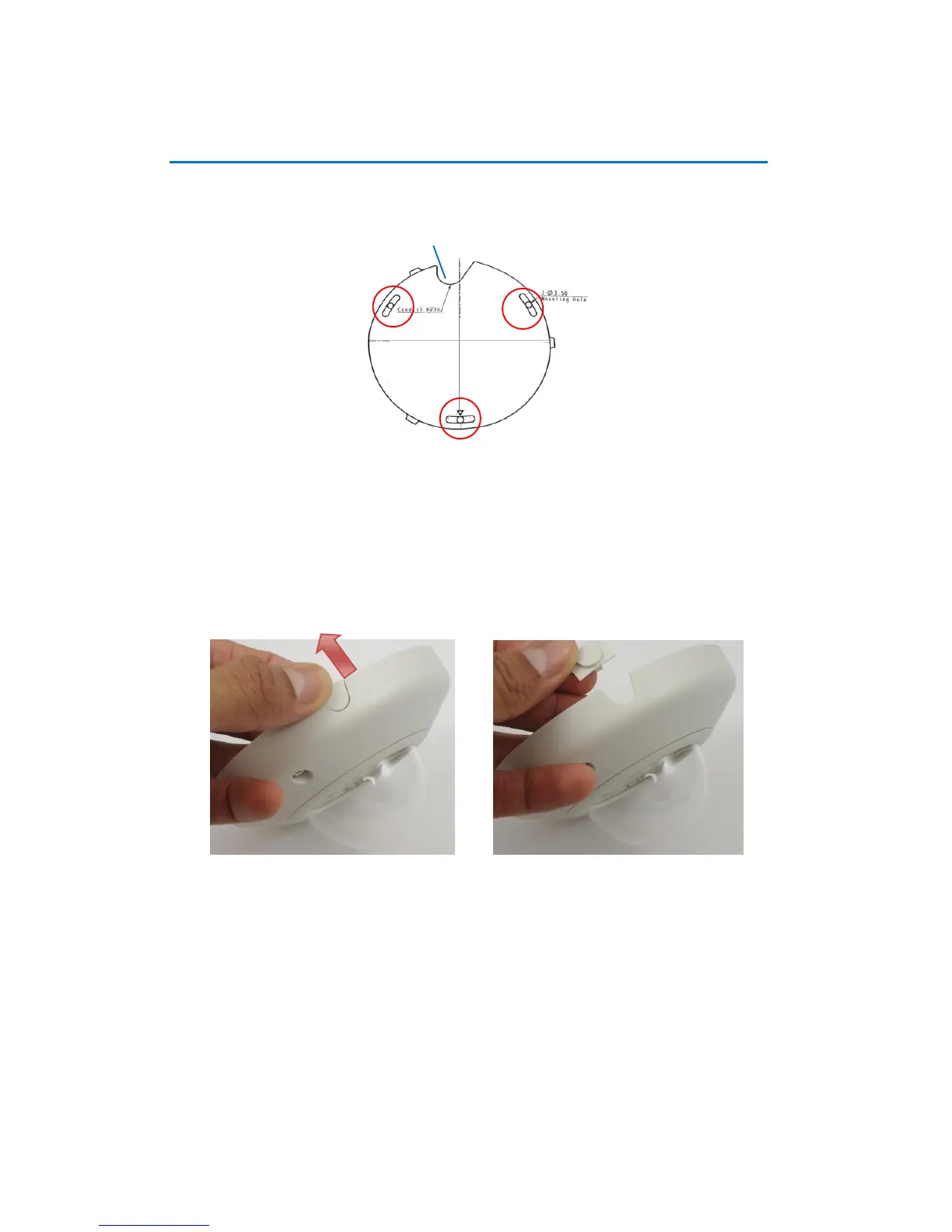
1. Mark the location of the screw holes base on the drill template included in the package.
NOTE: Depending on the surface where you will install the camera, it may be necessary to
drill three (3) holes with φ 3.5 on the ceiling and use the supplied screw torx.
2. Route the cables through the ceiling, taking the Conduit Hole on the drilling template as a
reference. Or, slide off the cable exit tab on the dome cover to route the cable through that
hole later.














 To Next Page