Internet connection with static IP
Choose this connection type if you are required to use a static IP for the
Network Camera and follow the steps below.
1. Set up the Network Camera in a LAN. Please refer to Software installation
on latter pages for details.
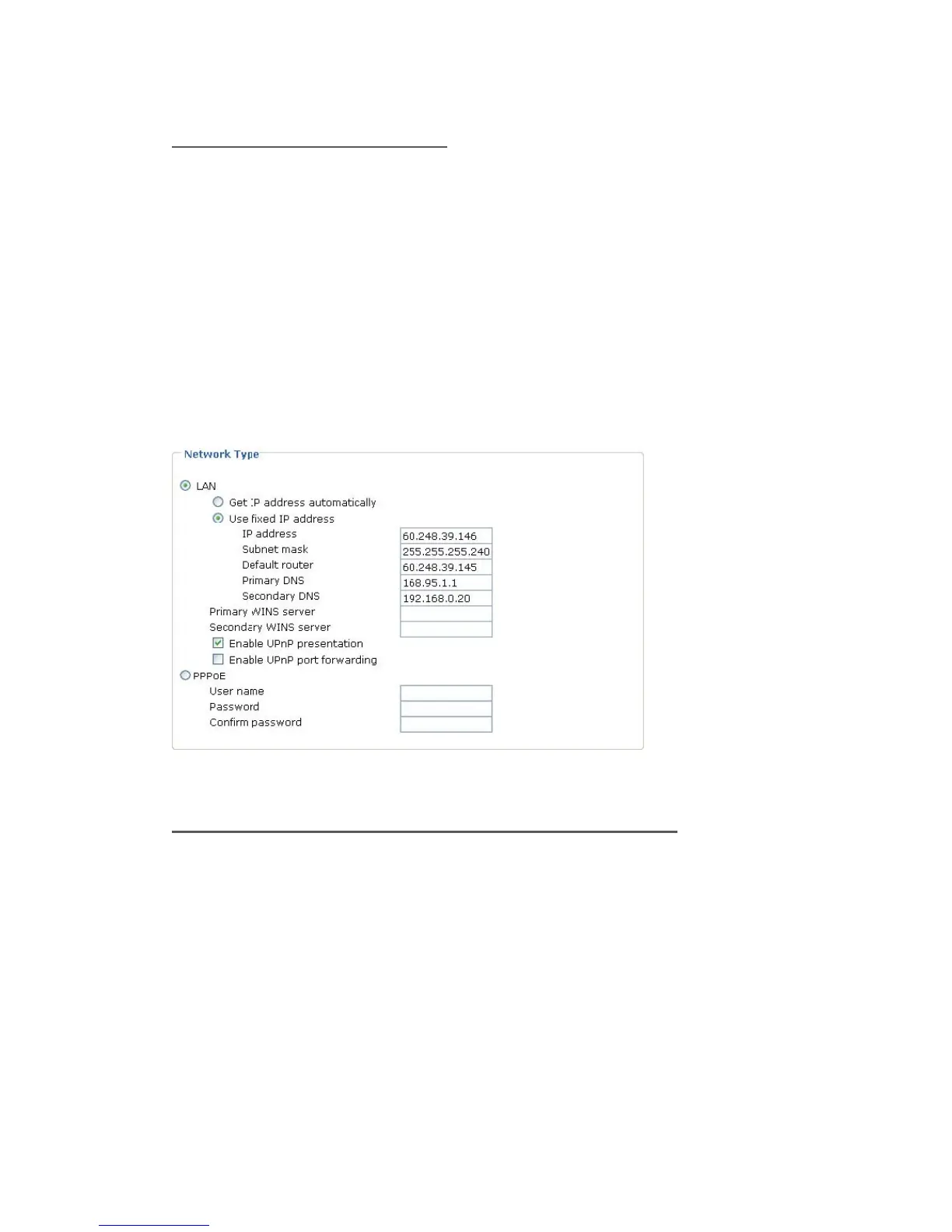
2. Go to Configuration > Network > Network Type. Select LAN > Use fixed IP
address.
3. Enter the static IP, Subnet mask, Default router, Primary DNS provided by
your ISP.
Internet connection via PPPoE (Point-to-Point over Ethernet)
Choose this connection type if you are connected to the Internet via a DSL
Line. Please refer to PPPoE section for details.















 To Next Page