The path of multicast stream1 is http://camera's IP address/live1.sdp while the one of multicast
stream2 is http://camera's IP address/live2.sdp.
NOTE
► To utilize the RTSP streaming authentication, make sure that your have set a password for
the Network Camera first; please refer to Security section for details.
DDNS
This section explains how to configure dynamic domain name service for the Network Camera.
DDNS is a service that allows your Network Camera, especially when assigned with a dynamic
IP address, to have a fixed host and domain name.
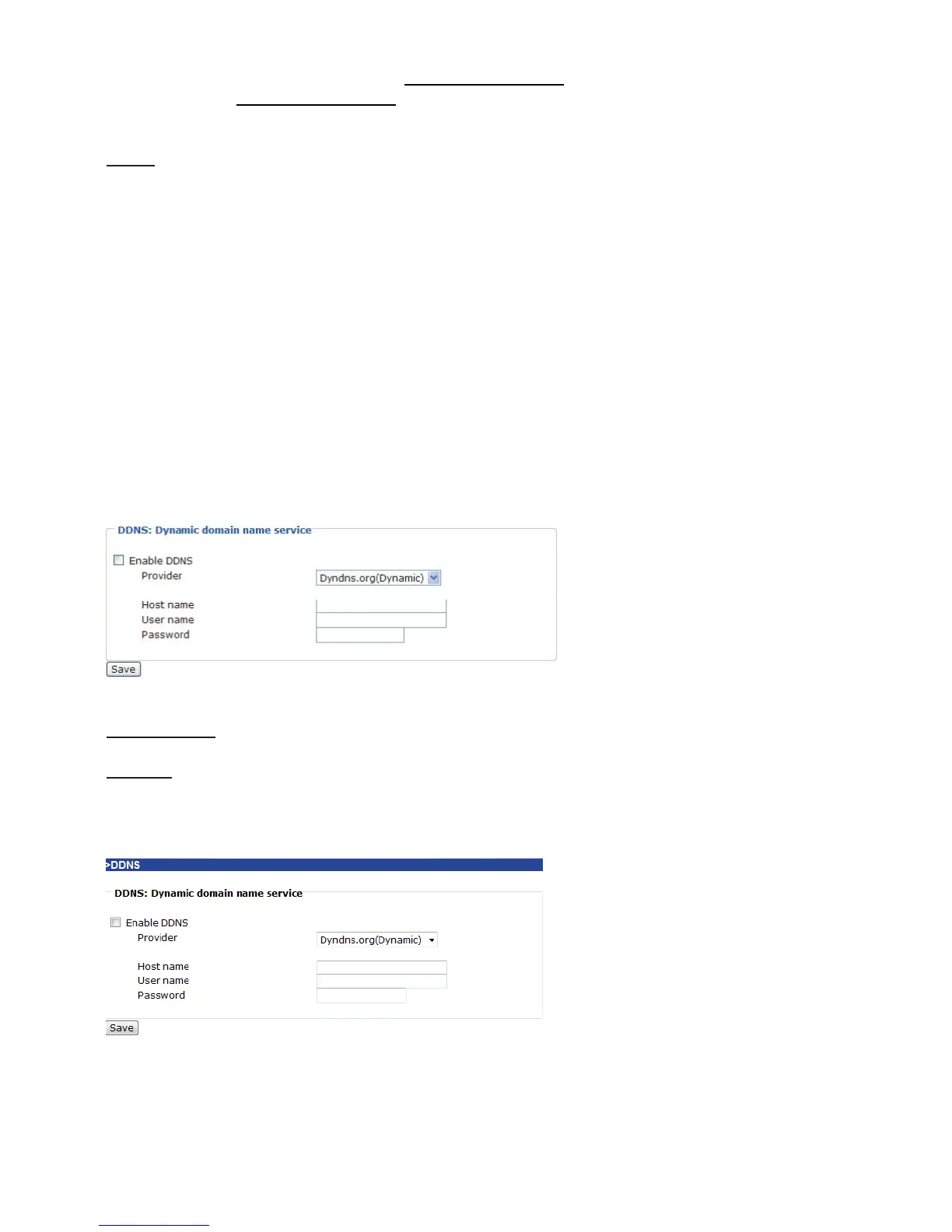
DDNS: Dynamic domain name service
Enable DDNS: Select this option to enable the DDNS setting.
Provider: Select a DDNS provider of your choice from the Provider drop-down list.
We offer other DDNS providers, such as Dyndns.org(Dynamic), Dyndns.org(Custom),
TZO.com, DHS.org, dyn-interfree.it. Note that to utilize this feature, please apply a dynamic
domain account first.
Refer to the following links to apply a dynamic domain account when selecting other DDNS
providers:
■ Dyndns.org(Dynamic) / Dyndns.org(Custom): visit http://www.dyndns.com/
■ TZO.com: visit http://www.tzo.com/
■ DHS.org: visit http://www.dhs.org/
■ dyn-interfree.it: visit http://dyn-interfree.it/















 To Next Page