Recording
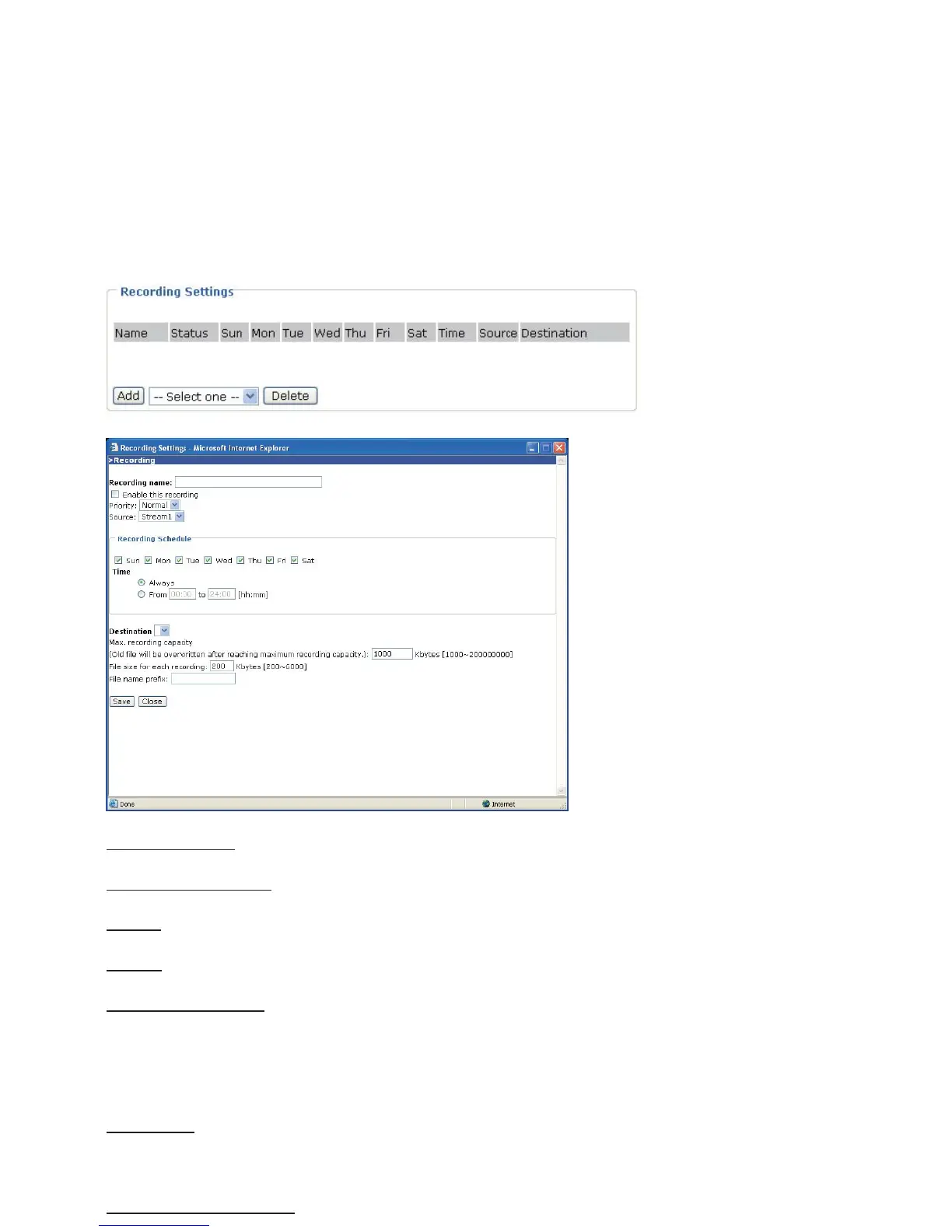
This section explains how to configure the recording settings for the Network Camera.
Recording Settings
Click Add to open the recording setting page. In this page, you can define the recording source,
recording schedule and recording capacity. A total of two recording settings can be configured.
Recording name
: Enter a descriptive name for the recording setting.
Enable this recording
: Select this option to enable video recording.
Priority: Select the relative importance of this recording setting (High, Normal, and Low).
Source: Select the recording source (stream 1 or stream 2).
Recording Schedule: Specify the recording duration.
■ Select the days on weekly basis.
■ Select the time for recording in 24-hr time format.
Destination: Specify a storage destination for the recorded video files. Note that the destination
field is empty by default. Please go to Configuration > Application > Server Settings to set a
Network storage server; please refer to Server Settings section.
Max. recording capacity: Please note that when the maximum capacity is reached, the oldest















 To Next Page