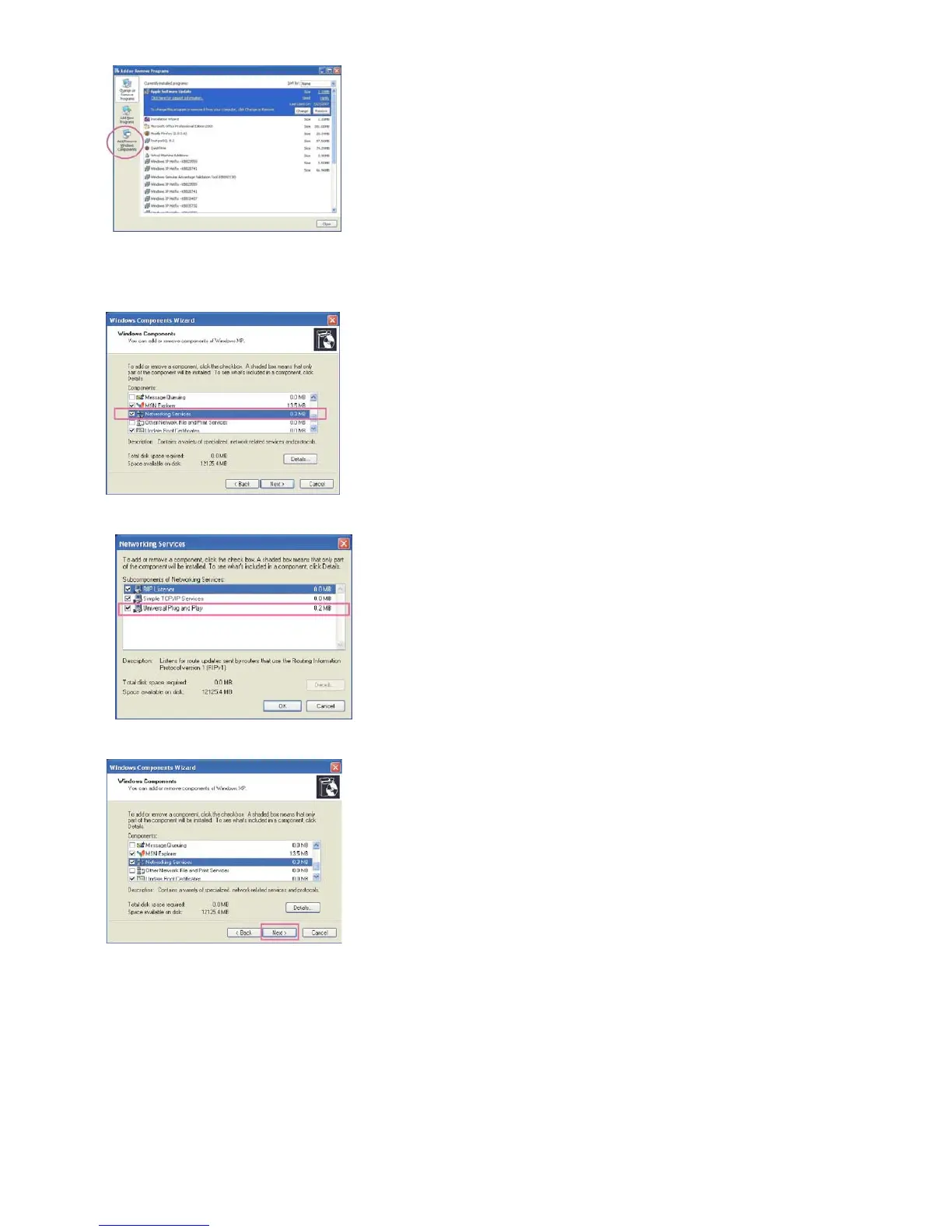
3. In the Windows Components Wizard dialog box, select Networking Services and then click
Details.
4. In the Networking Services dialog box, select Universal Plug and Play and then click OK.
5. Click Next in the following window.
6. Click Finish. UPnPTM is enabled.
► How does UPnPTM work?
UPnPTM networking technology provides automatic IP configuration and dynamic discovery
of devices added to a network. Services and capabilities offered by networked devices, such
as printing and file sharing, are available among each other without bothersome network
configuration. In the case of Network Cameras, you will see Network Camera shortcuts at
My Network Places.
Below for the Network Camera’s IP address.















 To Next Page