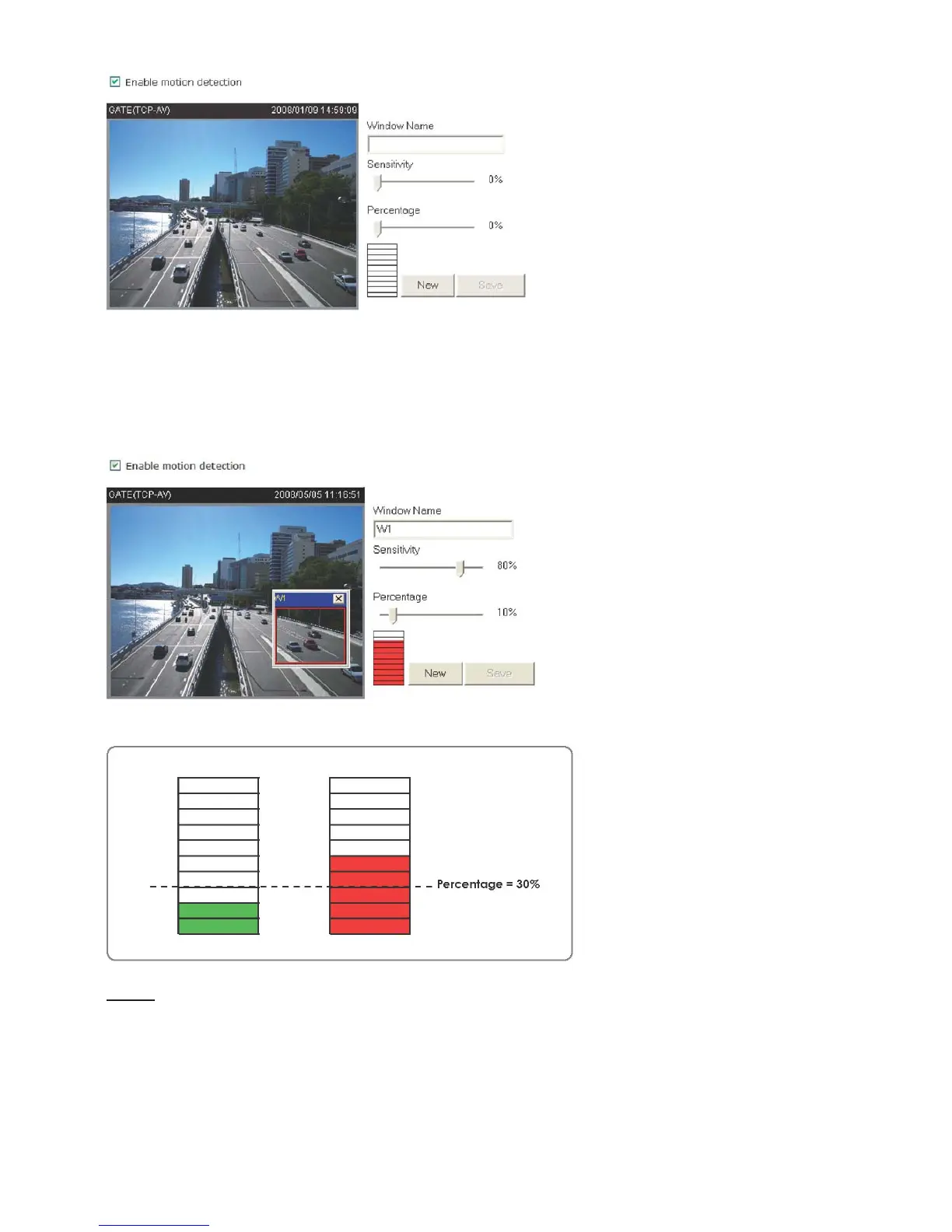
For example:
The Percentage Indicator will rise or fall depending on the image variation. When motions are
detected by the Network Camera and are judged to exceed the defined threshold, a red bar
rises. Meanwhile, the motion detection window will be outlined in red. Photos or videos can be
captured instantly and configured to send to the remote server (Email, FTP) by utilizing this
feature as a trigger source. For more information on how to plot an event, please refer to
Application section.
A green bar indicates that even though motions are detected, the event will not be triggered
because the image variations are still falling under the defined threshold.
NOTE
► How does motion detection work?















 To Next Page