Network Camera User’s Manual
18/56
Primary user’s capability
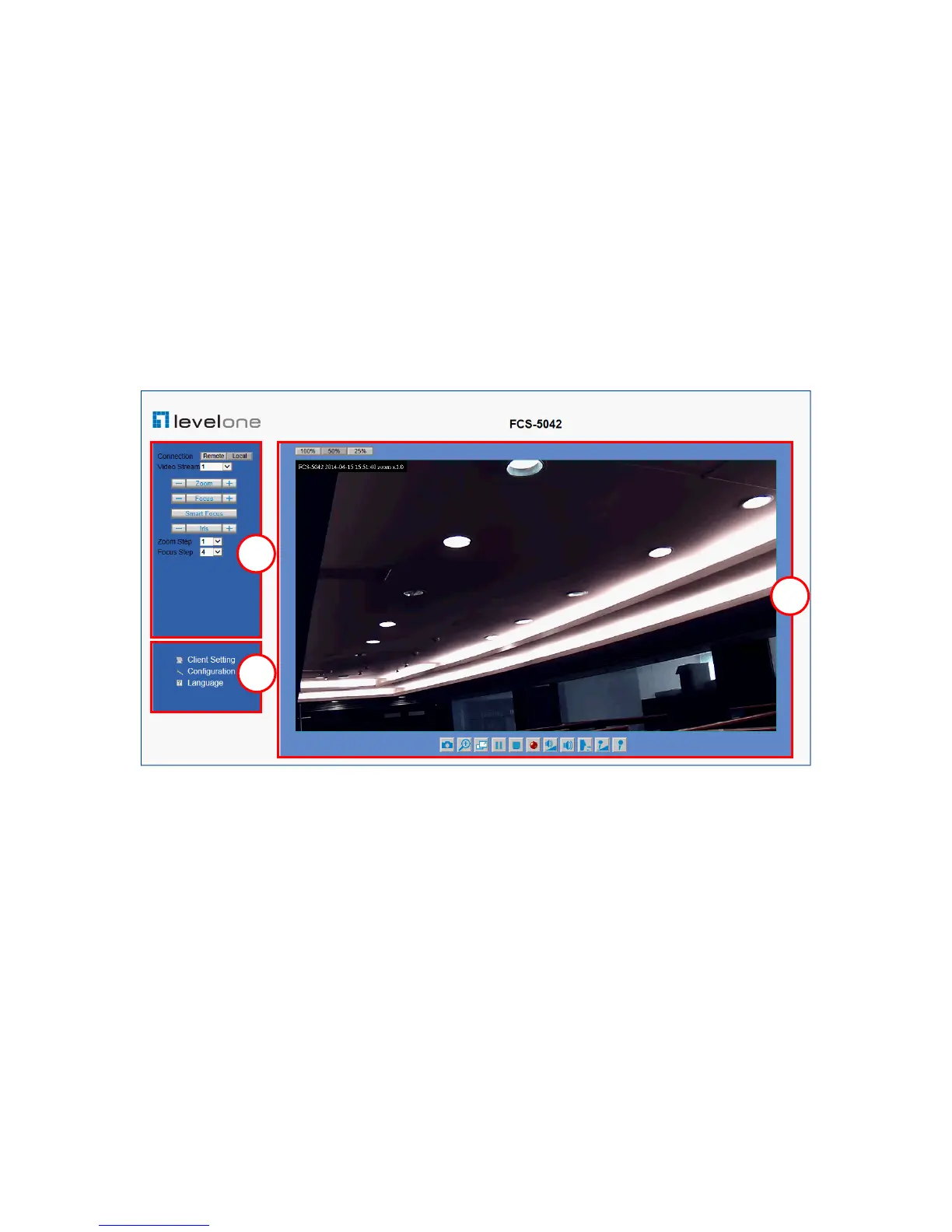
Main Screen with Camera View
The main page has three parts:
1. Configuration functions: The camera can be configured using these user
interfaces.
2. Connection control buttons: These buttons provide the remote and local
switching stream.
3. Camera View: What the camera sees.
Click the configuration in the bottom of left column to link to the configuration page.
Configuration functions:
“Client Settings” Clicking on this button links you to the client setting pages, please
check the following session for more details.
“Configuration” Please notes that only the administrator can access it.
“ Language” Click this button to choose a language for the user interface.
Language options are available in: English, traditional Chinese, Simplified Chinese,
Japanese, Spanish, Portuguese, French, German, Italiano.















 To Next Page