Network Camera User’s Manual
7/56
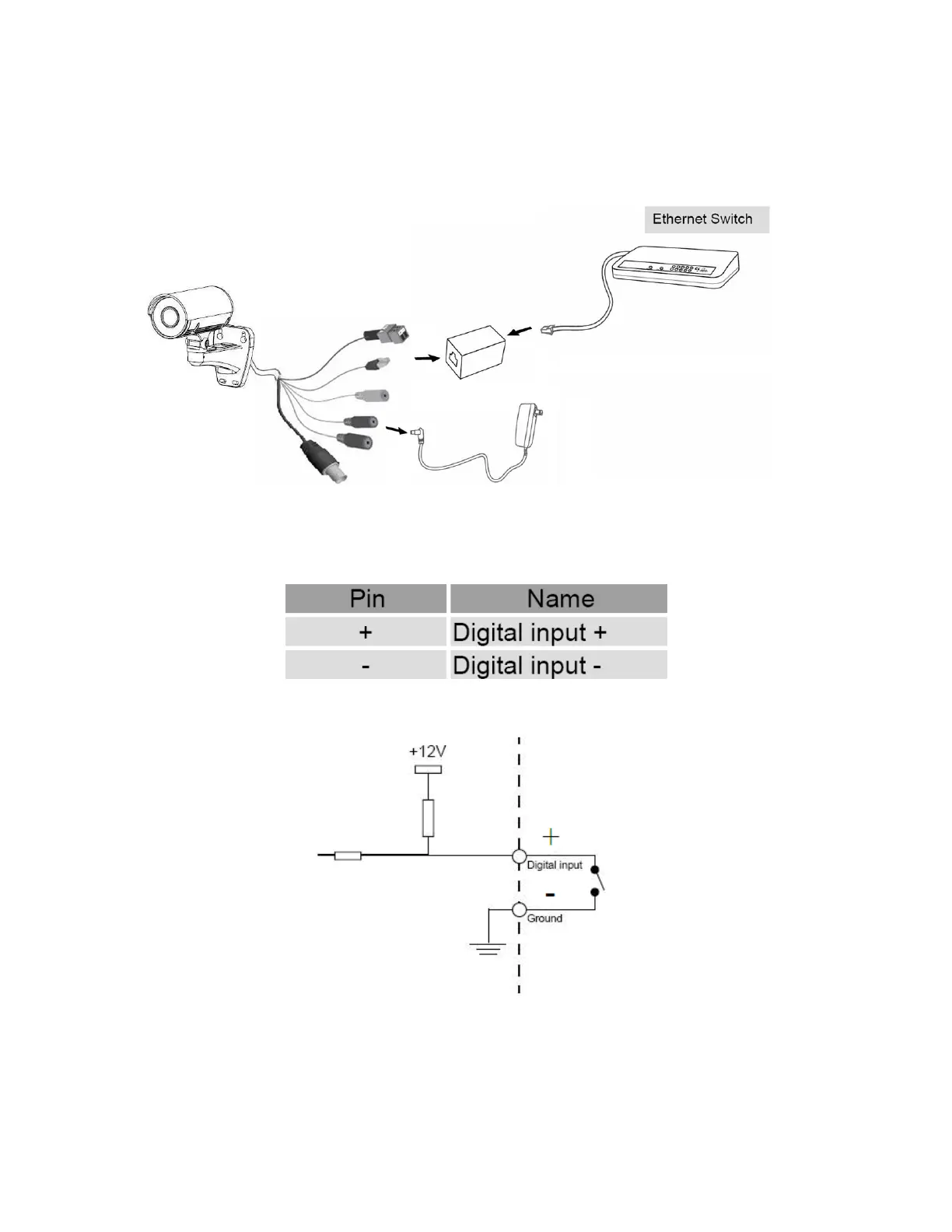
General Connection (without PoE)
1. Connect the camera to a switch via Ethernet cable.
2. Connect the power cable from the Network Camera to power outlet.
4.General I/O Terminal Block
This Network Camera provides a general I/O terminal block which is used to connect
external input devices. The pin definitions are described below.















 To Next Page