5
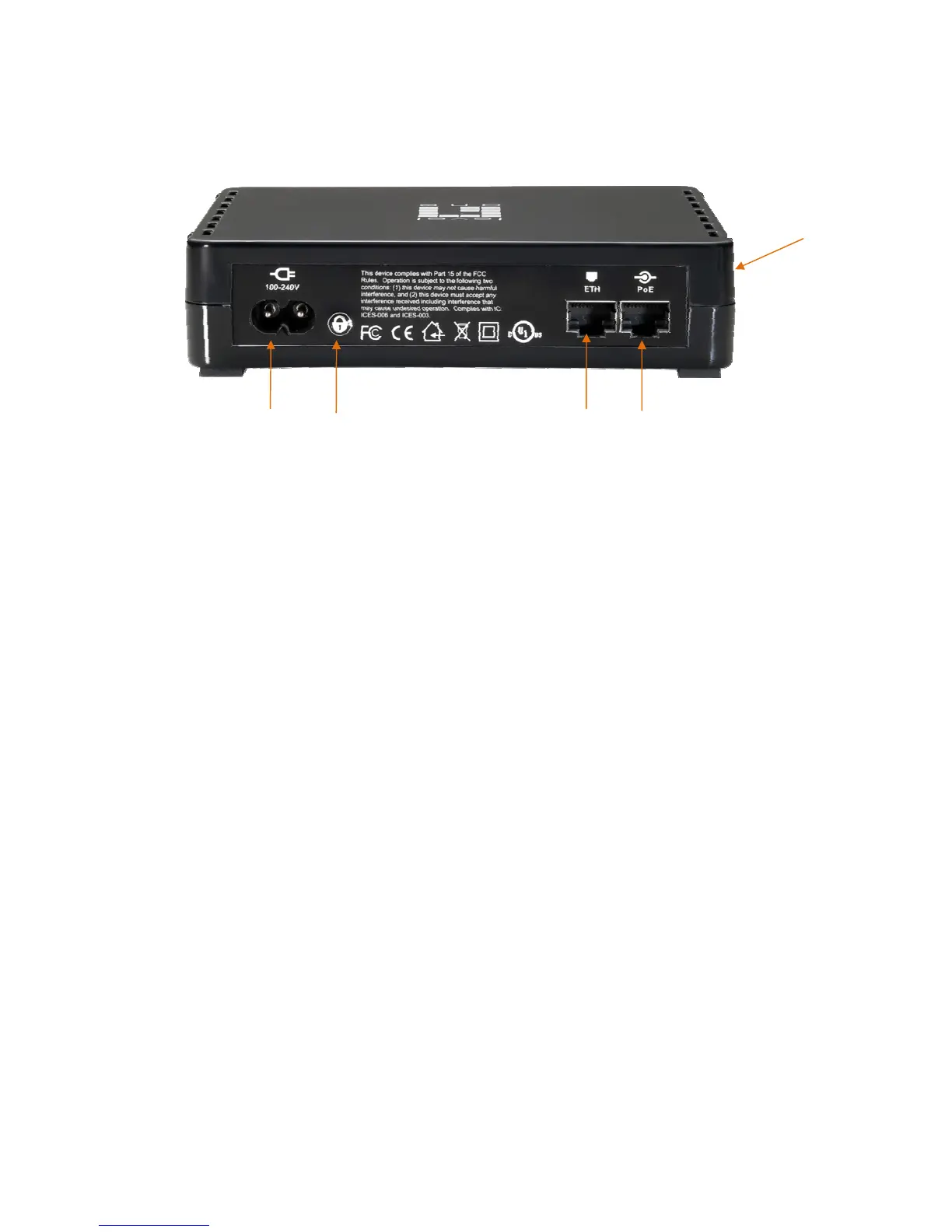
Rear Panel
The rear panel contains an AC Power Cord Plug (100-240V), a Security Button, a recessed Reset Button, and an
Ethernet Port for 48V-802.3af PoE enabled device.
1.4 Setup
Plug and Play Installation for Homes:
HomePlug is plug and play device; user is able to plug and play without any complex configuration and settings.
Please execute the following hardware installation steps 1 to 4.
Installation in homes with Existing HomePlug Network:
1. Connect the HomePlug Pro PoE Ethernet Port to a 802.3af enabled PoE Device.
2. Plug the HomePlug Pro PoE into a power outlet.
3. Wait a few seconds for startup to be completed, and then check the LEDs.
• The Power LED should be ON
• The HomePlug LED will be ON
• The PoE LED should be ON
4. Hardware Installation is now completed, enjoy HomePlug Powerline connectivity.
Installation in homes with NO EXISTING HomePlug Network:
1. Make sure that another HomePlug 200M device is connected to your network at the router or directly to a com-
puter.
2. Connect the HomePlug Pro PoE Ethernet Port to a 802.3af enabled PoE Device.
3. Wait a few seconds for startup to be completed, and then check the LEDs.
• The Power LED should be ON
• The HomePlug LED will be ON
• The PoE LED should be ON
4. Hardware Installation is now completed, enjoy HomePlug Powerline connectivity.
Power Port
PoE Port Ethernet PortSecurit



 To Next Page