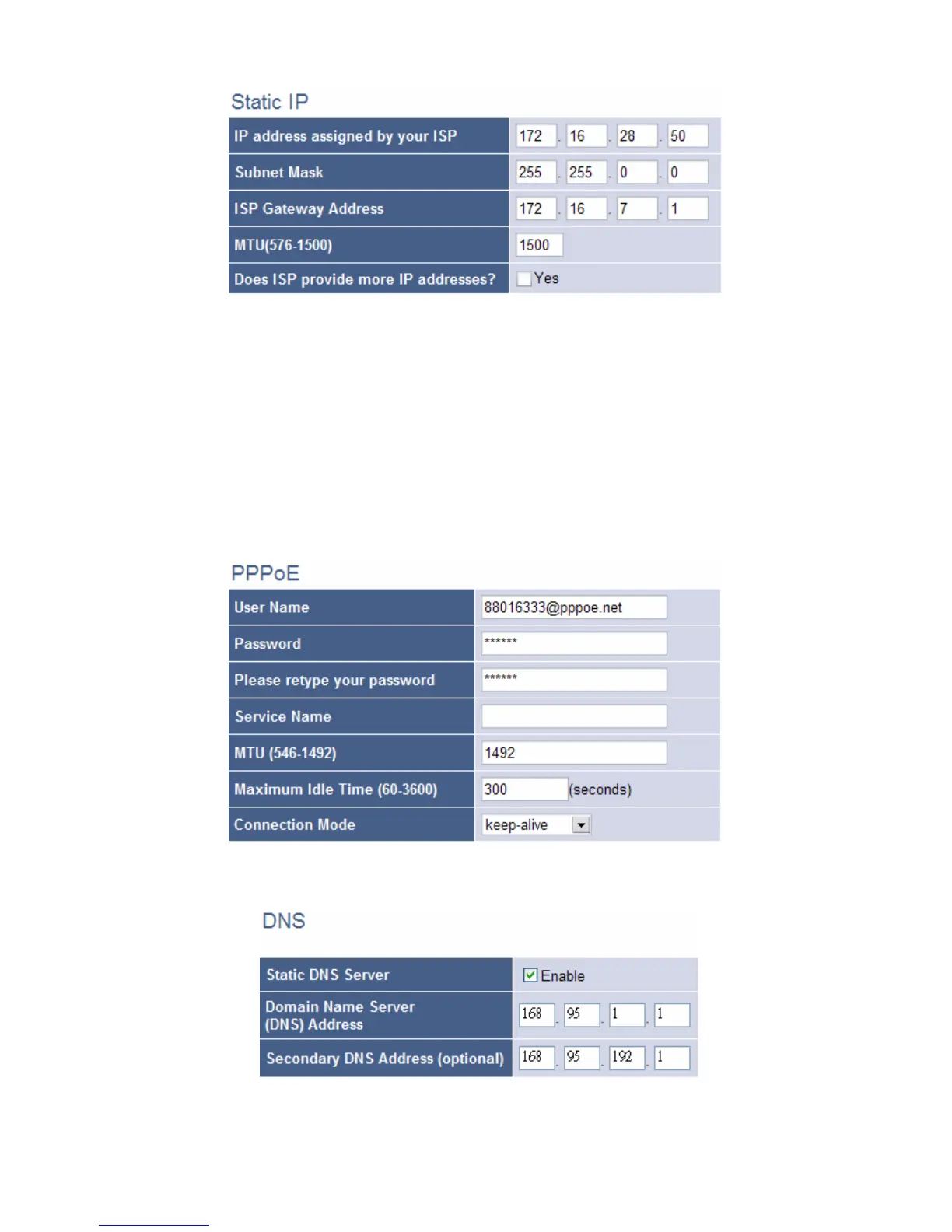
To use PPPoE ADSL connection, please select Yes in use “PPPoE” ADSL
service and enter the “username” and “password” in the PPPoE setup
section. Most of ADSL ISPs assign dynamic-IP settings to the VoIP Gateway
when using PPPoE. Please select Obtain IP Address Automatically(default
setting). You can leave the Primary and Secondary DNS IP settings in default.
The VoIP Gateway automatically obtains these settings from your ISP when
the PPPoE connection is successfully established.
Please remember to setting the Primary and Secondary DNS IPs, supplied
by your ISP



 To Next Page