EasyManua.ls Logo

LevelOne WBR-6002 - Wireless - Schedule

LevelOne WBR-6002
112 pages
Print Icon
To Next Page IconTo Next Page
To Previous Page IconTo Previous Page
Loading...
Setup
23
Wireless - Schedule
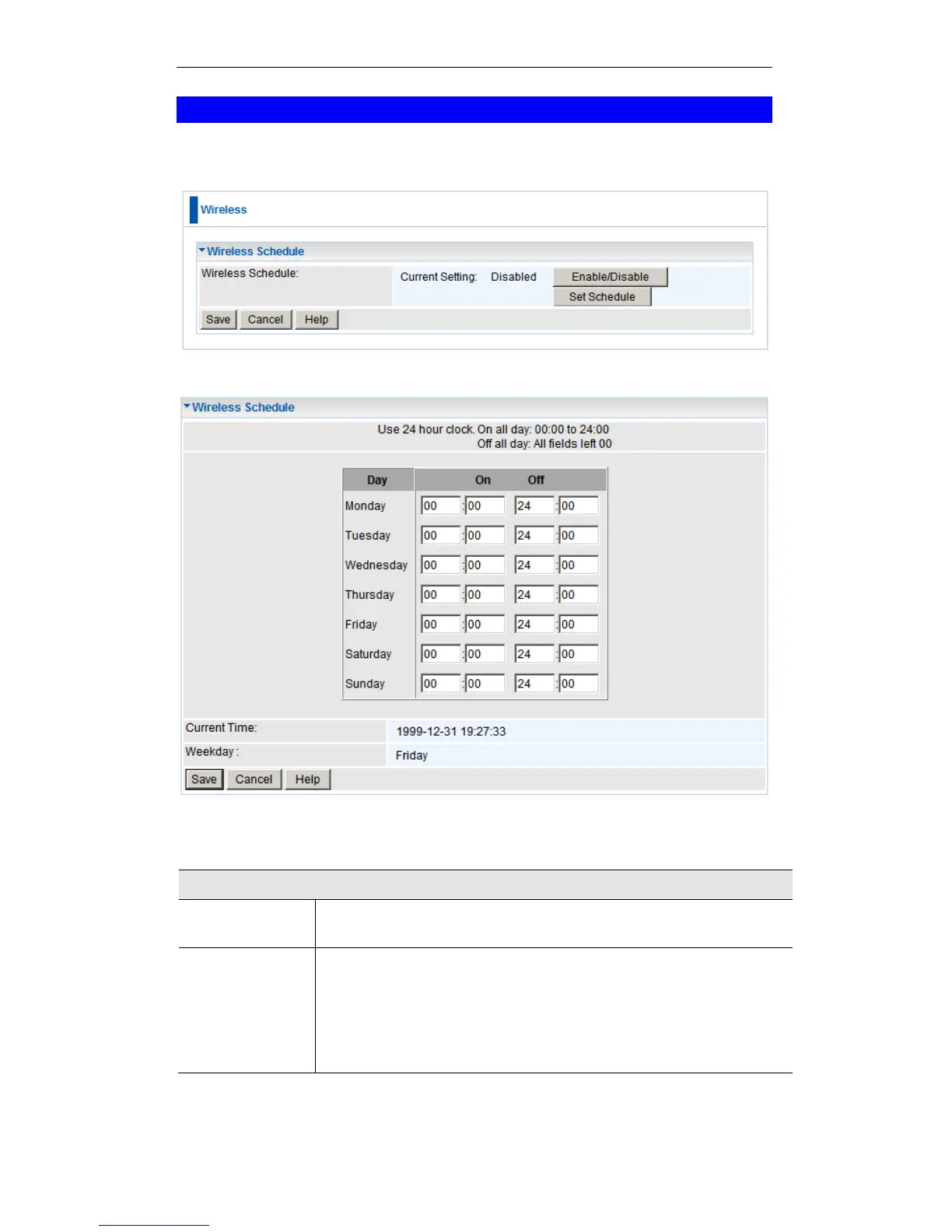
To conserve power usage, you can set the time when the wireless signal will be
deactivated. For example at night when there is no one using the wireless network.
Wireless Schedule Screens
Wireless Schedule
Enable / Disa-
ble
This button Enables or Disables the Wireless Schedule function.
Set Schedule
Click this button to set the times that the Wireless signal will turn
On and Off.
For this feature to work, please ensure that you have set up the
NTP Server in the Advanced Schedule page. The correct time
will be displayed if the NTP Server is set up.

Table of Contents

Other manuals for LevelOne WBR-6002

Related product manuals