Advanced Features
74
Schedule
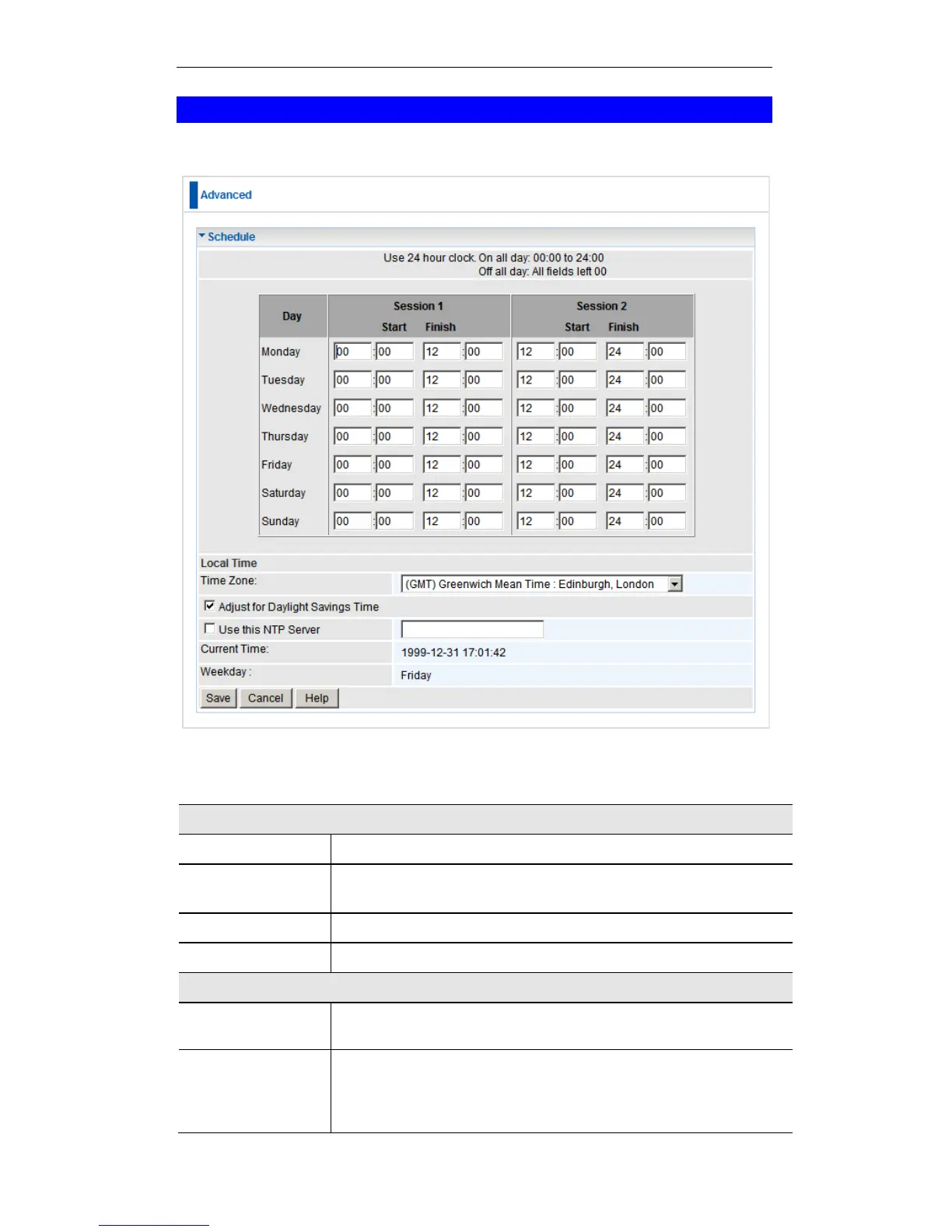
This Schedule can be used for the Firewall Rules and the URL filter.
Schedule Screen
Data - Schedule Screen
Each day of the week can be scheduled independently.
Two (2) separate sessions or periods can be defined. Session
2 can be left blank if not required.
Enter the start using a 24 hr clock.
Enter the finish time using a 24 hr clock.
In order to display your local time correctly, you must select
your "Time Zone" from the list.
Adjust for Day-
light Savings
Time
If your region uses Daylight Savings Time, you must manually
check "Adjust for Daylight Savings Time" at the beginning of
the adjustment period, and uncheck it at the end of the Day-
light Savings period.















 To Next Page