PC Configuration
53
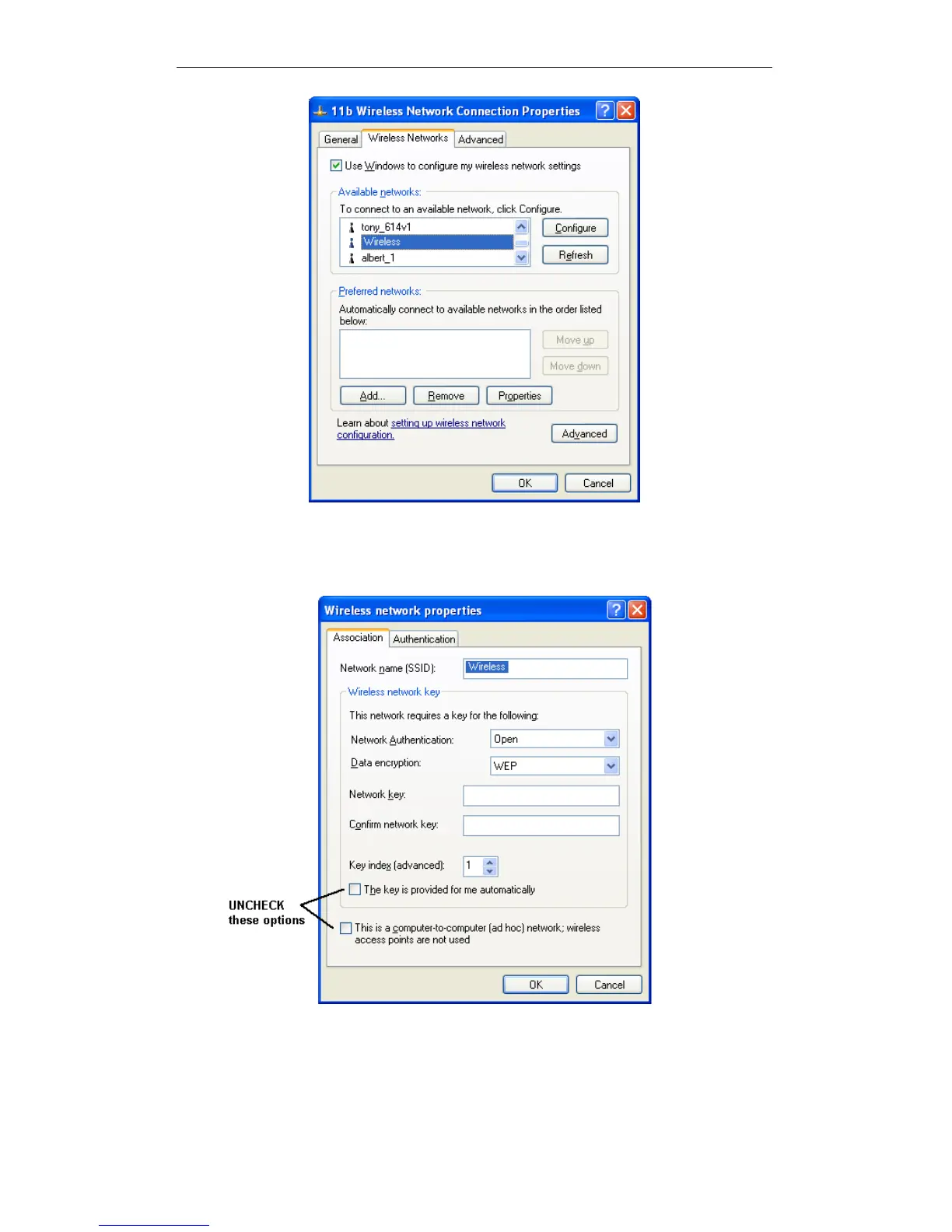
Figure 34: Advanced - Wireless Networks
Select the SSID for the Wireless Router, and click Configure, to see a screen like
the following:
Wireless Network Properties - WEP
Configure this screen as follows:
Set Network Authentication to match the Wireless Router. (If the setting on the
Wireless Router is "Auto", then either Open or Shared can be used.)
For Data Encryption, select WEP.















 To Next Page