22
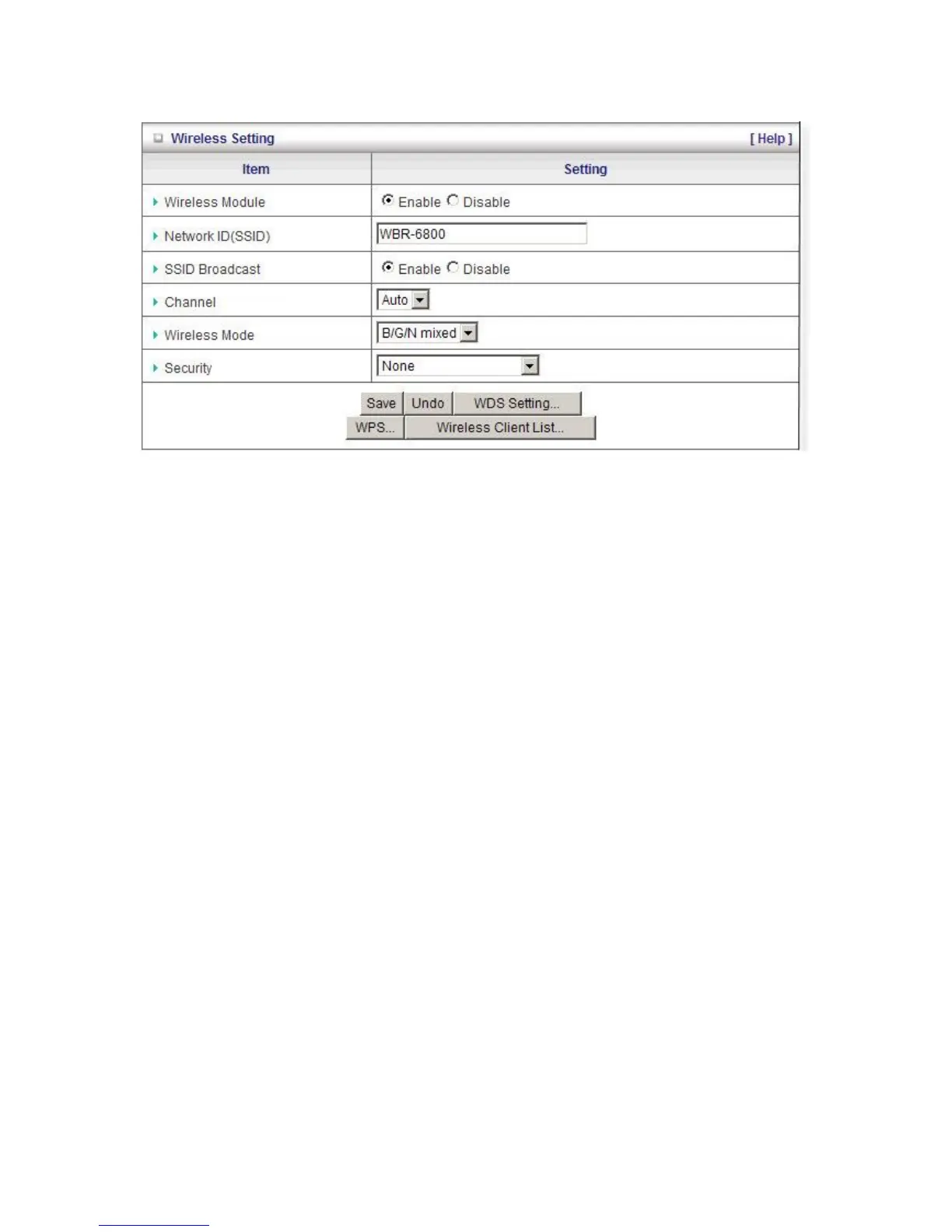
Wireless Settings
Wireless - Enabled by default. Disabling this will turn off the wireless feature of this unit.
Network ID (SSID): Service Set Identifier (SSID) is the name designated for a specific wireless local
area network (WLAN). The SSID's factory default setting is WBR-6800. The SSID can be easily
changed to establish a new wireless network.
Note: SSID names may contain up to 32 ASCII characters.
SSID Broadcast: The WBR-6800 will broadcast beacons that contains SSID and other wireless
information so that Computers or other wireless devices can find the WBR-6800 when scanning for
wireless networks. Disable this function if you want to hide your wireless network.
Channel: The radio channel number. The permissible channels depend on the Regulatory Domain.
The default is AUTO which means the WBR-6800 will find the least used channel to avoid
interference.
Note:
Channel range depends on your regional regulations. Please see specifications for Channel details.
Wireless Client List: You can use this function to see the devices connected to the WBR-6800
through the wireless network.













 To Next Page