N_One Wireless CardBus Adapter
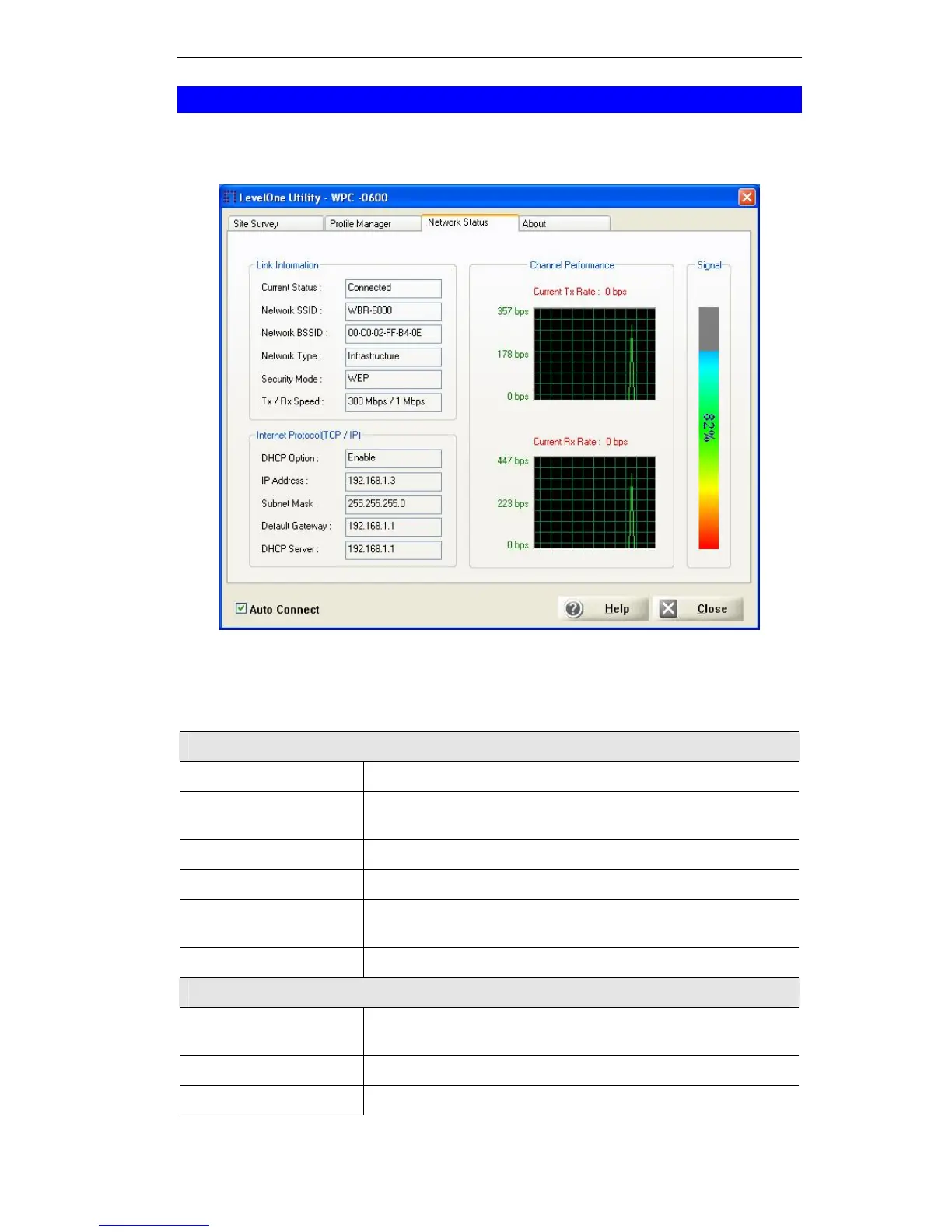
Network Status Screen
This screen displays the status of the current wireless link. Clicking the Network
Status tab will display a screen like the following.
Figure 11: Network Status Screen
You may have to wait a few seconds for the screen to be populated.
Data - Network Status Screen
Link Information
Current Status
It will indicate the current link status.
Network SSID
It shows the SSID or network name of the selected wire-
less network.
Network BSSID
It shows the MAC address of the access point.
Network Type
This will indicate "Infrastructure" or "Ad-hoc".
Security Mode
It shows the wireless security that the wireless network is
using.
Tx/Rx Speed
It shows the current wireless connection speed.
Internet Protocol
DHCP Option
It shows if the IP address was automatically obtained from
a DHCP server.
IP Address
It shows the current IP address on the wireless interface.
Subnet Mask
Subnet mask for the current IP address.
13















 To Next Page