AUTO SEQUENCING MODE
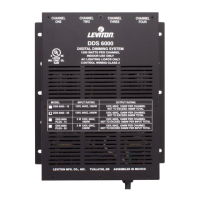
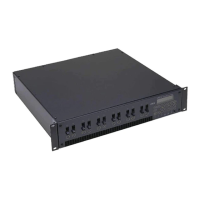
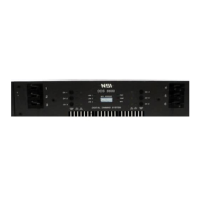
The DDS rack dimmers can be configured to perform stand alone Automatic Sequencing in place of Channel Level Memory. This
is useful for lighting displays and show windows. The eight channels will automatically fade from one to another in a preprogrammed
pattern and time selected by the front panel dipswitch whenever dipswitch #10 is down and no multiplex signal is detected. The
Analog control input will continue to operate while the dimmer is sequencing.
To enable Automatic Sequencing Mode remove jumper from position J2 or turn INTERNAL dipswitch S9 to OFF.
Front Panel Dipswitch settings
STEP TIME SWITCH 1,2,3 PATTERN SWITCH 4,5,6
1 SECOND OFF,OFF,OFF SEQUENCE OFF,OFF,OFF
3 SECOND ON,OFF,OFF ODD / EVEN SEQUENCE ON,OFF,OFF
5 SECOND OFF,ON,OFF PAIRED SEQUENCE OFF,ON,OFF
10 SECOND ON,ON,OFF ODD / EVEN ALT ON,ON,OFF
15 SECOND OFF,OFF,ON OUT / IN SEQUENCE OFF,OFF,ON
30 SECOND ON,OFF,ON BUILD ON,OFF,ON
45 SECOND OFF,ON,ON BUILD + OFF,ON,ON
60 SECOND ON,ON,ON RANDOM ON,ON,ON
Dipswitch # 7 on causes all above sequences to ping-pong.
INSTALLATION and OPERATION TIPS
Care should always be taken to:
1) Keep all AC wiring away from control wiring.
2) We also recommend powering up and performance checks be done one unit at a time. This can be a real time saver should
problems arise thus eliminating unnecessary isolation techniques to resolve the problem.
Technical Support
If addition help or service is needed, contact your dealer or the NSI Technical Services Hotline: (503) 682-6228.
INSTALLATION AND OPERATION GUIDE DDS 86/88/96/9800 DIMMER PACKS
AUTO SEQUENCING MODE Software Revision 1.41, Version C UL, Mfg Q3/96, and above
10 NSI CORPORATION








 To Next Page