LAMP FOCUS TEST
Pressing the FOCUS TEST button for any channel will force the control for that channel to full on and cause the NO LOAD LED
to flash. Pressing the button a second time will cause the channel to return to normal control.
CHANNEL CIRCUIT BREAKERS
Each channel is protected by a magnetic circuit breaker to help prevent overloading the power control devices used in the dimmer.
These circuit breakers also function as master power switches for each channel.
Note: Lamps may sometimes cause a temporary ‘‘short-circuit’’ when the filament burns out and cause the circuit breaker
to trip. This is normal and protects the internal dimmer circuitry from damage.
CHANNEL LEVEL MEMORY.
Whenever dipswitch #10 is in the off (down) position and there is a loss of multiplex signal detected, all channel outputs will remain
at the last received intensity level. If dipswitch #10 is in the up position, all lights will go out on loss of multiplex. The automatic
sequencing feature must be disabled for Channel Level Memory to operate (see INTERNAL JUMPER / DIPSWITCH SELECTIONS).
FAN OPERATION and OVER TEMPERATURE
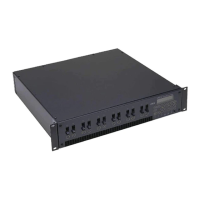
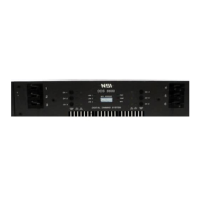
The NSI DDS rack dimmer packs employ a highly efficient cooling system and variable speed temperature controlled fan which
functions as follows:
• When the dimmer pack is first powered up the fan will immediately come to full speed for two seconds for self test
and then will shut off providing the dimmer is at room temperature.
• (NOTE: The fan may run at very low speed when dimmer is idle and at room temperature.)
• As the dimmer pack warms up when lighting loads are turned on, the fan will turn on at a slow speed and gradually
increase in speed as more cooling is needed. This reduces unnecessary fan noise and dust collection.
• If for some reason the dimmer airflow is blocked or inadequate the TEMP LED will light.
• If temperature rises any further, the dimmer will attempt to reduce all lighting levels by 25% increments in order to
reduce temperature. The TEMP LED will start flashing.
• If internal temperature still rises, a thermostat will shut off all output. The TEMP LED will flash.
Overheating of the dimmer is not normal and may be due to restriction of air circulation, or fan failure.
To adjust the temperature sensing of the DDS 88/9800( 86/9600 ) dimmers please see below;
IMPORTANT: BE SURE DIMMER PACK AT ROOM TEMPERATURE!!
1. Activate the calibration mode by holding down focus test switchs 4 and 8 ( 3 and 6 ) together for about 6 seconds.You will
notice the fan runs at high speed , the line indicator LEDs begin to flash and the temp LED is on. NOTE: If the temp led is off
no calibration is required.
2. Press focus test switch 2 ( 1 ) if calibration is low or focus test switch 3 ( 2 ) if high.You will notice the temp load indicator
LED should go off indicating proper calibration.
3. Press focus test switch 4 and 8 ( 3 and 6 ) together to exit the temperature calibration mode.
DDS 86/88/96/9800 DIMMER PACKS INSTALLATION AND OPERATION GUIDE
Software Revision 1.41, Version C UL, Mfg Q3/96, and above LAMP FOCUS TEST
NSI CORPORATION 7








 To Next Page