6
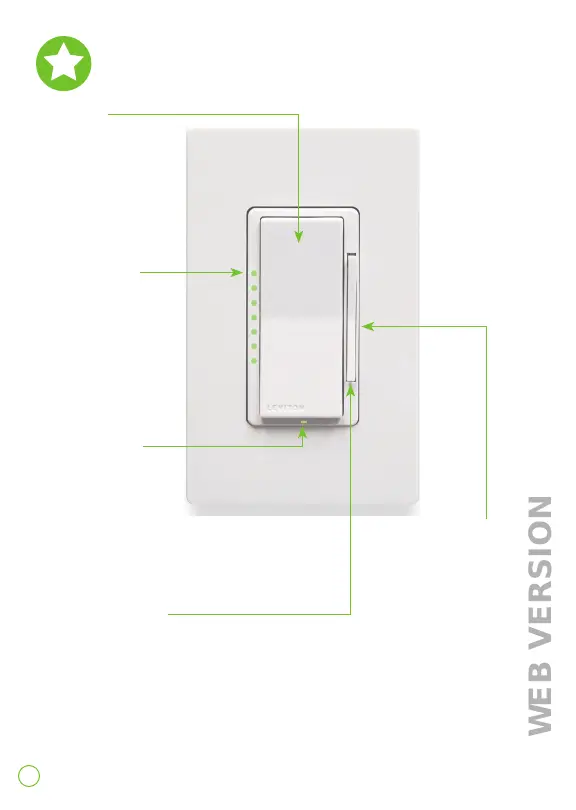
Features
Rocker
Manually
turn light on.
The bottom of the
paddle turns the
light off.
Dim / bright bar
Manually adjust
light levels.
Air gap switch
This feature will stop power to the lights to replace a bulb.
After servicing is complete, press the dim bright bar back into
place for normal operation. Engage the air-gap switch by gently
pulling the bottom of the dim/bright bar until the bottom lifts
completely out of the frame and a click is heard. The dimmer
brightness indicator lights and any connected lights will turn off.
Brightness
indicator lights
Displays light level
when adjusting
brightness.
Status light
Illuminates when
load is off.








 To Next Page