EasyManua.ls Logo

Leviton OSC10-M0W - User Manual

Leviton OSC10-M0W
2 pages
Print Icon
To Next Page IconTo Next Page
Loading...
PK-93586-10-00-0F
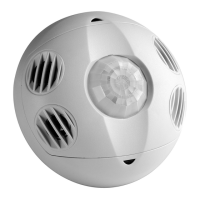
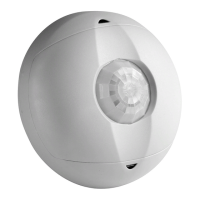
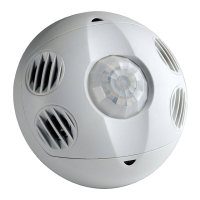
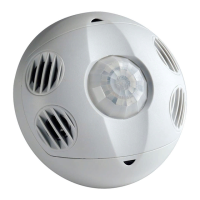
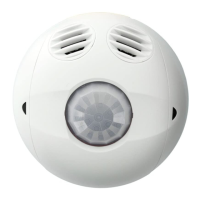
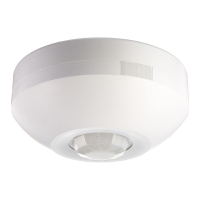
Multi-Technology Ceiling Mounted Occupancy Sensor
Cat. No. OSC
Ø
5-M, OSC1
Ø
-M, OSC2
Ø
-M
To be used with 24VDC OSP
xx
Series and CN100 Power Pack Class II Low-Voltage Wiring
INSTALLATION INSTRUCTIONS
Typical Installations:
Listed are 3 typical installation options (A, B, and C). Choose one that best suits
your needs. Other methods of installation may be possible but they have not been
described here.
A. Drop Ceiling Installation (Mounting Option A):
NOTE: Use the threaded rod included.
1. Select location for mounting of sensor and proper masking for your application
(refer to Mounting Location Diagram).
2. Use the supplied threaded rod or other methods to make a hole (1/2" to 1") in the
ceiling tile just large enough to pass the body of the threaded rod through.
3. Insert the sensor wires through the flared end of the threaded rod. Position the
threaded rod to the base of the sensor.
4. Insert the flared end of the threaded rod into the opening in the bottom of the
sensor and twist to lock into place.
Tools needed to install your Sensor
Slotted/Phillips Screwdriver Electrical Tape
Pliers Pencil
Cutters
Parts Included List
)1( tuN xeH dna )1( doR dedaerhT)1( rosneS
#8-32 x 1/2" Screw (2) Half Mask (1)
#8-32 x 1-1/2" Screw (2) 360$ Perforated Mask (1)
#8-32 Washer and Nut (2) Plastic Washer (1)
DESCRIPTION
The Occupancy Sensor is a low-voltage infrared and ultrasonic sensor that works with
the OSP
xx
Series and CN100 power pack to automatically control lighting. The sensor
turns the lights on and keeps them on whenever occupancy is detected and will turn
them off after the delayed-off time has expired.
The sensor continually analyzes and adjusts to changing conditions. The sensor uses
the latest microprocessor-based technology which permits it to continually adjust and
optimize its performance.
The combination of ultrasonic (doppler shift) motion detection which gives maximum
sensitivity and infrared motion detection which gives higher false triggering immunity
yields a sensor with excellent performance.
INSTALLING YOUR OCCUPANCY SENSOR
NOTE: Use check boxes when Steps are completed.
WARNING: TO AVOID FIRE, SHOCK, OR DEATH; TURN OFF POWER
at circuit breaker or fuse and test that power is off before wiring!
Preparing and connecting wires:
Step 1
ONOFF
ONOFF
ONOFF
ONOFF
ONOFF
ONOFF
ONOFFONOFF
ONOFF
ONOFF
ONOFF
ONOFF
3
WARNINGS AND CAUTIONS
To be installed and/or used in accordance with appropriate electrical codes and regulations.
TO AVOID FIRE, SHOCK, OR DEATH; TURN OFF POWER at circuit breaker or fuse and test that power is off before wiring!.
If you are unsure about any part of these instructions, consult an electrician.
Sensors must be mounted on a vibration free surface.
All sensors must be mounted at least 6 feet away from air vents.
Do not mount sensors closer than 10 feet from each other.
Do not touch the surface of the lens. Clean outer surface with a damp cloth only.
Step 3 cont’d
Mounting Option Diagram A
Occupancy Sensor Mounted to Drop Ceiling Using Threaded Rod
Low-Voltage Wires
NOTE: Wires routed through
the Threaded Rod
Drop Ceiling
1" thick maximum
Nut
Washer
Threaded Rod
1/2"
(1.3 cm)
Strip Gage (measure
bare wire here)
Step 3
5. Push the wires into the hole in the ceiling tile and insert the threaded rod until the
sensor is flush with the tile.
6. Insert wires through the hole in the included washer, then place the included
washer over the rod and screw on the included hex nut.
7. Class II Wiring: Connect low-Voltage wires from Power Pack to Sensor per
WIRING DIAGRAM as follows: Twist strands of each lead tightly and, with circuit
conductors, push firmly into appropriate wire connector. Screw connectors on
clockwise making sure that no bare conductor shows below the wire connectors.
Secure each connector with electrical tape.
8. Rotate the sensor to the desired orientation. Note that the sensor base and back
cover are keyed. To lock the device in place, ensure that the arrows are not aligned.
9. Restore power at circuit breaker or fuse to Power Pack. INSTALLATION IS
COMPLETE.
C. Junction Box or Surface Mount Raceway Installation (refer to
Mounting Diagrams):
NOTE: Listed below are suggested JUNCTION BOX installation applications which
require mounting to conduit in one of the following three ways:
Step 3 contd
Mounting Option Diagram B
Occupancy Sensor Mounted to Wallboard
or Drop Ceiling Using Screws
Low-Voltage Wires
Wallboard
Ceiling
Sensor
Back Cover
Sensor Base
Keylock Arrow
Mounting Screws
(2 places)
Sensor Front Cover
Low Voltage Wires
Wallboard Ceiling
Back Cover open center to
route Low-Voltage Wires
Mounting Screw
Back Cover internal
surface shown
Back Cover shown mounted
on ceiling with screws
Nut (2 places)
Washer (2 places)
Cut
(if necessary)
Step 2
B. Wallboard or Drop Ceiling Installation (Mounting Option B):
NOTE: You may use the mounting screws, nuts and washers included, or screws in
combination with commercially available wall anchors.
1. Select location for mounting of sensor and proper masking for your application
(refer to Mounting Location Diagram).
2. Make a hole in the ceiling tile or wallboard large enough to pass the wire
connections and wire nuts through (approximately 1" diameter).
3. Remove the back cover of the sensor. Hold the back cover and body of the sensor
and rotate until the two arrows line up and pull apart.
4. Install back cover of the ceiling sensor to the wallboard or drop ceiling using the
included screws, nuts and washers, or screws in combination with commercially
available wall anchors.
5. Class II Wiring: Connect low-Voltage wires from Power Pack to Sensor per
WIRING DIAGRAM as follows: Twist strands of each lead tightly and, with circuit
conductors, push firmly into appropriate wire connector. Screw connectors on
clockwise making sure that no bare conductor shows below the wire connectors.
Secure each connector with electrical tape.
6. Push wire connections through the center hole of the back cover and into the ceiling.
7. Secure the sensor body to the back cover by aligning the arrows. Lock it by
turning the sensor such that the arrows do not line up.
8. Rotate the sensor to the desired orientation.
9. Restore power at circuit breaker or fuse to Power Pack. INSTALLATION IS COMPLETE.
Occupancy Sensor Mounted to Octagon
Box Installed Flush to Wallboard Ceiling
#8-32 Screws
(2 places)
Octagon Box
4" x 1 1/2" deep
Low-Voltage
Wires
Wallboard or
Drop Ceiling
FCC COMPLIANCE STATEMENT:
This device complies with part 15 and part 18 of the FCC rules. Operation is subject to the following two
conditions: (1) This device must not cause harmful interference, and (2) This device must accept any
interference received, including interference that may cause undesired operation.
Step 3 contd
Occupancy Sensor Mounted to Round Fixture
with Raceway for Wallboard Installation
Wire Mold Back Cover
Back Cover Screws
(4 places)
Wire Mold Round Fixture
Box Cat. No. V5738
(for raceway mount)
Mounting Screws
(4 places)
Low-Voltage Wires
Wallboard Ceiling
Wire Mold Raceway
(use applicable fittings)
Hot (Black)
Neutral (White)
Load
Blue
(Control)
Black
Black
Red (24VDC)
Blue
Blue
Red
Blue
White
Black
White
Black
Red
Gray
*
Blue
Black
Line
120/277/347VAC
60Hz
Sensor
OSPxx Series
Power Pack
NC-Brown
NO-Brown/White
Common-Green
To HVAC
System
Gray
*
Wiring Diagram: Multiple Sensor, Single Power Pack
Catalog No.
OSC05-M0W
OSC10-M0W
OSC20-M0W
Description
1-Way Multi-Technology
2-Way Multi-Technology
Operating
Frequency
40KHz
40KHz
32KHz
Coverage
500 sq. ft
1000 sq. ft.
2000 sq. ft.
Suggested
Mounting Location
Mount in corner/
over doorway
Mount in center
of room/area
Mount in center
of room/area
Current
Consumption
30mA
40mA
32mA
CATALOG ITEMS
*
NOTE: When using the
Photocell function, connect
the Gray wire of the sensor
to the Blue wire of the
power pack. DO NOT use
the Blue wire of sensor.
NOTE: Ensure to cap wire
that is not being used.
Name Color Gauge Temp/Voltage
Power (+24V) Red 24 200$ C/ 600V
DC Return Black 24 200$ C/ 600V
Occupancy Blue 24 200$ C/ 600V
Occupancy/Photocell Gray 24 200$ C/ 600V
TABLE 2: WIRE DESIGNATIONS
WEB VERSION
Question and Answer IconNeed help?

Do you have a question about the Leviton OSC10-M0W and is the answer not in the manual?

Summary

Safety and Warnings

General Warnings and Cautions

Essential safety precautions to prevent fire, shock, or death during installation.

Installation Procedures

Preparing and Connecting Wires

Steps for preparing and connecting sensor wires for installation.

Drop Ceiling Installation (Option A)

Detailed steps for mounting the sensor in a drop ceiling.

Wallboard;Drop Ceiling Installation (Option B)

Instructions for mounting the sensor on wallboard or drop ceiling.

Junction Box;Raceway Installation (Option C)

Guidance for installing the sensor using junction boxes or raceway.

Wiring Diagram

Illustrates wiring connections for multiple sensors and a power pack.

FCC Compliance

Statement regarding FCC compliance and operational conditions.

Sensor Operation Modes

Multi-Tech Mode

Default mode where PIR turns lights on; either technology keeps them on.

Single-Tech Mode

Only one technology (PIR or ultrasonic) is active for motion detection.

Delayed-Off Time

Time before lights turn off after no motion is detected.

Walk-through Mode

Feature for momentary occupancy, turning lights off shortly after leaving.

LED Operation

Indicator lights for motion detection, with option to disable.

Adaptive Functions

Adaptive Function Operation

Sensor analyzes motion signals to maximize detection and minimize noise.

Occupancy Pattern Learning (Delayed Off Time)

Sensor adjusts delayed-off time based on room conditions and occupancy.

Occupancy Pattern Learning (Ultrasonic)

Sensor adjusts ultrasonic sensitivity based on learned occupancy patterns.

Sensor Settings and Adjustments

Default Settings

Recommended manual settings for knobs and switches.

Test Mode

Procedure to set delayed-off time to 6 seconds for walk testing.

Photocell Adjustment

Setting the ambient light override level for the photocell feature.

Troubleshooting Common Issues

Lights Do Not Turn ON

Diagnosing and resolving issues where lights fail to activate.

Lights Stay ON

Troubleshooting constant lighting due to motion or sensor placement.

Light Turns ON Too Long

Addressing situations where lights remain on for an extended period.

Product Warranty

Limited 5 Year Warranty

Details of the warranty coverage and exclusions for the product.

Summary

Safety and Warnings

General Warnings and Cautions

Essential safety precautions to prevent fire, shock, or death during installation.

Installation Procedures

Preparing and Connecting Wires

Steps for preparing and connecting sensor wires for installation.

Drop Ceiling Installation (Option A)

Detailed steps for mounting the sensor in a drop ceiling.

Wallboard;Drop Ceiling Installation (Option B)

Instructions for mounting the sensor on wallboard or drop ceiling.

Junction Box;Raceway Installation (Option C)

Guidance for installing the sensor using junction boxes or raceway.

Wiring Diagram

Illustrates wiring connections for multiple sensors and a power pack.

FCC Compliance

Statement regarding FCC compliance and operational conditions.

Sensor Operation Modes

Multi-Tech Mode

Default mode where PIR turns lights on; either technology keeps them on.

Single-Tech Mode

Only one technology (PIR or ultrasonic) is active for motion detection.

Delayed-Off Time

Time before lights turn off after no motion is detected.

Walk-through Mode

Feature for momentary occupancy, turning lights off shortly after leaving.

LED Operation

Indicator lights for motion detection, with option to disable.

Adaptive Functions

Adaptive Function Operation

Sensor analyzes motion signals to maximize detection and minimize noise.

Occupancy Pattern Learning (Delayed Off Time)

Sensor adjusts delayed-off time based on room conditions and occupancy.

Occupancy Pattern Learning (Ultrasonic)

Sensor adjusts ultrasonic sensitivity based on learned occupancy patterns.

Sensor Settings and Adjustments

Default Settings

Recommended manual settings for knobs and switches.

Test Mode

Procedure to set delayed-off time to 6 seconds for walk testing.

Photocell Adjustment

Setting the ambient light override level for the photocell feature.

Troubleshooting Common Issues

Lights Do Not Turn ON

Diagnosing and resolving issues where lights fail to activate.

Lights Stay ON

Troubleshooting constant lighting due to motion or sensor placement.

Light Turns ON Too Long

Addressing situations where lights remain on for an extended period.

Product Warranty

Limited 5 Year Warranty

Details of the warranty coverage and exclusions for the product.

Overview

The Multi-Technology Ceiling Mounted Occupancy Sensor is a sophisticated low-voltage device designed to automate lighting control in commercial and residential settings. It integrates both infrared (IR) and ultrasonic technologies to detect occupancy, ensuring lights are turned on when a space is occupied and turned off when it's vacant, thereby contributing to energy savings.

Function Description:

The core function of this sensor is to detect motion and control lighting based on occupancy. It operates in conjunction with the OSPxx Series and CN100 power packs, which provide the necessary low-voltage power. When motion is detected, the sensor signals the power pack to turn on the lights. If no motion is detected for a specified "delayed-off time," the lights are automatically turned off.

The sensor offers two primary modes of operation:

  • Multi-Tech Mode (Default): In this mode, PIR technology is primarily responsible for turning lights on. However, once the lights are on, both PIR and ultrasonic technologies contribute to maintaining the lights. If neither technology detects motion, the lights will turn off after the delayed-off time. This mode leverages the strengths of both technologies for comprehensive detection.
  • Single-Tech Mode: This mode allows the user to select either PIR or ultrasonic technology to be active. The chosen technology will then be solely responsible for both turning lights on and keeping them on. This can be useful in environments where one technology might be more effective or less prone to false triggers than the other.

A key feature is the Delayed-Off Time, which determines how long the lights remain on after the last detected motion. This time is adjustable via a knob on the sensor. The sensor also incorporates adaptive patterns that modify the delayed-off time based on environmental conditions and actual occupancy patterns, optimizing its performance over time.

The Walk-Through Mode is designed for transient occupancy. If a person enters a room and leaves within a short, predefined walk-through timeout (e.g., 2.5 minutes), the lights will turn off quickly. If the person stays longer, the sensor transitions to standard operation, adapting to longer occupancy periods.

LED Operation provides visual feedback on motion detection. Green flashes indicate ultrasonic motion detection, while red flashes signify infrared motion detection. This feature can be disabled if desired.

Adaptive Functions:

The sensor is equipped with advanced adaptive functions that allow it to continuously analyze motion detection signals and adjust its internal operation. This self-optimization minimizes false triggers caused by environmental factors such as electrical noise, air currents, and temperature changes, while maximizing accurate detection.

  • Occupancy Pattern Learning for Delayed-Off Time: The sensor learns the occupancy patterns of a space. Initially, it operates in a "walk-through" mode, then transitions to an "occupied" mode. The delayed-off time is dynamically adjusted based on the frequency and strength of motion detection. For instance, if motion is frequent, the delayed-off time might be minimized, while infrequent or weak motion might lead to a longer delayed-off time. This learning mechanism also helps prevent "false-off" conditions (lights turning off while the room is still occupied) by immediately lengthening the delayed-off time if such an event occurs.
  • Occupancy Pattern Learning for Ultrasonic Technology: Over a seven-day period, the sensor learns the occupancy patterns of the space and adjusts its ultrasonic sensitivity accordingly. This means the sensor becomes less likely to turn on during periods of non-occupancy and more likely to turn on during periods of expected occupancy. This adaptive feature is not applicable when the sensor is in PIR-only mode.

Usage Features:

The sensor offers various settings and adjustments to tailor its performance to specific environments:

  • Knob Settings: Three adjustable knobs (Green, Red, Black) allow users to fine-tune the ultrasonic range, infrared range, and delayed-off time, respectively. A fourth knob (Blue) is for ambient light override when the gray wire is used.
  • DIP Switches: A bank of DIP switches provides further configuration options, including selecting between Single/Multi-Tech modes, enabling/disabling auto-adapting, walk-through mode, manual mode, override functions (ON/OFF), and LED operation.
  • Test Mode: A dedicated test mode allows for quick verification of sensor functionality with a shortened 6-second delayed-off time. This is useful during installation and troubleshooting.
  • Photocell (Ambient Light Override): When wired with the gray wire connection, the sensor can utilize a photocell function. This feature conserves energy by preventing lights from turning on if there is sufficient ambient light already present in the room. The blue knob adjusts the ambient light threshold.

Maintenance Features:

The device is designed for minimal maintenance.

  • Cleaning: The outer surface of the lens should be cleaned with a damp cloth only. It is important not to touch the surface of the lens directly.
  • Troubleshooting: The manual provides a troubleshooting guide for common issues such as lights not turning on (checking circuit breaker, wiring) or lights staying on (checking for constant motion, sensor placement, timer settings).
  • Installation Considerations: Proper installation is crucial for optimal performance. The sensor must be mounted on a vibration-free surface, at least 6 feet away from air vents, and not closer than 10 feet from other sensors. These guidelines help prevent false triggers and ensure accurate detection.

Leviton OSC10-M0W Specifications

General IconGeneral
Sensor typePassive infrared (PIR) sensor
Connectivity technologyWired
Product colorWhite
Response time30 s
Input voltage24 V
Power source typeAC
Warranty period5 year(s)
Quantity per pack1 pc(s)
Operating temperature (T-T)0 - 40 °C
Operating relative humidity (H-H)0 - 95 %
Weight and Dimensions IconWeight and Dimensions
Depth39.9 mm
Width106.68 mm

Related product manuals