27
ENGLISH
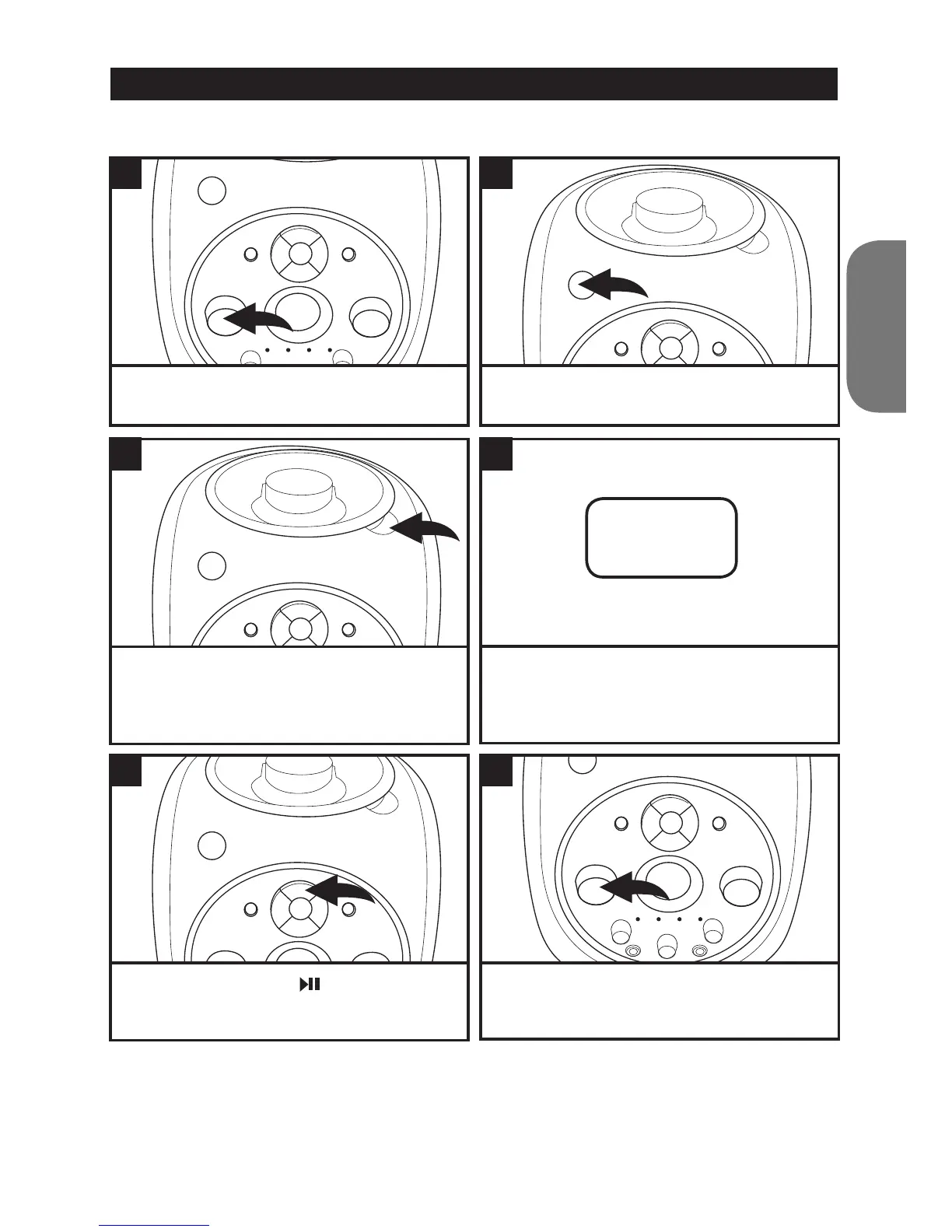
To insert and play a CD
CD OPERATION
Set the VOLUME control to a low setting.
Press the PLAY/PAUSE
button to start
playing the CD from the track 1. The play
indicator will light up.
Lift up the CD OPEN tab to open the CD door.
Insert a disc onto the centre spindle (label side
up) and push down gently to make sure it is
securely on the spindle. Close the CD door.
Press the POWER button to turn the unit on.
The power indicator will light up.
Adjust the VOLUME control as desired.
The CD player will read the disc and show the
total number of tracks on the display.
1
5
3
2
6
4
10



 To Next Page