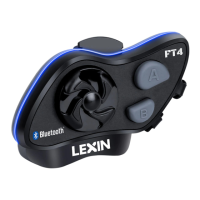
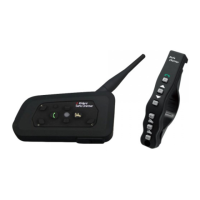
Additional Notes for Intercom connections:
Bridge Units:
- Bridge units connect with other bridge units with the B Button and will flash purple
when they are connected.
- Bridge units connect with non-bridge units with the A Button.
- Devices are connected like a chain. To maximize communication range, keep the
units in the order the links are connected.
- The Bridge unit cannot be connected with a Bluetooth device (phone or GPS) while
it is being used as an Intercom Bridge.
Enabling Intercom Talk:
- You will hear a beep sound when you start an intercom talk.
- It may take a few seconds to connect the other units, please wait until both units are
connected to talk.
Device Range:
- If one intercom rider goes out of range during an intercom talk, there may be static
and eventually the intercom will disconnect. In this case, the Lexin FT4 Pro
automatically tries to reconnect the intercom rider every eight seconds and you will
hear high tone double beep until the connection is re-established.
Auto-connect: To disable auto connect, press the Jog Dial button.
Battery Conservation: To save battery power, disconnect the intercom units if you
do not need to talk.
Maintenance and Care:
Follow the suggestions below for optimal care of your Lexin FT4 Pro device and to
maintain warranty protection.
- Do not use or store the device in dusty or dirty environments. Moving parts and
electronic components can be damaged.
- Do not store the device in high heat areas. High temperatures can shorten the life of
electronic devices, damage batteries, and warp or melt certain plastics.
- Do not store the device in cold temperature areas. When the device returns to its
normal temperature, moisture can form inside the device and damage electronic
circuit boards.
- Do not attempt to open the Lexin FT4 Pro case.
- Do not drop or knock the device. Rough handling can break internal circuit boards
and fine mechanics.
- Do not use harsh chemicals, cleaning solvents, or strong detergents to clean the
device.
- Do not paint the device. Paint can clog the moving parts and prevent proper
operation. These suggestions apply equally to the headset main unit,
speaker-microphone clamp unit, and power charger.


 To Next Page