Universal Pairing
To enter pairing mode:
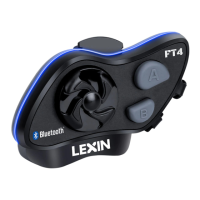
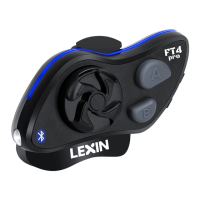
Step 1: Power on the Lexin FT4 Pro, press and hold the B Button for about 2 seconds
until the LED begins flashing blue and red.
Step 2: Follow your other units Bluetooth pairing instructions to enter pairing mode.
Step 3: Click the B Button on Lexin FT4 Pro to pair. Once pairing starts, the LED on
the Lexin FT4 Pro unit will flash only blue.
Step 4: To initiate universal intercom, double click the B button to initiate intercom.
Note: Some non-Lexin intercoms are programmed to only allow universal intercom
initiation from their units.
Bluetooth Intercom Connection for 2-4 units:
Lexin FT4 Pro devices can be paired with up to three other Lexin devices. Intercom
allows you to quickly speak to another rider in your group who has a paired Lexin
device.
Before connecting devices: Clear any existing connection. Press and hold the A
Button and B Button together until the LED trim flashes red. Repeat this on all
devices.
How to Pair 2-4 Lexin FT4 Pro devices for intercom:
Two Devices:
Step 1 Pairing unit one with
unit two:
- Power off both units.
- Press and hold the A Button
on both devices.
- LED of both units will flash
red and blue when they enter
pairing mode.
- Click the A Button on either
unit to pair. Once pairing
starts, the LED on the unit
clicked will flash only blue.
- When pairing is complete,
the LED will blink blue on
both units.
Step 2 Enable intercom
talk: Connect unit one with
unit two: -Click the A Button
on unit two or unit one.
-Chat will be enabled and you
can speak to other rider(s).
- The LED will flash 3 times
in blue every 3 seconds on
both units indicating they are
connected.
Step 3 Disable intercom
talk:
Disconnect units:
- Click the A Button or Jog
Dial on either unit. Only one
unit needs to click the A
button to initiate, not both.
-When disconnected you will
see the LED blinking blue on
both units.
Note: The unit will revert to
the previous mode when
intercom is disabled. (Music,
GPS, etc.)


 To Next Page