General Operation Instructions
Powering On/Off:
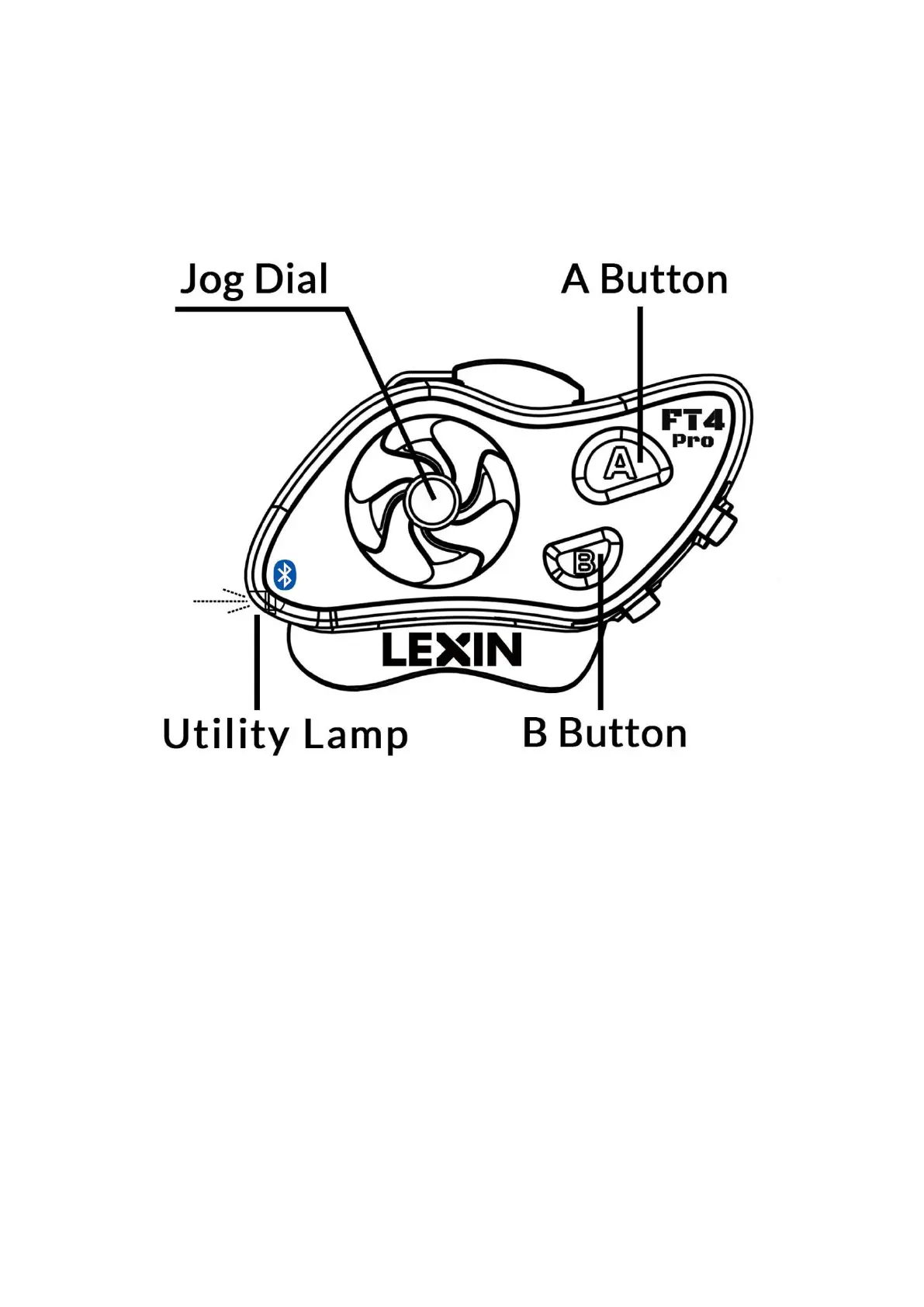
Press and hold the A Button and Jog Dial together for 2 seconds.
On: The LED will blink blue followed by the
unit informing you of the current battery
percentage.
Off: The LED will turn to red, then off,
indicating the device has powered down.
Charging/Battery life - The device charges through a Type C to USB cable. It takes 2
hours to fully charge the Lexin FT4 Pro.
While charging the LED turns red.
When fully charged the LED turns blue.
The device will notify you when the battery life drops below 20%. It will remind you
every 5 minutes with a voice alert until the device powers off. This indicates around
20 minutes of use remains.
Battery Life Prompt:
Every time you turn on the unit, it will automatically report the current battery life.
Double click the A Button to repeat the battery life notification.
Note: It will report one of five levels: 100%, 80%, 50%, 30%, LOW.



 To Next Page