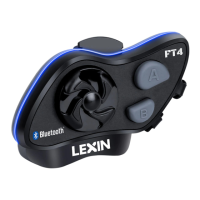
Pairing Lexin FT4 Pro with Bluetooth Devices:
Note: A single Lexin FT4 Pro can be connected with up to two different Bluetooth
devices at once.
Step 1: With power off, press and hold the A Button for 3 seconds until the LED
flashes blue and red. Follow the source device’s instructions to connect.
Pairing Phone
Step 2: Go to Bluetooth
settings on your phone. Select
Lexin FT4 Pro.
If prompted use “0000” for
PIN.
Step 3: Your phone should
confirm when pairing is
complete.
Note: The LED will also blink
blue on Lexin FT4 Pro device
indicating a connection is
complete.
Pairing Stereo Bluetooth
Adaptor
Step 2: Turn on the audio
source and prepare Stereo
Bluetooth Adaptor for
pairing.
Step 3: Turn on or plug in the
Stereo Bluetooth Adaptor.
Step 4: The audio source will
automatically start playing
through the Lexin FT4 Pro
when pairing is complete.
Pairing Bluetooth GPS
Navigation
Step 2: Follow pairing
instructions for your specific
GPS Navigation to connect to
Lexin FT4 Pro.
Note: You will be able to
listen to Bluetooth voice
instructions from Bluetooth
GPS navigation once paired.
Note: Lexin FT4 Pro should automatically connect to your device once paired as long
as Bluetooth is enabled. If you need to manually connect, click the Jog Dial to
connect with the audio source.
To Reset Bluetooth Pairing: press A and B Buttons simultaneously until the LED
flashes red. Then, turn the device off, and power back on using the pairing
instructions.
Volume and Music Controls:
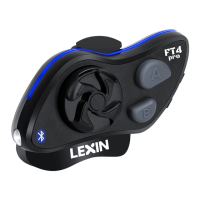
While playing music from your phone you can use the Jog Dial to control the
following functions.
Volume - Rotate job dial
clockwise for volume up and
counterclockwise for volume
down.
Pause/Play - Click the Jog
Dial to pause a song, click the
Jog Dial again to resume
playing.
Change Song - Press and
hold Jog Dial until beep tone
sounds. Rotate clockwise for
next song, counterclockwise
for the previous song.
Note: After 5 seconds of no Jog Dial use, the Jog Dial reverts back to volume control
mode automatically and a beep tone will sound.


 To Next Page