Phone Calls:
Answer Call: Click the Jog Dial button once to answer an incoming call.
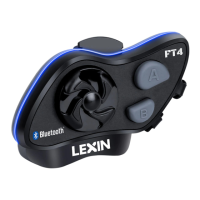
Auto Answer: To enable or disable auto answer press and hold both the Jog Dial button and the
B Button for 2 seconds. The LED will flash blue three times when enabled and red 3 times
when disabled.
End Call: Click the Jog Dial
button.
Decline Call: Double click
the Jog Dial button.
Redial: When in standby
mode, double-click the Jog
Dial button.
Voice Dial: When in standby mode, press and hold the Jog Dial button for one second to
activate Siri or S-Voice. You will hear a beep sound, and then there will be a voice prompt from
the mobile phone. Simply speak the name from your phone list to dial.
FM Radio:
Turn on/off: When in standby, press and hold the A Button for 2 seconds to turn on
FM radio. The device will prompt you with “Radio on.” Press and hold it again for 2
seconds to turn off. The device will prompt you with “Radio off.”
FM Radio Station Search: When in FM radio
mode, press and hold the Jog Dial for one
second to enter station search mode, a beep
tone will sound. Within 10 seconds rotate the
Jog Dial clockwise for up search,
counter-clockwise for down search. After 10
seconds, it reverts to volume control mode
automatically and a beep tone will sound, or
you can press & hold the Jog Dial for 1 second
to go back volume control mode.
Store up to 6 FM radio stations: In FM
radio mode, when a favorite station is found,
click the Jog Dial to save. A beep tone will
sound. Preset and store up to 6 FM radio
stations. Once 6 stations have been saved,
saving a new station will overwrite the oldest
saved station. Click the A Button to rotate
between each saved station.
Headlamp:
Turn on/off: Activate by double clicking the A Button, this will also prompt the
battery life for the device.
Emergency SOS Strobe: Press and hold Jog Dial for ten seconds to activate or
deactivate strobe.
Change LED- 7 Color Trim:
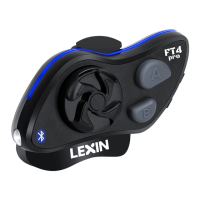
The Lexin FT4 Pro features an RGB LED light with 7 color options. Press both the
Jog Dial and the B Button simultaneously to enter color change mode (solid,fade and
multicolor cycling)then scroll the jog dial to select color.
-Blue -Red -Orange -Cyan -Purple -White -Green
Blue Flashing - This is the Bluetooth Indicator light setting, the device must be in this
setting to see changes for Bluetooth pairing and other settings.
Note: LED color changing mode drains the battery faster than usual.


 To Next Page