EasyManua.ls Logo

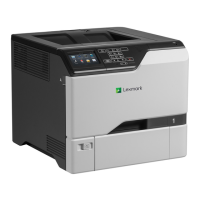
Lexmark CS725 - User Manual

Lexmark CS725
138 pages
Print Icon
To Next Page IconTo Next Page
Loading...
CS720, CS725, CS725R, CS727,
CS728 Printers
User's Guide
June 2019 www.lexmark.com
Machine type(s):
5028
Model(s):
135, 1A5, 630, 6A0

Table of Contents

Other manuals for Lexmark CS725

Questions and Answers

  • J
    Jason RaymondAug 7, 2025
    What to do if I cannot open Embedded Web Server on Lexmark CS725 Printer?
    • A
      Alexander WintersAug 7, 2025
      To resolve issues opening the Embedded Web Server on your Lexmark Printer, ensure you have a supported browser installed. Verify that you're typing the correct printer IP address into the address field. Also, confirm that the printer is turned on and that the cable connections are secure. If problems persist, contact your administrator.
  • A
    Ashley PalmerAug 12, 2025
    How to load paper in Lexmark CS725?
    • S
      Steven McdowellAug 12, 2025
      To properly load paper in your Lexmark printer, use 20-lb plain letter or A4 paper. Ensure the paper guides are correctly set and locked. Then, from the control panel, adjust the paper size and type settings to match the paper loaded in the tray.
  • S
    Sara HortonAug 17, 2025
    How to check the toner cartridge for damage in Lexmark CS725?
    • M
      Michael ThompsonAug 17, 2025
      To check the toner cartridge for damage in your Lexmark printer, examine the cartridge for any visible signs of damage. If you find any damage, replace the toner cartridge.
  • C
    courtney10Aug 22, 2025
    Why should I avoid certain locations for my Lexmark CS725 Printer?
    • F
      Frank WatkinsAug 22, 2025
      To maintain your Lexmark printer in good condition, avoid placing it in locations that generate ammonia gas, are exposed to direct sunlight, are near open flames, or are dusty.
  • J
    John ChanAug 27, 2025
    Why is location important for Lexmark Printer?
    • D
      davidmartinAug 27, 2025
      To ensure proper operation, your Lexmark printer should be securely installed on a level surface in a well-ventilated area.
  • M
    michellehopkinsAug 31, 2025
    How to check the power cord of Lexmark Printer?
    • A
      arobbinsAug 31, 2025
      To check the power cord of your Lexmark printer, first unplug it from the electrical outlet. Then, check the cord for any breakage, short circuits, disconnected wires, or incorrect connections.

Summary

Safety Information

Conventions

General guidelines and symbols used in the manual.

Product statements

Specific warnings and precautions for product usage.

Learning About the Printer

Printing

Maintaining the printer

Troubleshooting

Network connection problems

Solutions for issues related to printer network connectivity.

Paper feed problems

Diagnosing and resolving issues with paper jams and feeding errors.

Print quality is poor

Steps to address various printing defects like streaks or faded output.

The printer is not responding

Troubleshooting steps for an unresponsive printer.

Lexmark CS725 Specifications

General IconGeneral
TypeOriginal
Compatibility- CS725
Product colorBlack
Printing colorsYellow
Country of originChina
Quantity per pack1 pc(s)
Brand compatibilityLexmark
Color toner page yield12000 pages
Cartridge return & recyclingYes
Print technologyLaser printing
Harmonized System (HS) code84439990
Weight and Dimensions IconWeight and Dimensions
Package depth160 mm
Package width190 mm
Package height75 mm
Package weight445 g

Related product manuals