EasyManua.ls Logo

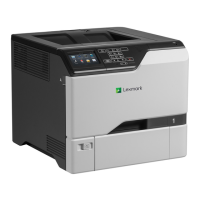
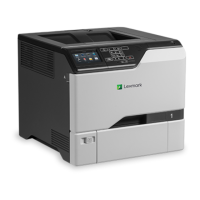
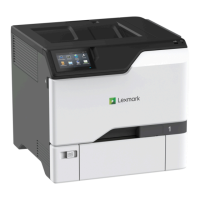
Lexmark CS725R - User Manual

Lexmark CS725R
138 pages
Print Icon
To Next Page IconTo Next Page
Loading...
CS720, CS725, CS725R, CS727,
CS728 Printers
User's Guide
June 2019 www.lexmark.com
Machine type(s):
5028
Model(s):
135, 1A5, 630, 6A0

Table of Contents

Questions and Answers

  • A
    alyssa80Aug 10, 2025
    What to do if I cannot open Embedded Web Server on Lexmark Printer?
    • J
      Jennifer AdkinsAug 10, 2025
      To resolve issues opening the Embedded Web Server on your Lexmark Printer, ensure you have a supported browser installed. Verify that you're typing the correct printer IP address into the address field. Also, confirm that the printer is turned on and that the cable connections are secure. If problems persist, contact your administrator.
  • M
    Michael MarshallAug 15, 2025
    How to load paper in Lexmark CS725R?
    • C
      cordovabrandonAug 16, 2025
      To properly load paper in your Lexmark printer, use 20-lb plain letter or A4 paper. Ensure the paper guides are correctly set and locked. Then, from the control panel, adjust the paper size and type settings to match the paper loaded in the tray.
  • A
    Adrian RoseAug 20, 2025
    How to check the toner cartridge for damage in Lexmark CS725R Printer?
    • N
      Nicholas MilesAug 20, 2025
      To check the toner cartridge for damage in your Lexmark printer, examine the cartridge for any visible signs of damage. If you find any damage, replace the toner cartridge.
  • J
    Jeffery MaynardAug 26, 2025
    Why should I avoid certain locations for my Lexmark Printer?
    • J
      jason10Aug 26, 2025
      To maintain your Lexmark printer in good condition, avoid placing it in locations that generate ammonia gas, are exposed to direct sunlight, are near open flames, or are dusty.
  • V
    Veronica NelsonAug 30, 2025
    Why is location important for Lexmark CS725R Printer?
    • M
      Mr. Eric CarrilloAug 31, 2025
      To ensure proper operation, your Lexmark printer should be securely installed on a level surface in a well-ventilated area.
  • J
    John ClarkSep 4, 2025
    How to check the power cord of Lexmark CS725R?
    • T
      teresacoleSep 4, 2025
      To check the power cord of your Lexmark printer, first unplug it from the electrical outlet. Then, check the cord for any breakage, short circuits, disconnected wires, or incorrect connections.

Lexmark CS725R Specifications

General IconGeneral
Print Resolution1200 x 1200 dpi
Print TechnologyLaser
Monthly Duty Cycle (max)150000 pages per month
Processor1.2 GHz
Duplex PrintingStandard
Media Sizes SupportedA6, A5, Legal, Letter
ConnectivityUSB 2.0
PDL SupportPostScript 3, PDF
Mobile PrintingLexmark Mobile Print
Operating Systems SupportedLinux, Microsoft Windows
Warranty1-year limited warranty

Related product manuals