EasyManua.ls Logo

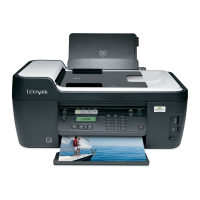
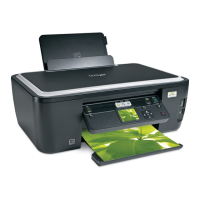
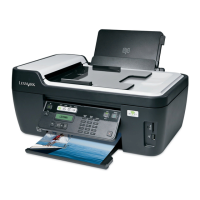
Lexmark Interpret S400 - User Manual

Lexmark Interpret S400
179 pages
Print Icon
To Next Page IconTo Next Page
Loading...
Interpret S400 Series User's Guide
November 2010 www.lexmark.com
Machine type(s):
4443
Model(s):
201, 20E, 21n, 2En

Table of Contents

Other manuals for Lexmark Interpret S400

Questions and Answers

  • M
    melissa75Aug 16, 2025
    Why is my Lexmark All in One Printer printing blank pages?
    • J
      James BentonAug 16, 2025
      If your Lexmark All in One Printer is printing blank pages, try reinstalling the ink cartridges. If the issue persists, perform a deep clean and alignment of the printhead.
  • M
    milleramyAug 19, 2025
    How to fix Lexmark All in One Printer when it cannot print through USB?
    • G
      George BennettAug 19, 2025
      If you're unable to print through USB with your Lexmark All in One Printer, begin by checking the USB connection. Ensure that the USB port is enabled in Windows. If the problem continues, remove and reinstall the printer software.
  • S
    Sergio SchaeferAug 22, 2025
    What to do if software did not install for Lexmark All in One Printer?
    • D
      david74Aug 22, 2025
      If the software for your Lexmark All in One Printer did not install, first, check that your computer meets the minimum system requirements listed on the printer box. Then, temporarily disable security programs in Windows before installing the software. Also, check the USB connection and reconnect the printer power supply.
  • D
    Donald HowardAug 26, 2025
    What to do if Lexmark All in One Printer is busy or does not respond?
    • W
      William PerezAug 26, 2025
      If your Lexmark All in One Printer is busy or does not respond, ensure that the printer is not in power saver mode. Also, try reconnecting the printer power supply.
  • S
    Stephanie TurnerAug 28, 2025
    Why print job does not print or is missing pages on Lexmark All in One Printer?
    • S
      shelby09Aug 28, 2025
      If a print job from your Lexmark All in One Printer does not print or is missing pages, make sure the ink cartridges are inserted correctly. Ensure that you select your printer from the print dialog before sending the print job and the print job is not paused. Verify your printer is set as the default printer. Try reconnecting the printer power supply, removing and reconnecting the USB cable, and checking the USB connection. As a last resort, remove and reinstall the printer software.
  • D
    Douglas LamAug 31, 2025
    What to do if cables are not connected correctly to Lexmark Interpret S400?
    • A
      Alexis MeadowsAug 31, 2025
      Ensure the cables are securely plugged into the correct ports on your Lexmark Printer. This can resolve connectivity issues.
  • S
    shoodSep 3, 2025
    What to do if Lexmark Interpret S400 Printer is not plugged into the first phone port?
    • T
      Tracy ElliottSep 3, 2025
      Ensure that the Lexmark Printer is plugged into the first phone port of the VoIP adapter or cable modem.
  • G
    georgechristopherSep 6, 2025
    What to do if no dial tone on Lexmark Interpret S400 Printer?
    • J
      Jenny ThomasSep 6, 2025
      Contact your line provider to resolve the issue of no dial tone when plugging an analog telephone into the wall jack, DSL filter, VoIP device, or cable modem.
  • R
    Rita HenrySep 9, 2025
    How to change language on Lexmark All in One Printer?
    • S
      Shannon SnowSep 9, 2025
      To address an incorrect language appearing on the display of your Lexmark All in One Printer, change the language using the printer menus. If you cannot read the current language, use a button combination to change the language.
  • J
    Jessica BarajasSep 12, 2025
    What to do if I cannot delete documents from the print queue of Lexmark All in One Printer?
    • J
      Joanna GonzalezSep 12, 2025
      If you cannot delete documents from the print queue of your Lexmark All in One Printer, restart the computer and try again.

Lexmark Interpret S400 Specifications

General IconGeneral
BrandLexmark
ModelInterpret S400
CategoryPrinter
LanguageEnglish

Related product manuals