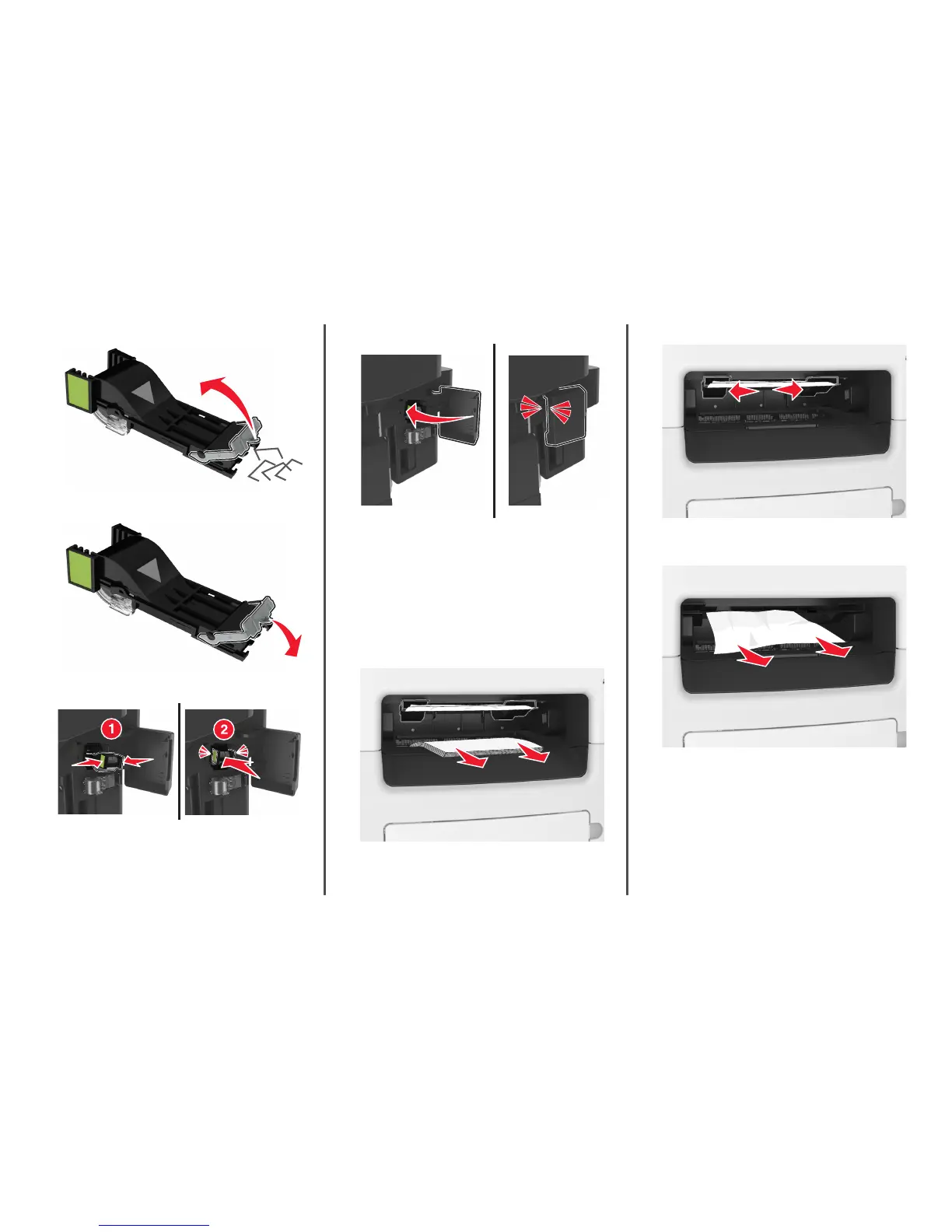
3 Lift the staple guard, and then remove any jammed or loose staples.
4 Press down the staple guard until it clicks into place.
5 Insert stapler cartridge back into the finisher until it clicks into place.
6 Close the staple access door.
7 If necessary, touch Done from the printer control panel to clear the
message and continue printing.
[x]-page jam, remove all pages from the
finisher’s accumulator. Leave paper in
bin. [45y.xx]
Paper jam in the finisher bin
1 Empty the standard bin.
2 Move the tamper arms to the sides.
3 Remove all jammed pages from inside the access areas.
Note: Make sure all paper fragments are removed.
4 If necessary, touch Done from the printer control panel to clear the
message and continue printing.
24



 To Next Page