10‑inch display (MX711) removal
1 Remove the control panel. See “Control panel removal (MX71x)” on page 488.
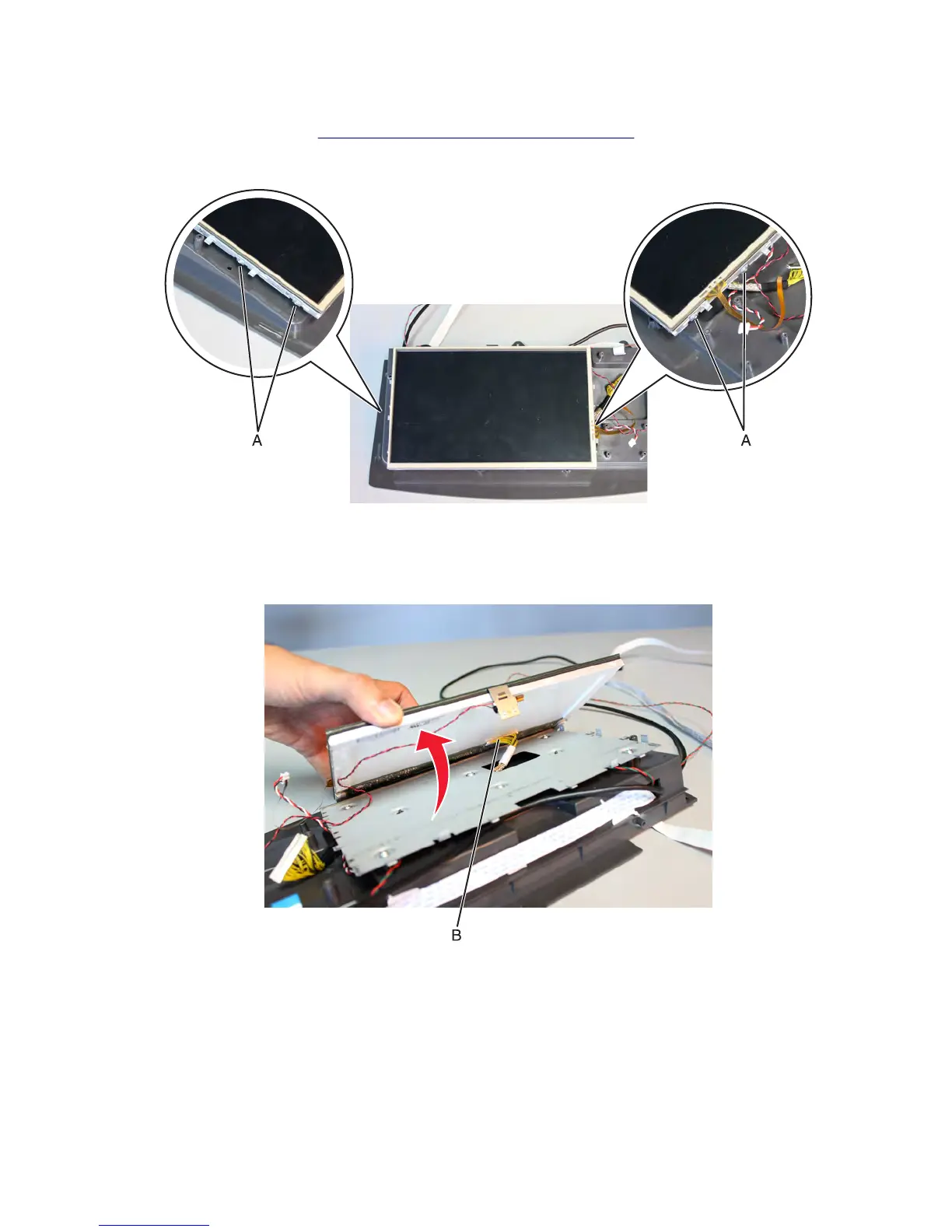
2 Remove the four screws (A) securing the display.
3 Carefully lift the display, and then disconnect all the cables from the display.
Warning—Potential Damage: Connections (B) under the display are prone to damage. Extra care is required in
handling these parts.
7463
Repair information
487



 To Next Page