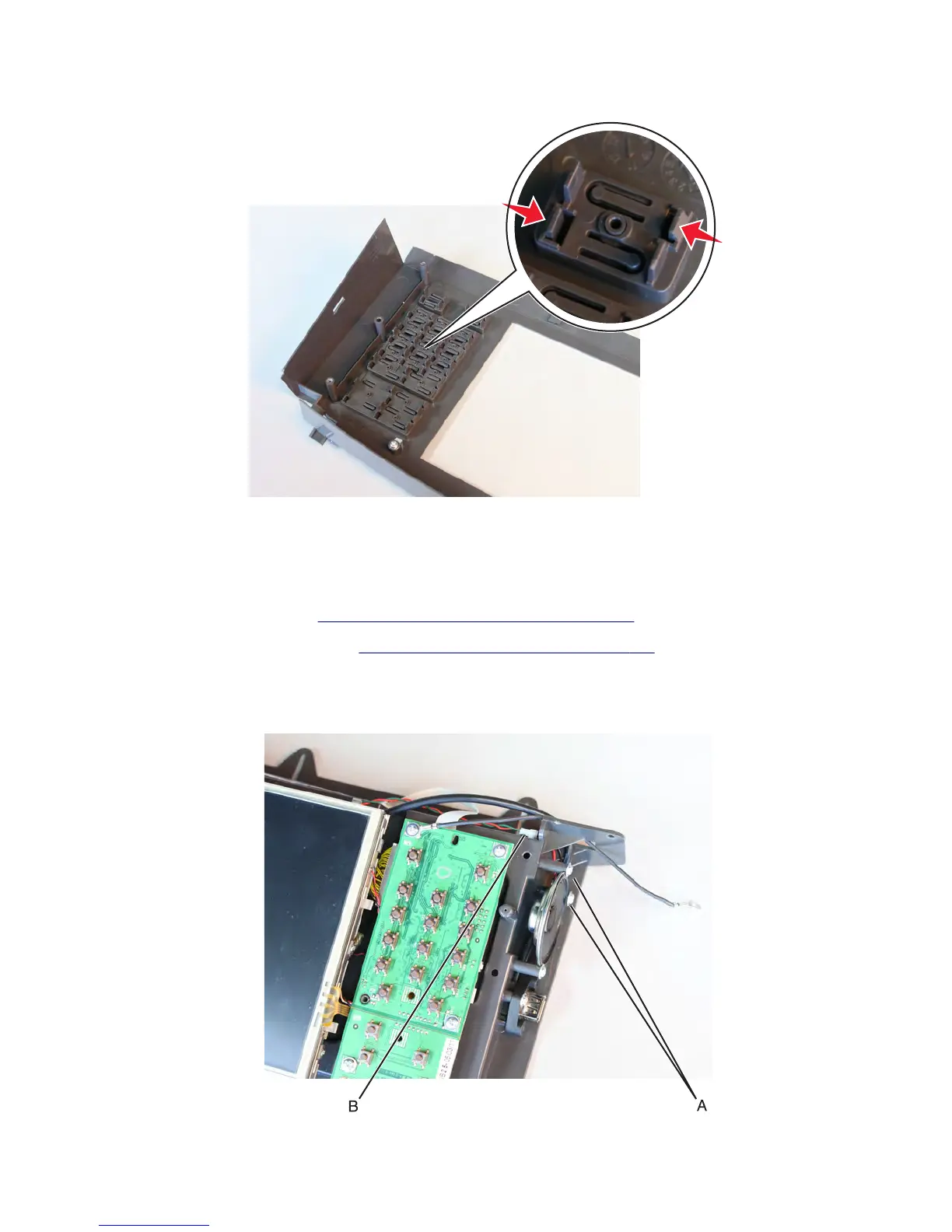
3 Push the latches inwards to release, and then remove the button.
4 Remove all the control panel buttons.
Control panel speaker removal (MX81x)
1 Remove the control panel. See “Control panel removal (MX81x)” on page 491.
2 Remove the control panel cover. See “Control panel cover removal” on page 525.
3 Loosen the three screws (A) to release the speaker.
4 Disconnect the cable (B), and then remove the speaker.
7463
Repair information
527



 To Next Page