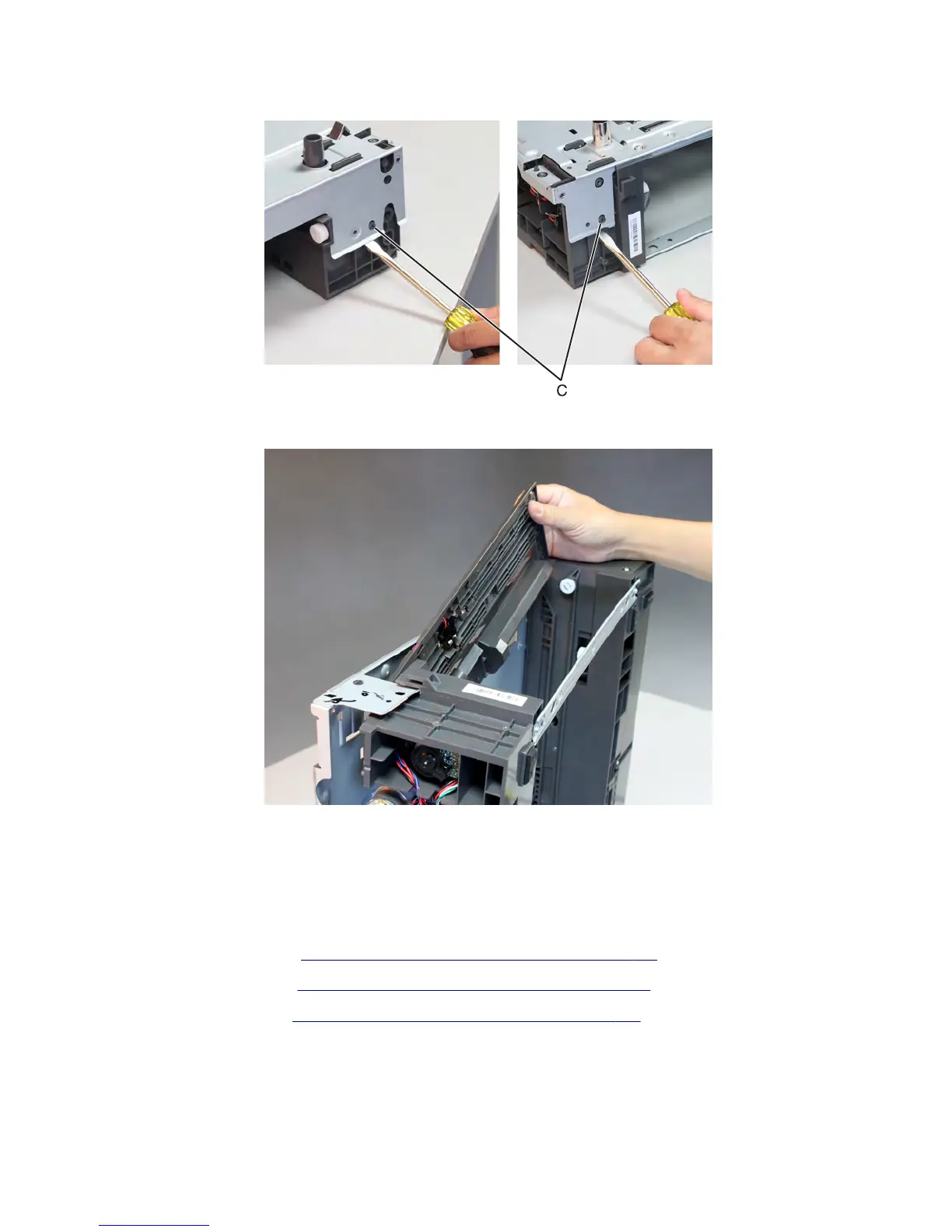
7 Pry the frame loose to release the pins (C).
8 To access the cable, lift the left side of the top plate, and pull the sensor assembly away from the drawer.
Note: Pay attention to the original routing of the cable.
9 Route the sensor cable off the drawer, and remove the sensor.
Sensor (pick) removal
1 Remove the media tray. See “550-sheet media tray option removal” on page 688.
2 Remove the rear cover. See “Drawer assembly rear cover removal” on page 691.
3 Remove the left cover. See “Drawer assembly left cover removal” on page 692.
7463
Repair information
701



 To Next Page