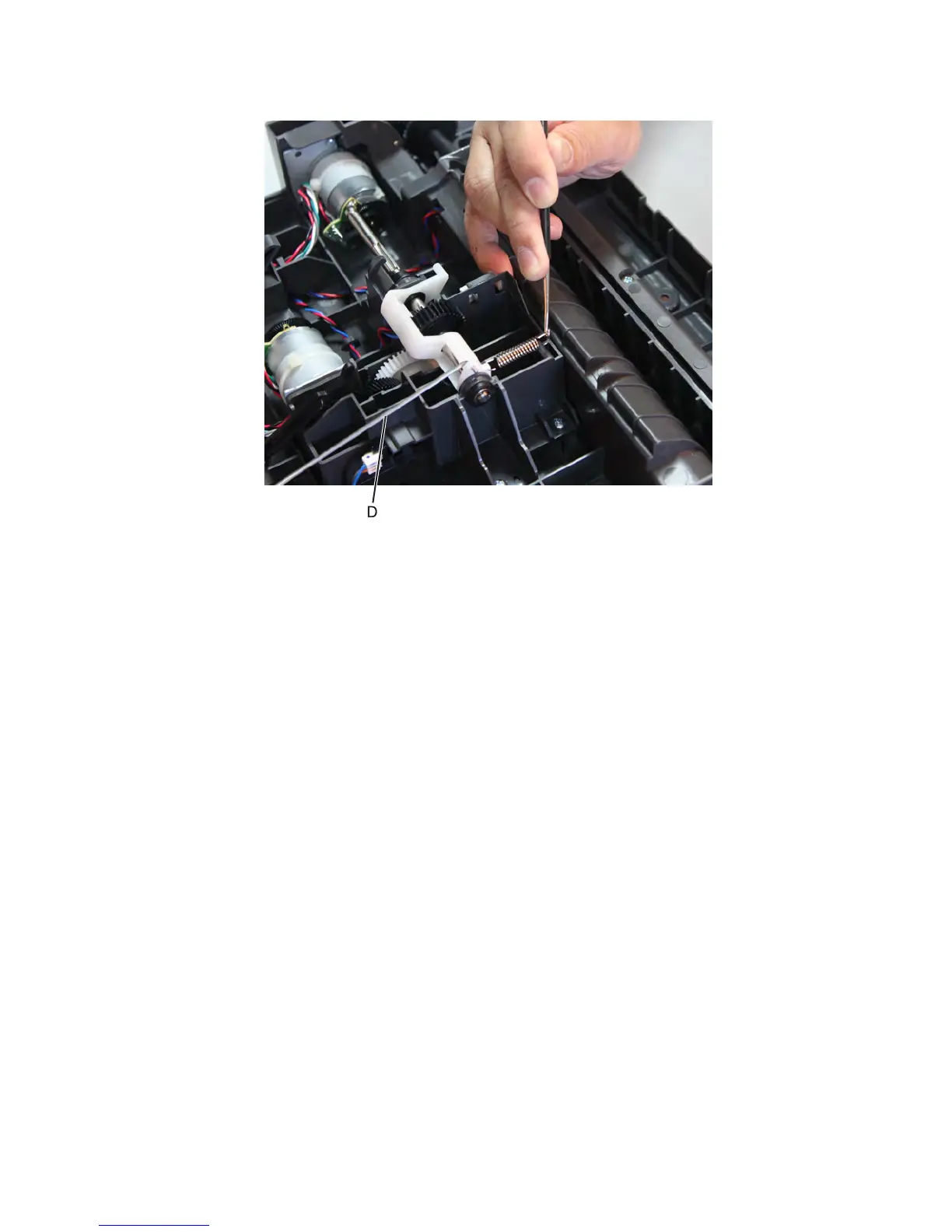
9 With a prying tool, release the spring to loosen the link (D).
10 Lift the media feeder and release the link holding the media feeder.
11 Ease the media feeder off the drawer, and remove.
Staple finisher/offset stacker option removals
Staple finisher/offset stacker option removal
Press the latches to release, and lift the output option off the printer.
7463
Repair information
723



 To Next Page