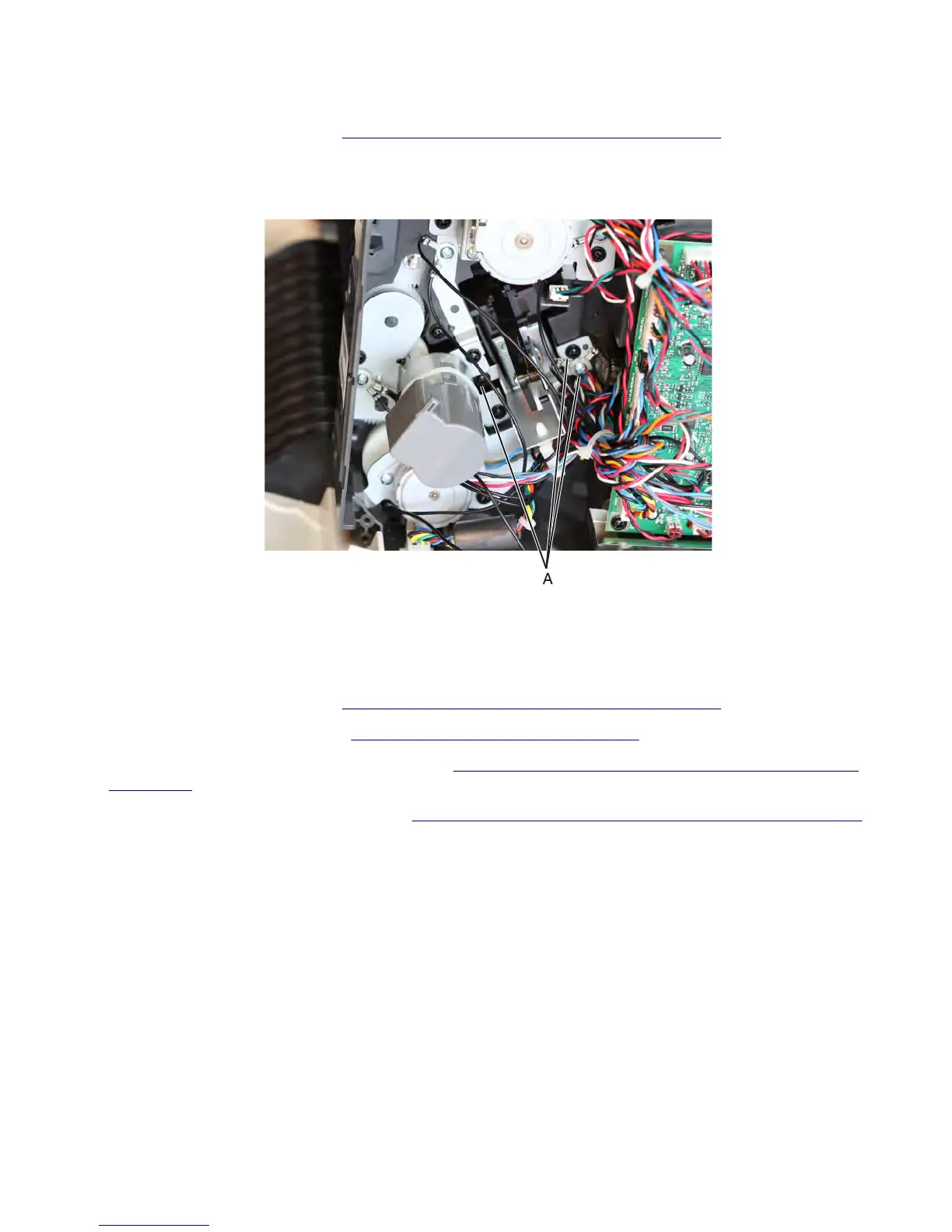
Media pusher assembly removal
1 Remove the stapler left cover. See “Stapler/offset stacker left cover removal” on page 726.
2 Disconnect the cable J17 from the controller board.
3 Remove the three screws (A), and then remove the media pusher.
Stapler/offset stacker feed roll removal
Note: This is not a FRU.
1 Remove the stapler left cover. See “Stapler/offset stacker left cover removal” on page 726.
2 Remove the stapler right cover. See “Stapler right cover removal” on page 782.
3 Remove the stapler diverter plunger assembly. See “Stapler/offset stacker diverter plunger assembly removal”
on page 760.
4 Remove the stapler drive gear assembly. See “Stapler/offset stacker drive gear assembly removal” on page 761.
7463
Repair information
765



 To Next Page