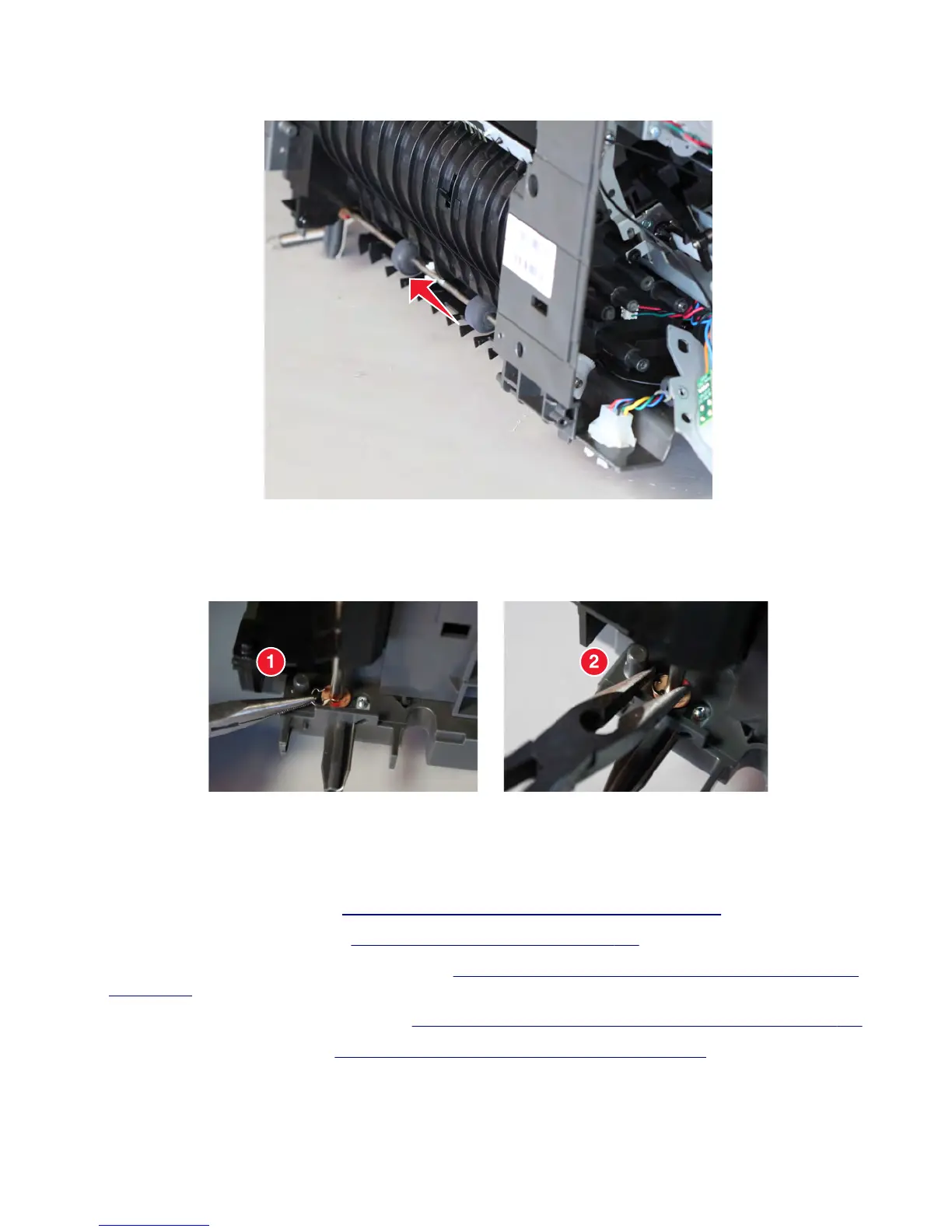
7 Slightly move the shaft horizontally to release, and then remove it.
Warning—Potential Damage: Be careful not to lose the bushing and spacers that hold the shaft.
Installation note: To make it less difficult to reinstall the E-clip, use a pair of long-nose pliers to position it onto
the shaft, and then lock it in place.
Stapler/offset stacker chute assembly removal
Note: This is not a FRU.
1 Remove the stapler left cover. See “Stapler/offset stacker left cover removal” on page 726.
2 Remove the stapler right cover. See “Stapler right cover removal” on page 782.
3 Remove the stapler diverter plunger assembly. See “Stapler/offset stacker diverter plunger assembly removal”
on page 760.
4 Remove the stapler drive gear assembly. See “Stapler/offset stacker drive gear assembly removal” on page 761.
5 Remove the stapler feed roll. See “Stapler/offset stacker feed roll removal” on page 765.
7463
Repair information
767



 To Next Page