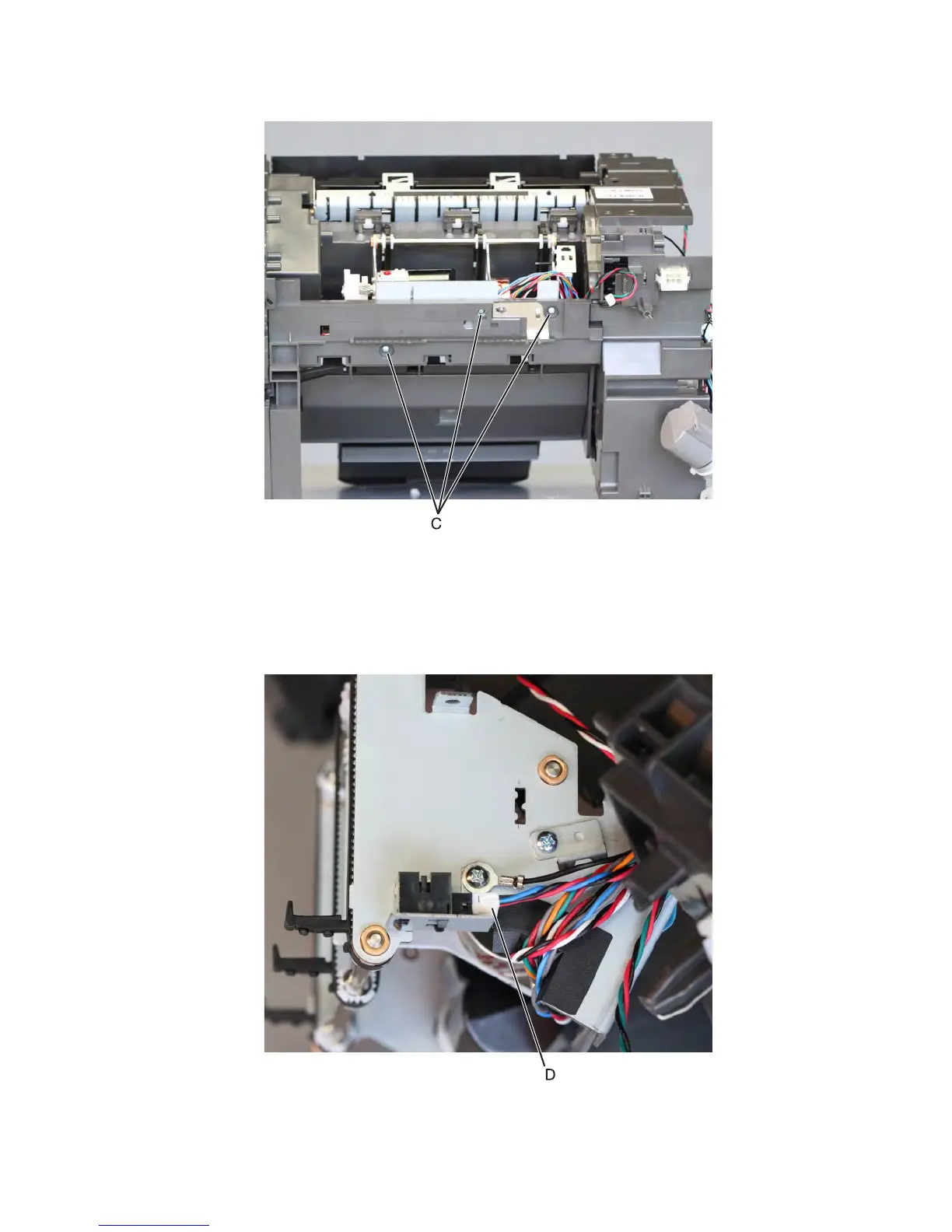
9 Remove the three screws (C) securing the bottom part of the motor assembly.
10 Release the cables off their guides.
Note: Pay attention to the original routing of the cables.
11 Pull the motor assembly away from the machine.
12 Disconnect the cable (D), and release the latches to remove the sensor from the bracket.
7463
Repair information
776



 To Next Page