Laser printhead removal
Installation note: When replacing the laser printhead, ensure that the proper adjustments are made. For more
information, go to
“Polygon printhead mechanical registration adjustment” on page 394.
1 Open the control panel door.
2 Remove the toner cartridge.
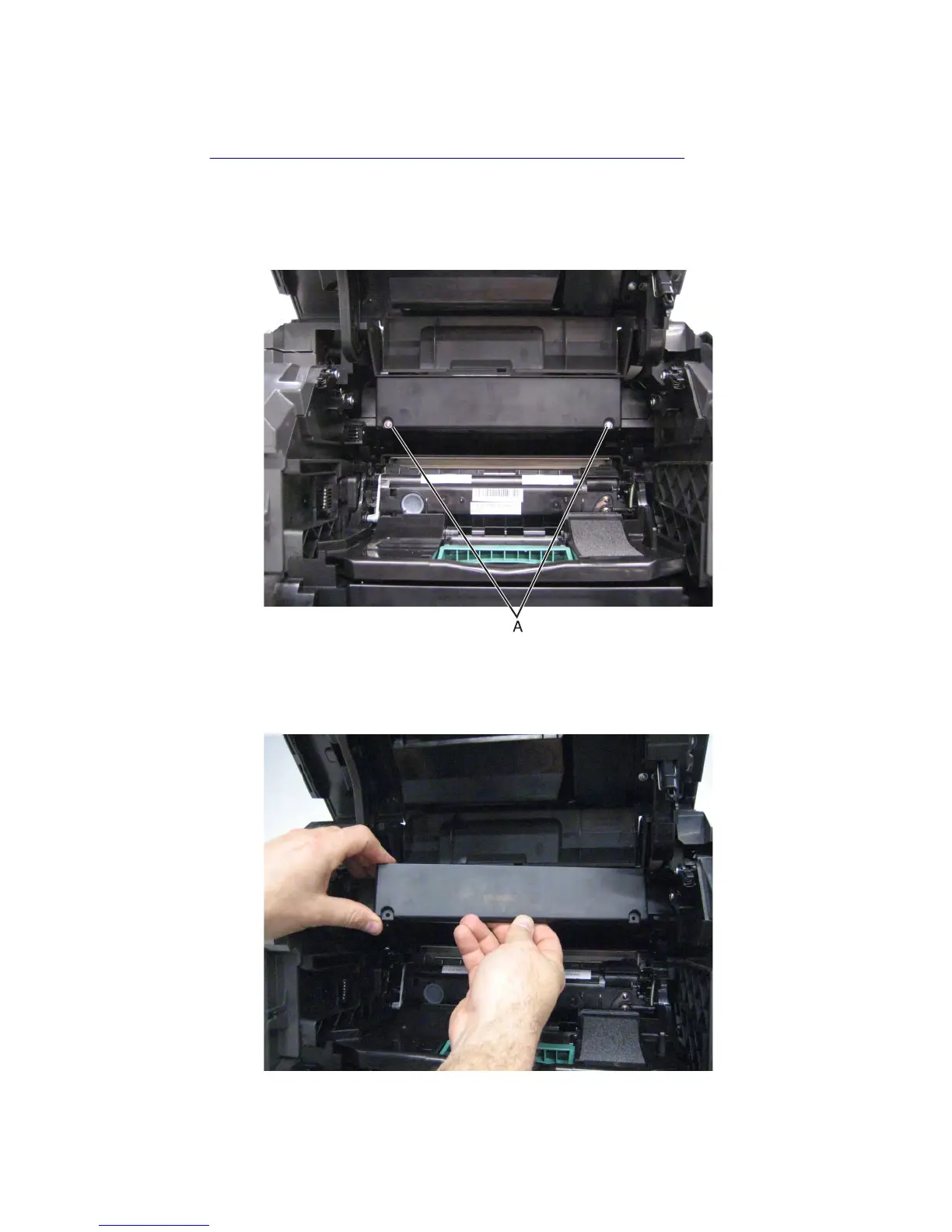
3 Remove the two screws (A) securing the printhead access cover to the machine.
Warning—Potential Damage: When removing the printhead access cover, ensure that the cartridge cooling fan
cable does not become disconnected.
4 Remove the printhead access cover.
7463
Repair information
457



 To Next Page