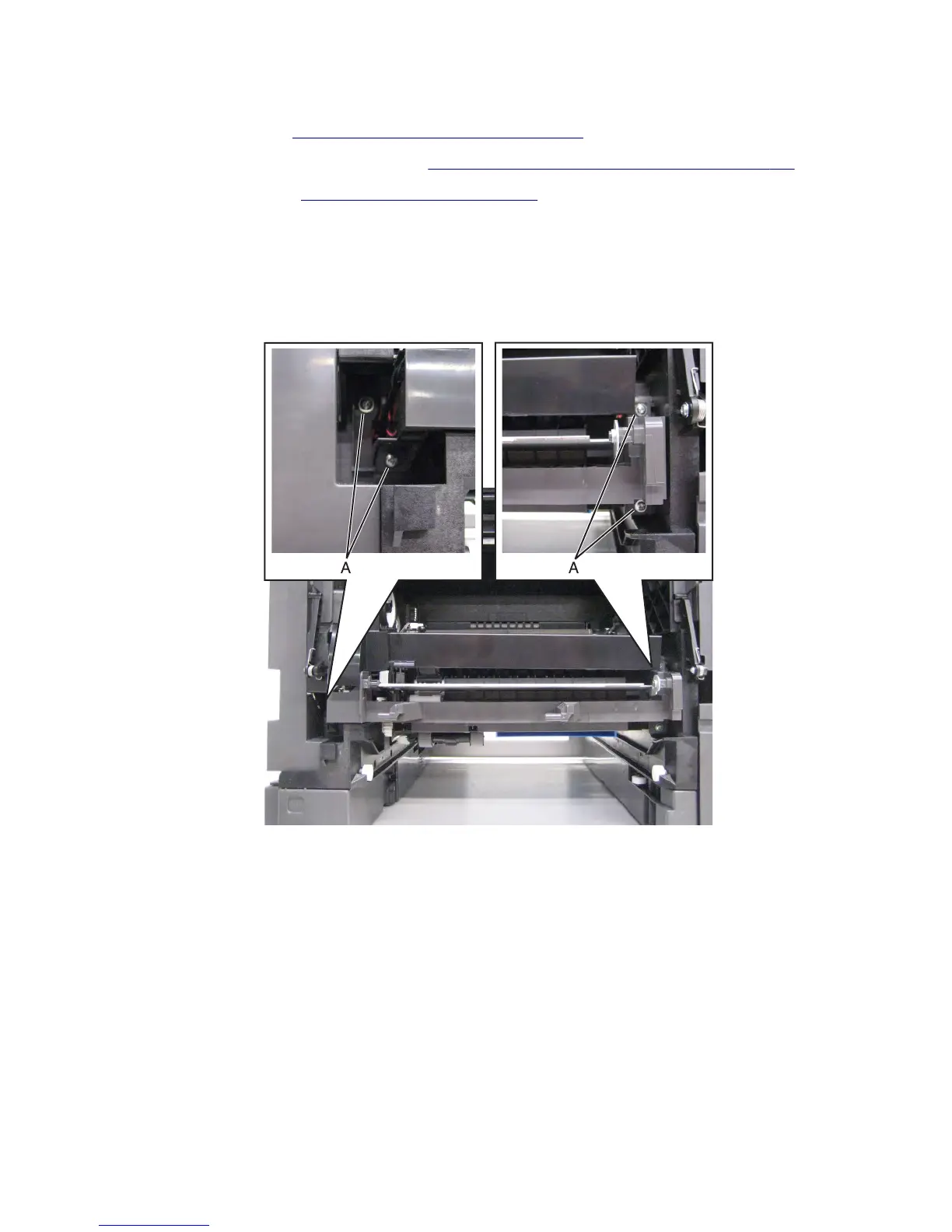
MPF feeder lift plate removal
1 Remove the left cover. See “Left cover removal (MX71x)” on page 416.
2 Remove the controller board access shield. See “Controller board access shield removal” on page 424.
3 Remove the media tray. See “Media tray removal” on page 538.
4 Open the control panel door.
5 Remove the toner cartridge.
6 Remove the imaging unit.
7 Remove the four screws (A) securing the MPF feeder lift plate to the machine.
7463
Repair information
465



 To Next Page