Paper jam in door A
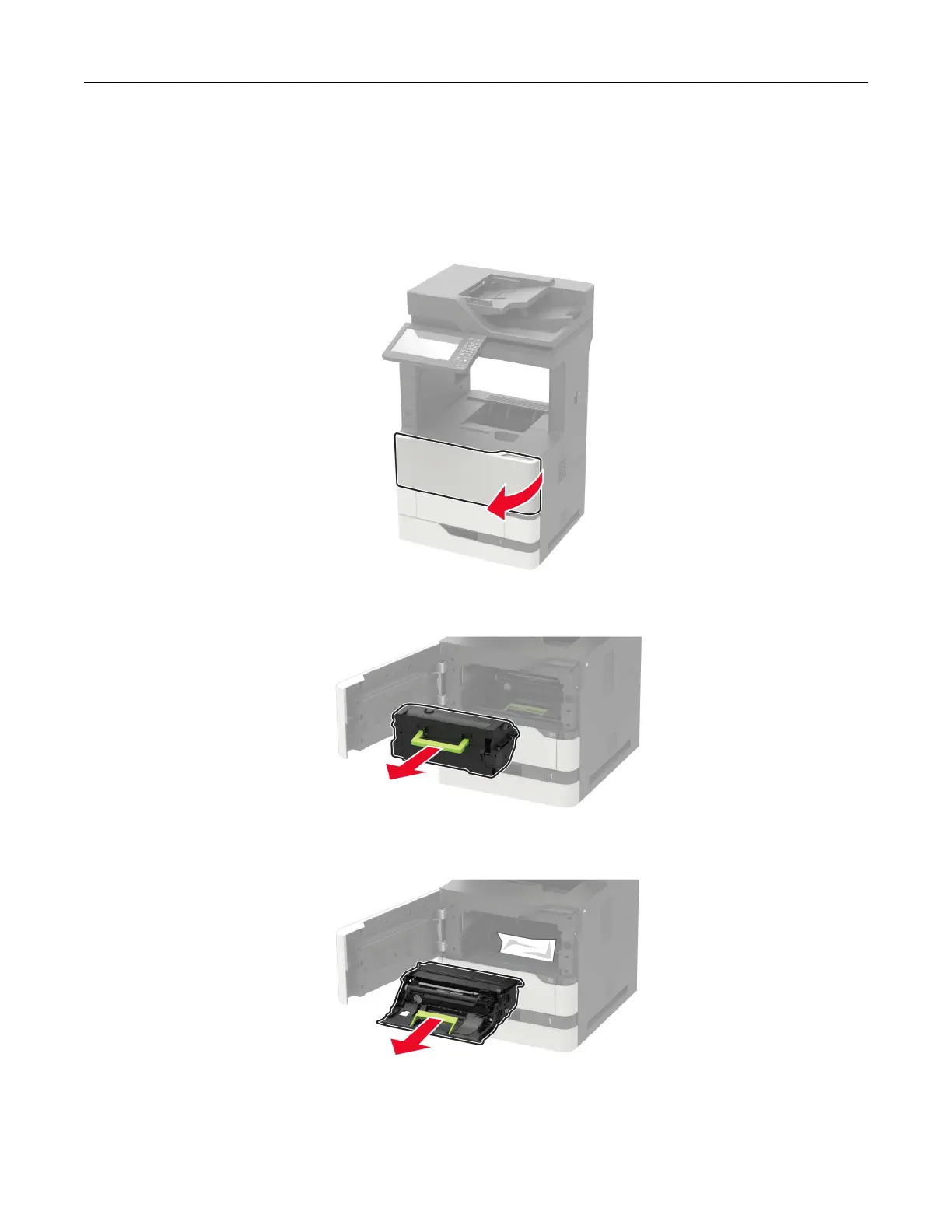
1 Open door A.
Warning—Potential Damage: To prevent damage from electrostatic discharge, touch any exposed metal
frame of the printer before accessing or touching interior areas of the printer.
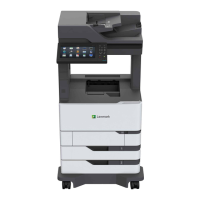
2 Remove the toner cartridge.
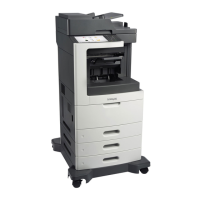
3 Remove the imaging unit.
Warning—Potential Damage: Do not expose the imaging unit to direct light for more than 10 minutes.
Extended exposure to light may cause print quality problems.
Clearing jams 192


 To Next Page