EasyManua.ls Logo

Lexmark T640 - User Manual

Lexmark T640
125 pages
Print Icon
To Next Page IconTo Next Page
Loading...
www.lexmark.com
T640, T642, T644
User’s Guide
March 2005
Lexmark and Lexmark with diamond design are trademarks of Lexmark International, Inc.,
registered in the United States and/or other countries.
© 2005 Lexmark International, Inc.
All rights reserved.
740 West New Circle Road
Lexington, Kentucky 40550

Table of Contents

Other manuals for Lexmark T640

Questions and Answers

  • S
    Shannon PowellSep 8, 2025
    How to fix jagged edges on Lexmark T640 characters?
    • A
      Adam ClarkSep 8, 2025
      If characters have jagged or uneven edges when printing from your Lexmark printer, change the Print Resolution setting in the Quality Menu to 600 dpi, 1200 Image Q, 1200 dpi, or 2400 Image Q. If you are using downloaded fonts, verify the fonts are supported by the printer, the host computer, and the software application.
  • P
    pmorenoSep 10, 2025
    Why is my Lexmark T640 Printer printing in black?
    • D
      Dr. James HillSep 10, 2025
      If part or all of the page is printed in black when using your Lexmark printer, check the print cartridge to see if it is installed correctly. Also, make sure the charge roll is secure and not at end of life.
  • Y
    Yvonne BoydSep 12, 2025
    How to correct margin issues on Lexmark T640 Printer?
    • E
      Erica JacobsSep 12, 2025
      If the job prints, but the top and side margins are incorrect on your Lexmark printer, make sure the Paper Size setting in the Paper Menu is correct. Also, ensure that the margins are set correctly in your software application.
  • C
    cochranphillipSep 13, 2025
    Why is there toner on the back of pages from my Lexmark T640 Printer?
    • K
      Kevin DaviesSep 13, 2025
      If toner appears on the back of the printed page from your Lexmark printer, toner is on the transfer roll. To help prevent this, do not load print media that is smaller than the page size of the job to be printed. Open and close the printer top front cover to run the printer setup cycle and clean the transfer roll.
  • D
    delacruzalishaSep 15, 2025
    How to fix cut off prints from Lexmark T640 Printer?
    • C
      Catherine AdamsSep 15, 2025
      If some of the print is cut off on the sides, top, or bottom of the media when using your Lexmark printer, move the guides in the tray to the proper positions for the size loaded.
  • R
    Ryan MasseySep 18, 2025
    How to improve transparency print quality on Lexmark T640?
    • J
      Jason CastilloSep 18, 2025
      To improve transparency print quality on your Lexmark printer, use only transparencies recommended by the printer manufacturer. Also, make sure the Paper Type setting in the Paper Menu is set to Transparency.

Summary

Learning About the Printer

Identifying Printers

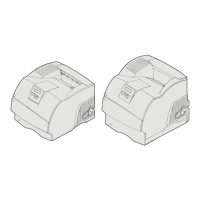
Explains printer models, features, and configured examples.

Understanding the Printer Operator Panel

Details the function of buttons, display, and indicator lights.

Installing Drivers for Local Printing

Windows Driver Installation

Step-by-step guide for installing drivers on Windows.

Serial Printing Setup

Procedures for configuring serial printer connections.

Macintosh and UNIX;Linux Driver Installation

Instructions for Mac OS and UNIX/Linux systems.

Installing Drivers for Network Printing

Network Setup and IP Configuration

Steps to print setup pages and assign IP address.

Verifying Network Settings

Procedures to confirm network configuration.

Windows Network Printing

How to set up direct and shared printing in Windows.

Macintosh Network Printing

Steps for network printing on Mac OS.

UNIX;Linux and NetWare Network Printing

Guides for UNIX/Linux and NetWare environments.

Installing and Removing Options

Installing Input Options and Drawers

Guides for adding drawers, duplex units.

Accessing Printer Hardware

Procedures for opening the printer and accessing components.

Installing Memory, Flash, and Option Cards

Detailed steps for installing various cards.

Printing Operations

Sending and Managing Print Jobs

Basic printing, cancellation, and USB printing.

Printing Diagnostic Pages

Printing setup pages and network status.

Confidential, Held, and Specialty Printing

Secure printing methods and specialty media use.

Loading Paper Trays and Feeders

Instructions for all paper input sources.

Setting Media Type and Linking Trays

Configuring media settings and tray linking.

Paper and Media Guidelines

Supported Print Media Details

Lists compatible media sizes, types, and weights.

Selecting, Storing, and Avoiding Jams

Guidelines for choosing, storing media, and preventing jams.

Printer Maintenance

Routine Maintenance and Supply Status

Procedures for upkeep and checking supplies.

Conserving Supplies and Ordering Parts

Tips for usage reduction and purchasing.

Recycling and Moving the Printer

Procedures for product recycling and safe relocation.

Clearing Paper Jams

Identifying and Understanding Jam Messages

How to recognize and interpret jam indicators.

Clearing Printer and Staple Jams

Step-by-step instructions for resolving various jams.

Administrative Support

Operator Panel Configuration

Adjusting settings, managing menus, and restoring defaults.

Power Saver, Disk Encryption, and Security

Configuring power saving, disk security, and network settings.

Troubleshooting

Printer Messages and Technical Support

Interpreting alerts and finding help.

Solving Printing, Option, and Feed Problems

Addressing common issues with printing, options, and paper.

Solving Print Quality Problems

Resolving issues with print output defects.

Notices and Legal Information

Trademarks, Licensing, and Conventions

Legal notices regarding branding, software, and document conventions.

Emissions, Noise, ENERGY STAR, and WEEE

Compliance information on emissions, sound, energy, and disposal.

Laser Safety and Limited Warranty

Laser precautions and warranty terms.

Lexmark T640 Specifications

General IconGeneral
ColorNo
Print technologyLaser
Time to first page (black, normal)6 s
Print speed (black, normal quality, A4/US Letter)33 ppm
Processor frequency400 MHz
Maximum internal memory562 MB
Sound power level (standby)30 dB
Sound pressure level (printing)53 dB
Total input capacity350 sheets
Total output capacity250 sheets
Maximum input capacity3850 sheets
Envelopes sizes7 3/4, 9, 10, DL
Paper tray media typesEnvelopes, Labels, Plain paper, Transparencies
Non-ISO print media sizesExecutive (184 x 267mm), Folio (media size), Letter (media size), Statement (140 x 216mm), Legal (media size)
ISO A-series sizes (A0...A9)A4, A5
JIS B-series sizes (B0...B9)B5
Maximum ISO A-series paper sizeA4
Mac compatibilityYes
Compatible operating systems-Apple Mac OS X, -Apple Mac OS 9.2, -Microsoft Windows 2000 Server Terminal Services + Citrix MetaFrame XP Presentation Server / Citrix MetaFrame Presentation Server 3.0. -Microsoft Windows Server 2003 Terminal Services + Citrix MetaFrame XP Presentation Server / Citrix MetaFrame Presentation Server 3.0, -Microsoft Windows 2000 Server Terminal Services + Citrix Presentation Server 4.0, -Microsoft Windows Server 2003 Terminal, Services + Citrix Presentation Server 4.0, -Red Hat Linux 7.3, 8.0, 9.0, -Red Flag Linux Desktop 4.0, 5.0, -Linpus Linux Desktop 9.2, 9.3, -Red Hat Enterprise Linux WS 3.0, 4.0, 5.0, -SUSE Linux Enterprise Server 8.0, 9.0, 10.0, -SUSE Linux Professional 9.1, 9.2, 9.3, -Debian GNU/Linux 3.1, 4.0, -Linspire Linux 5.0, -Microsoft Windows 2000, -Microsoft Windows NT (4.00/4.00 Server), -Microsoft Windows Me, -Microsoft Windows XP, -Microsoft Windows Server 2003, -Microsoft Windows 98 2 Edition, -Microsoft Windows XP x64, -Microsoft Windows Server 2003 Terminal Services, -Microsoft Windows 2000 Server Terminal Services, -Microsoft Windows Server 2003 x64, -Microsoft Windows Server 2003 x64, Terminal Services, -Microsoft Windows Vista, -Microsoft Windows Vista x64, -Novell Open Enterprise Server, Netware + NDS, iPrint / Novell Distributed Print Services (NDPS), -Novell NetWare 3.2, 4.2 (bindery), -Novell NetWare 4.2, 5.x & 6.x (NDS), -Novell NetWare 5.x, 6.x + iPrint/Novell Distributed Print Services (NDPS), -Sun Solaris SPARC 8, 9, 10, -HP-UX 11.00, 11.1, -IBM AIX 5.1, 5.2, 5.3, -IBM iSeries IBM AS/400 Systems + TCP/IP + OS/400 V3R1.
Maximum duty cycle200000 pages per month
Recommended duty cycle3000 pages per month
Page description languagesPPDS
Sustainability certificatesENERGY STAR
Operating altitude0 - 3048 m
Operating temperature (T-T)16 - 32 °C
Operating relative humidity (H-H)8 - 80 %
CertificationCSA, ICES Class B, BSMI Class B, VCCI Class B, FCC Class B, UL 60950 3rd Edition, IEC 320-1, CE Class B, CB IEC 60950, IEC 60825-1, GS (TÜV), SEMKO, UL AR, CS, TÜV Rh, N Mark, C-tick Class B CCC Class B
Weight and Dimensions IconWeight and Dimensions
Dimensions (WxDxH)421 x 498 x 345 mm

Related product manuals