Need help?
Do you have a question about the Lexmark X5495 and is the answer not in the manual?
Covers core functions: printing, faxing, copying, and scanning operations.
Direct printing from memory cards/PictBridge, borderless photos, editing software.
Compatibility for black (28, 28A, 34), color (29, 29A, 35), and photo (31) cartridges.
Details on print and copy speeds, time to first copy, and maximum duty cycle.
Lists compatible operating systems, digital media card types, and supported media sizes.
Information on connectivity ports, physical dimensions, weight, and standard box contents.
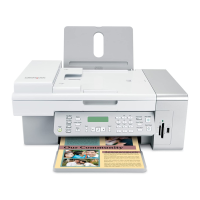
The Lexmark X5495 is a versatile all-in-one device designed to deliver an all-around great performance for home users, offering a comprehensive suite of functions including printing, faxing, scanning, and copying. Its sleek design integrates these capabilities efficiently, making it a central hub for document management and photo production. The device is engineered for convenience and speed, aiming to simplify various tasks from everyday document handling to more specialized photo projects.
At its core, the Lexmark X5495 excels in printing, providing fast output for both black and color documents. Users can expect quick turnaround times for their print jobs, which is particularly beneficial for busy home environments. The printer supports high-resolution output, ensuring that text is crisp and graphics are vibrant, suitable for a wide range of personal and professional documents. A notable feature is its ability to print directly from a USB Flash Drive, allowing for PC-free printing of Microsoft Documents and PDFs, which adds a layer of convenience for users who need to print files quickly without engaging a computer. This direct printing capability extends to photos as well, enhancing its utility as a standalone photo printer.
For photo enthusiasts, the X5495 offers a robust set of features for producing lab-quality, vibrant photos. It supports direct printing from digital memory card slots, accommodating various popular memory card formats, and is also PictBridge™ compatible, enabling direct printing from compatible digital cameras. This eliminates the need to transfer photos to a computer first, streamlining the photo printing process. The device can produce borderless photos on popular photo sizes, giving prints a professional, finished look. To further enhance photo quality and customization, the Lexmark Productivity Studio software is included, providing tools for cropping, rotating, resizing, and applying one-touch color fixes and red-eye reduction. Users can also experiment with various photo effects such as sepia, antique gray, antique brown, and black & white to add artistic touches to their images. For even greater color depth and vibrancy, the option for 6-color printing is available, allowing for richer and more detailed photo reproductions. A unique scan-back proof sheet option in standalone memory card mode allows users to select specific photos for printing directly from a proof sheet, offering a visual and intuitive way to manage their photo output.
The faxing capabilities of the Lexmark X5495 are designed for ease of use and efficiency. It functions as a standalone black and color fax machine, equipped with a 33.6 Kbps modem for quick transmission. The device supports caller ID, helping users manage incoming faxes. For frequently dialed numbers, 99 speed dials can be programmed, saving time and effort. Automatic redial ensures that faxes are sent even if the initial attempt fails. Advanced fax management features include fax forward, broadcast faxing, and junk fax blocking (where applicable), providing users with control over their fax communications and helping to reduce unwanted faxes. The convenient 15-page auto document feeder (ADF) significantly enhances faxing efficiency, allowing users to send multi-page documents without manual feeding.
Copying is another strong suit of the X5495, offering both PC-free and versatile options. Users can perform one-touch black or color copying directly from the device, making it quick and straightforward to duplicate documents. The reduction/enlargement capacity ranges from 25% to 400%, allowing for flexible scaling of documents and photos, including popular photo sizes when copying with a PC. The device can produce multiple copies at once, up to 99 copies, and supports borderless copying, which is particularly useful for photo duplicates. The ADF also plays a crucial role in copying, enabling efficient handling of multi-page documents.
The scanning function of the Lexmark X5495 is robust, featuring a flatbed scanner that can easily handle various types of originals, including thick books and reports, which might be difficult to scan with an ADF alone. The scanner offers a high color depth and grayscale depth, ensuring accurate and detailed digital reproductions of originals. Its optical resolution captures fine details, making it suitable for archiving important documents and photos. A key feature is the ability to easily scan documents to PDF format, which is ideal for creating searchable and shareable digital files. Furthermore, the inclusion of Optical Character Recognition (OCR) software allows users to convert scanned hard copy text documents into editable soft copy formats, greatly enhancing productivity and reducing the need for manual data entry. The ADF also facilitates multi-page scanning, making it efficient to digitize lengthy documents.
Maintenance of the Lexmark X5495 is designed to be user-friendly, primarily revolving around cartridge compatibility and replacement. The device uses Lexmark's genuine ink cartridges, specifically the 28(1), 28A, and 34 High Yield for black, and 29(1), 29A, and 35 High Yield for color. For enhanced photo quality, the Photo 31 cartridge is available. Lexmark emphasizes the use of genuine ink and paper for best results, ensuring optimal print quality and device longevity. The cartridges are designed for easy installation and replacement, minimizing downtime. The device's overall design aims for durability and reliable performance, with a maximum duty cycle that supports regular home use. The inclusion of a setup sheet and getting started booklet, along with a Windows/Mac Installation CD, guides users through the initial setup process, making it accessible even for those less familiar with such devices. The power supply and line cord are also included, providing everything needed to get started right out of the box.
 General
| Color | Yes |
|---|---|
| Maximum duty cycle | 3000 pages per month |
| Number of print cartridges | 4 |
| Maximum print size | 210 x 297 mm |
| Standard media sizes | 10 Envelope 7 3/4 Envelope 9 Envelope A4 A5 B5 Envelope C5 Envelope DL Envelope 6 3/4 Envelope A2 Baronial A6 Card B5 C6 Envelope Custom (Up to 8.5\ |
| Paper tray media types | Card stock, Envelopes, Iron-On Transfers, Labels, Photo paper, Plain paper, Transparencies |
| Non-ISO print media sizes | 2l, hagaki card, l, Legal (media size) |
| Maximum ISO A-series paper size | A4 |
| Maximum resolution | 4800 x 1200 DPI |
| Print speed (black, draft quality, A4/US Letter) | 25 ppm |
| Print speed (color, draft quality, A4/US Letter) | 18 ppm |
| Print speed (black, normal quality, A4/US Letter) | 15 ppm |
| Print speed (color, normal quality, A4/US Letter) | 3.5 ppm |
| Type | Thermal inkjet |
| Print technology | Inkjet |
| Dimensions (WxDxH) | 454 x 321 x 192 mm |
| Media types supported | Card Stock, Envelopes, Labels, Plain Paper, Transparencies, Banner (A4 or Letter), Hagaki Card, Iron-On Transfers, Photo Paper, Heavy Weight Matte Paper |
| Compatible operating systems | Microsoft Windows XP Microsoft Windows XP Professional x64 Microsoft Windows Vista Apple Mac OS X (10.3.x-10.4.x Power PC) Microsoft Windows 2000 5.00.2195 or later Microsoft Windows Vista x64 Apple Mac OS X (10.4.4-10.5.x Intel, PowerPC) |
| I/O ports | USB 2.0 Specification Hi-Speed Certified PictBridge Certified Port USB pass-through via PictBridge port |
| Operating temperature (T-T) | 16 - 32 °F |
| Operating relative humidity (H-H) | 8 - 80 % |
| Package weight | 7810 g |
| Certification | FCC Class B, UL 60950 3rd Edition, CE Class B, CB IEC 60950 IEC 60825-1, C-tick mark Class B, CCC Class B, CSA, ICES Class B, GS (TÜV), SEMKO |
| Market positioning | Home & office |
 Weight and Dimensions
| Depth | 321 mm |
|---|---|
| Width | 454 mm |
| Height | 192 mm |
| Weight | 6270 g |

 To Next Page