EasyManua.ls Logo

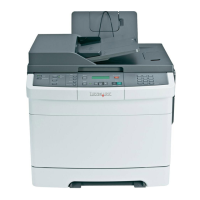
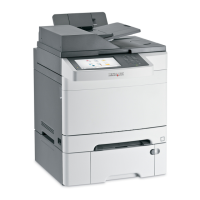
Lexmark X548 Series - User Manual

Lexmark X548 Series
307 pages
Print Icon
To Next Page IconTo Next Page
Loading...
X548 Series
User's Guide
November 2010 www.lexmark.com
Machine type(s):
7525
Model(s):
630, 632, 636

Table of Contents

Other manuals for Lexmark X548 Series

Questions and Answers

  • C
    Candace ButlerAug 14, 2025
    What to do if Lexmark All in One Printer cannot scan from a computer?
    • W
      William WatsonAug 15, 2025
      If your Lexmark All in One Printer cannot scan from a computer, check the printer's display for any error messages. Ensure the printer is plugged in, powered on, and displays 'Ready'. Also, verify that the network or USB cable is securely connected to both the computer and the printer.
  • D
    Debra GonzalezAug 18, 2025
    What to do if Lexmark All in One Printer cannot send or receive a fax?
    • D
      Donald TurnerAug 18, 2025
      If your Lexmark All in One Printer cannot send or receive faxes, check the display for error messages. Ensure the printer is plugged in, the power is on, and the 'Ready' status is displayed. Verify that the cable connections for the telephone, handset, and answering machine are secure.
  • J
    Jill DrakeAug 21, 2025
    Why does my Lexmark All in One Printer say Fax Station Name not set up?
    • C
      Charlotte BrownAug 21, 2025
      The 'Fax Station Name not set up' message on your Lexmark All in One Printer indicates that the Fax Station Name has not been entered. Contact your system administrator, then touch 'Continue' to clear the message and complete the Analog Fax Setup. If the message persists, contact your system support person.
  • E
    Emily LarsonAug 25, 2025
    Why does my Lexmark All in One Printer say Fax Station Number not set up?
    • A
      Alex LeachAug 26, 2025
      The 'Fax Station Number not set up' message on your Lexmark All in One Printer means that the Fax Station Number has not been entered. Contact your system administrator, touch 'Continue' to clear the message, and complete the Analog Fax Setup. If the message reappears, contact your system support person.
  • W
    Wayne EvansAug 27, 2025
    Why is my Lexmark All in One Printer unresponsive?
    • L
      lynn21Aug 28, 2025
      Your Lexmark All in One Printer might be unresponsive due to several reasons. Ensure the power cord is properly connected to both the printer and a grounded electrical outlet, and that the outlet is active. Avoid using surge protectors or extension cords. Verify that other devices plugged into the same outlet are working. Confirm the printer is powered on, the printer cable is securely connected to both the printer and the computer, and all options are correctly installed. Check the printer driver settings. As a last step, turn the printer off for 10 seconds, and then turn it back on.
  • S
    Steven BrownAug 31, 2025
    How to fix Lexmark All in One Printer embedded web server not opening?
    • K
      Kathryn TaylorAug 31, 2025
      If the Embedded Web Server on your Lexmark All in One Printer is not opening, check the network connection to ensure both the printer and computer are on and connected to the same network. Verify the IP address entered in the web browser is correct; you may need to use 'https://' instead of 'http://'. Also, temporarily disable any web proxy servers.
  • S
    Shawn GordonSep 3, 2025
    What to do if Lexmark All in One Printer received fax has poor print quality?
    • S
      Steven SheaSep 3, 2025
      If a received fax on your Lexmark All in One Printer has poor print quality, try resending the document. Ask the sender to verify the quality of the original document. It's possible there was an issue with the telephone line during transmission. If possible, increase the fax scan resolution.
  • M
    Michael CruzSep 6, 2025
    What to do if Lexmark All in One Printer shows error reading USB drive?
    • M
      Manuel EdwardsSep 7, 2025
      If your Lexmark All in One Printer displays an error reading a USB drive, it may be due to an unsupported device. Remove the current USB device and replace it with a supported one.
  • C
    Christina ParrishSep 10, 2025
    What to do if Lexmark All in One Printer shows error reading USB hub?
    • K
      khernandezSep 12, 2025
      If your Lexmark All in One Printer displays an error reading a USB hub, it means an unsupported USB hub has been inserted. Remove the current USB hub, and then install a supported one.

Lexmark X548 Series Specifications

General IconGeneral
Print Resolution1200 x 1200 dpi
Fax Speed33.6 Kbps
Duplex PrintingYes
Fax Resolution300 x 300 dpi
FunctionalityPrint, Copy, Scan, Fax
ConnectivityUSB, Ethernet
Operating System CompatibilityWindows, macOS, Linux
Scanner TypeFlatbed
Scan ResolutionUp to 1200 x 1200 dpi

Related product manuals