Bluetooth
®
SWC 11
4. Using your Bluetooth
®
hands-free system
4.1. S
teering wheel control (SWC)
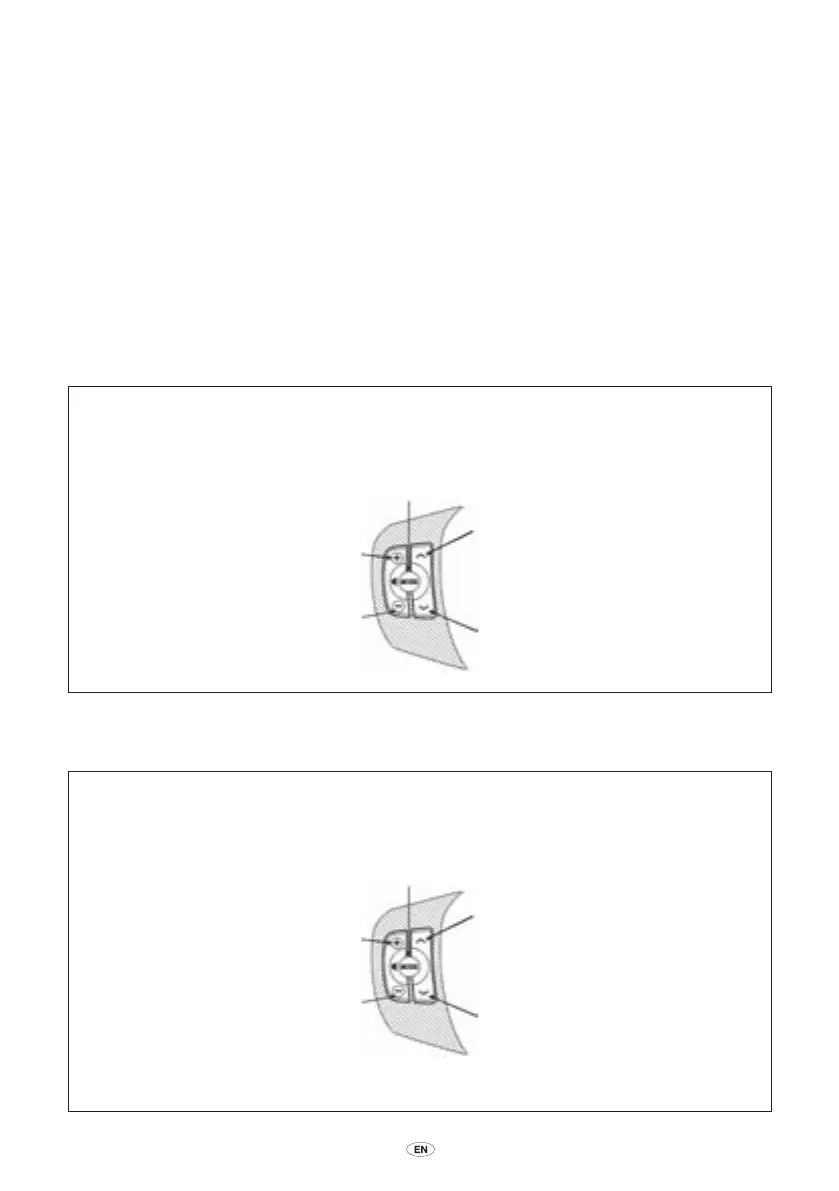
The SWC enables you to set up and use the Bluetooth
®
hands-free system. It has five buttons
whose functions will vary depending on how they are pressed, and which mode the radio and the
hands-free system is in. You can press and release a button or you can press and hold a button for
longer than 1
second to invoke different functions for that button.
VR functions
Call functions
Volume up
Press and release
• Increase VR session volume by 1 level
• In language menu, select next language
Volume down
Press and release
• Decrease VR session volume by 1 level
• In language menu, select previous language
Mode
Press and hold
• Activate VR setup/phone menu
• End prompt, play listen prompt
Arrow up
Arrow down
Press and release
• End the VR session
Volume
up
Volume
down
Arrow
up
Arrow
down
Mode
Arrow down and mode
Press and hold
• While turning ignition on and pressing
for 15 seconds, it activates the language
menu
Volume up
Press and release
• Increase call volume by 1 level
Press and hold
• Mute/Unmute
Volume down
Press and release
• Decrease call volume by 1 level
Press and hold
• Mute/Unmute
Mode
Press and hold
• Activate VR call menu
• End prompt, play listen prompt
Arrow up
Press and release
• Answer incoming call
• Toggle between hold and resume active
call
• Answer waiting call
• Switch held and active calls
Press and hold
• Transfer call to/from handsfree system
from/to handset
Arrow down
Press and release
• Reject incoming call
• End the active call
• Reject waiting call
Press and hold
• End all active calls
Volume
up
Volume
down
Arrow
up
Arrow
down
Mode
EN_BT_SWC_IHF1700_OM_Lex2.indd 11 5/15/08 3:49:14 PM



 To Next Page