Bluetooth
®
SWC 31
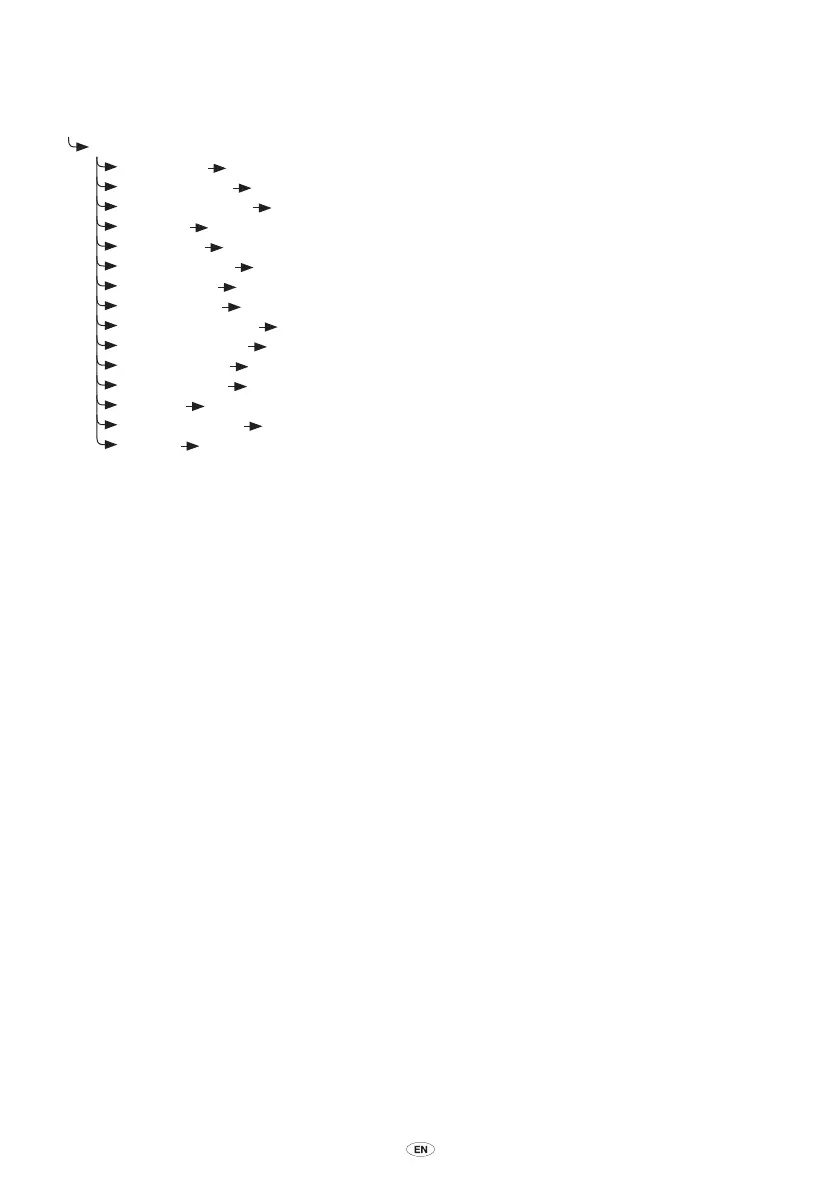
Call menu
∑ Press and hold Mode button
¥ Call menu. {Say a command}
µ ”Hang up”
¥ Call Ended
µ ”Privacy mode”
¥ Privacy mode
µ ”Hands-free mode”
¥ Hands-free mode
µ ”Mute”
¥ Call Muted
µ ”Unmute”
¥ Call Unmuted
µ ”Enter <digits>”
¥ <digits>
µ ”Switch call”
¥ Switching active calls
µ ”Conference”
¥ Starting conference
µ ”Private conference”
¥ Leaving conference
µ ”Hang up all calls”
¥ All calls ended
µ ”Dial
Number” ¥ Number please?…
µ ”Call <name>”
¥ {Call <name> yes or no?}…
µ ”Help”
¥ Call menu. You can say ”Dial number”…
µ ”Additional Help”
¥ Additional help. You can also say ”Hang up”…
µ ”Exit”
¥ Goodbye
EN_BT_SWC_IHF1700_OM_Lex2.indd 31 5/15/08 3:49:20 PM



 To Next Page