ES300h_OM_OM33B71U_(U)
385
6-1. Using the air conditioning system and defogger
6
Interior features
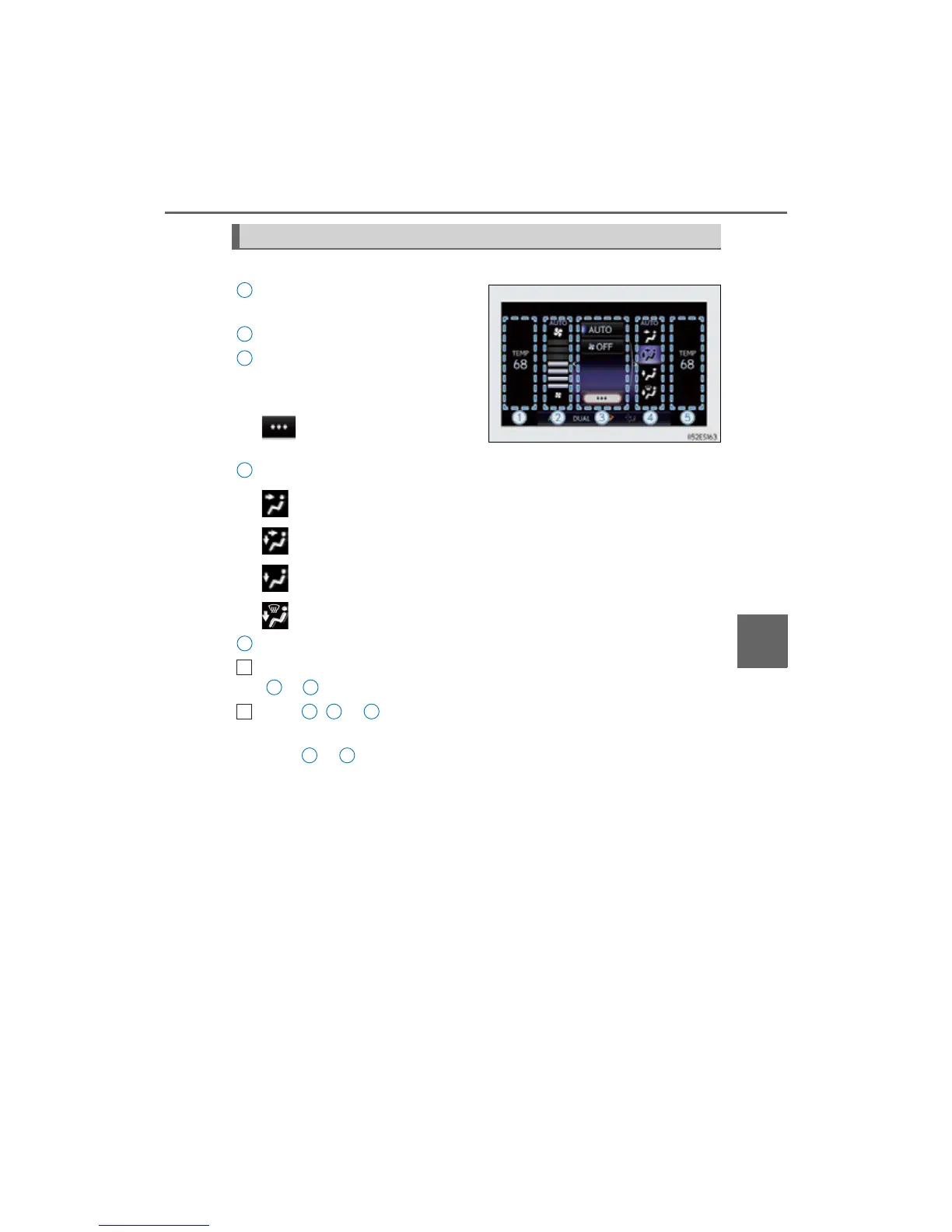
Vehicles with Lexus Display Audio System
Adjust the left-hand side tempera-
ture setting
Adjust the fan speed setting
“AUTO”: Select to set automatic
mode on/off
“OFF”: Turn the fan off
: Display the option control
screen (P. 387)
Select the air flow mode
: Air flows to the upper body
: Air flows to the upper body and feet
: Air flows to the feet
: Air flows to the feet and the windshield defogger operates
Adjust the right-hand side temperature setting
Move the Lexus Display Audio controller left/right to select the desired item
( to ).
When , or is selected:
Move the controller forward/backward or turn it left/right for adjusting.
When or is selected:
Move the controller forward/backward or turn it left/right to select a screen
button, then press the controller.
Control screen
1
2
3
4
5
1
1 5
2
1 2 5
3 4



 To Next Page