190
2. SETUP
ES350/300h_Navi_OM33A07U_(U)
12.05.07 10:18
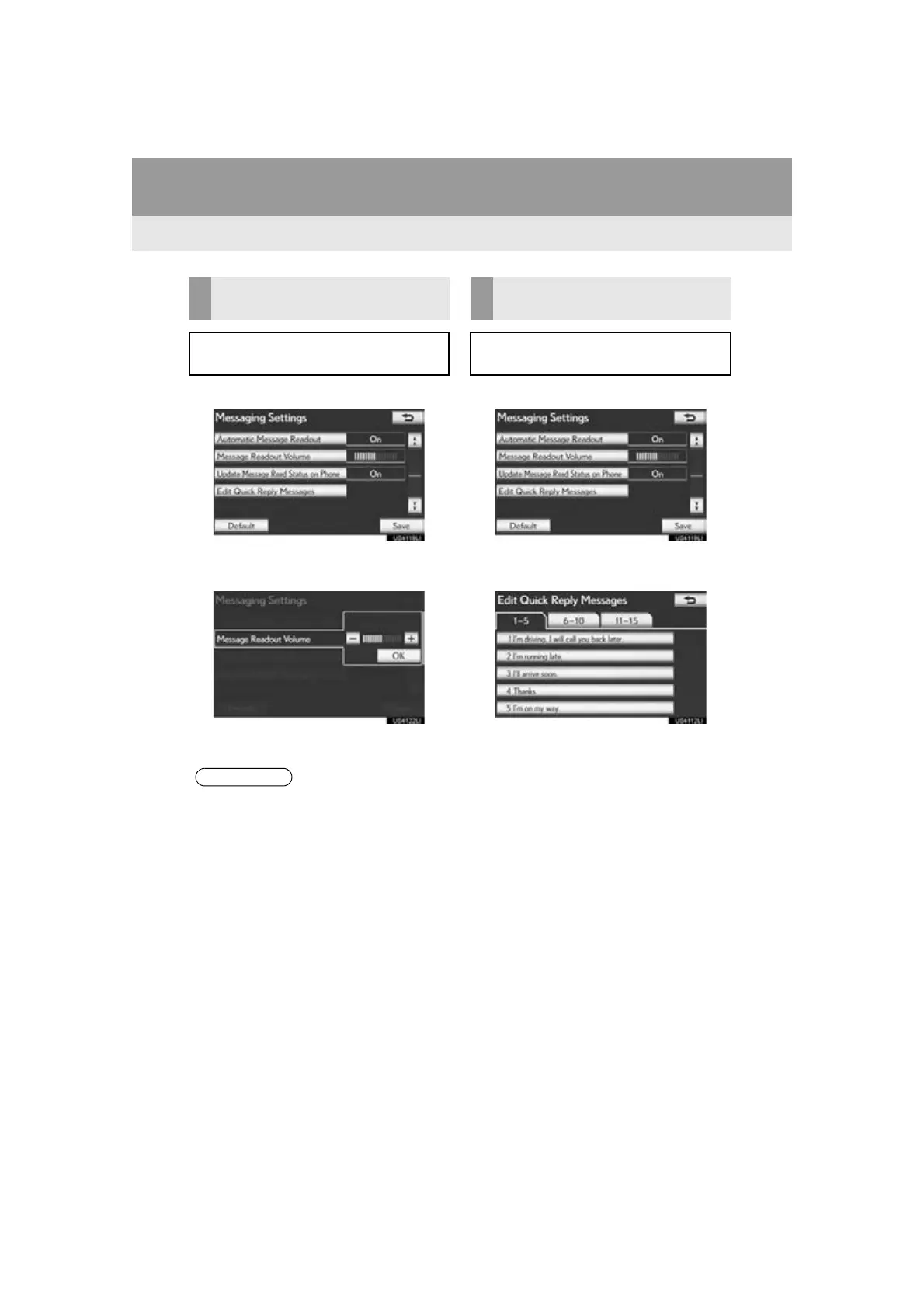
1 Select “Message Readout Volume”.
2 Select “-” or “+” to adjust the message
read out volume.
3 Select “OK”.
1 Select “Edit Quick Reply Messages”.
2 Select the screen button corresponding
to the desired message.
3 Use the software keyboard to edit the
message.
4 Select “OK”.
MESSAGE READ OUT
VOLUME SETTINGS
Message read out volume can be ad-
justed.
● The system will automatically increase
the volume when the speed exceeds 50
mph (80 km/h).
EDIT QUICK REPLY
MESSAGES
Quick reply messages can be edited. 15
messages have already been stored.



 To Next Page