BEFORE USE:
The temperature inside the vehicle can increase during hot weather conditions. Wait for the temperature inside the vehicle to
drop before using this device. Otherwise it may result in damages.
When removing the SIM card from the main unit, remove it in the parallel direction it was inserted. Do not force it out while
removing it. Improper removal may result in the SIM card being damaged and or the main unit.
HANDLING SIM CARD:
Do not place the SIM card in direct sunlight.
Do not touch the SIM card contacts; do not damage the contacts.
APPLICATION SCENARIOS
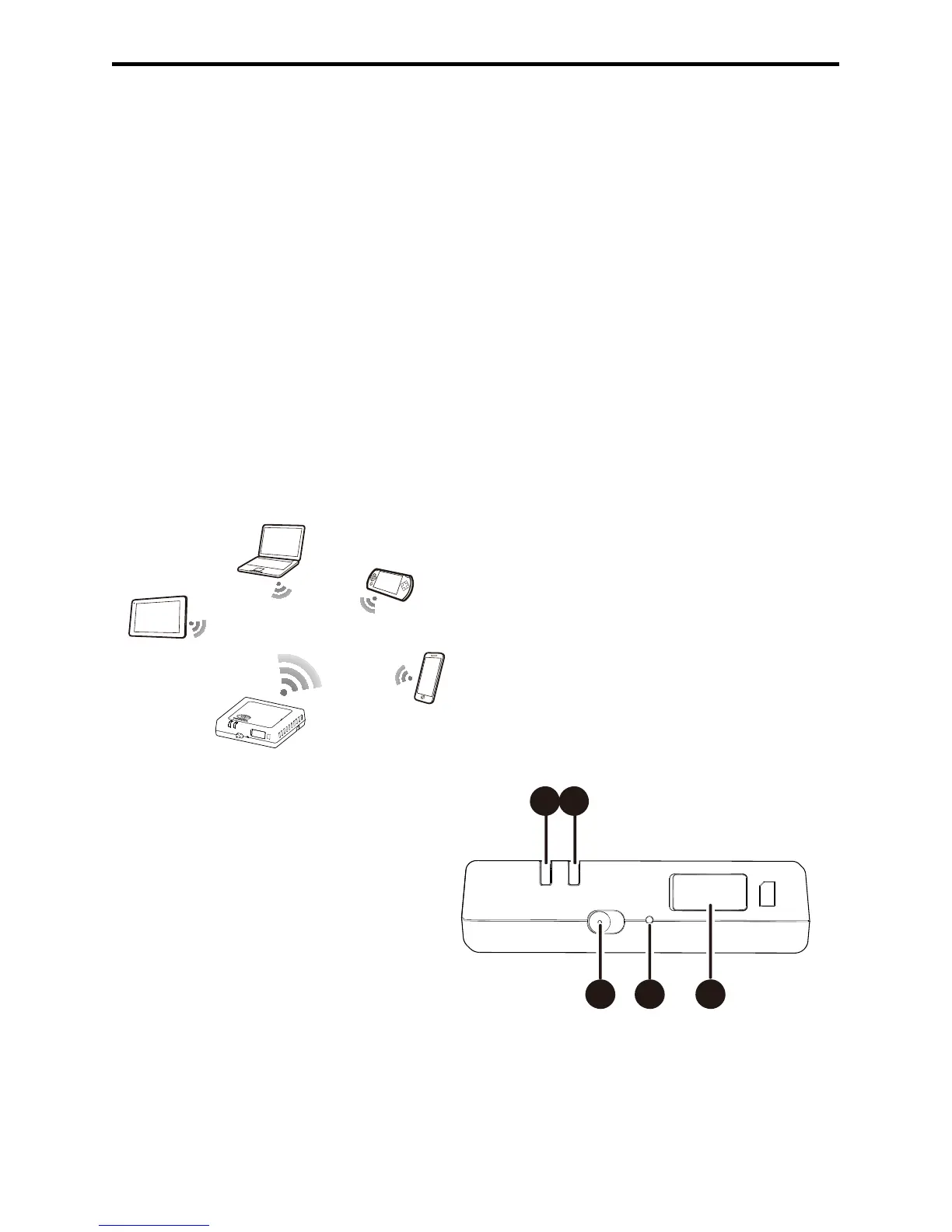
Wi-Fi devices (such as smartphones, tablet computers, and game consoles) can access the Internet through the Lexus Hotspot.
The specific connection procedure depends on the operating system of the Wi-Fi device. Establish a connection according to
your device's specific instructions.
Connecting multiple devices through Wi-Fi
SIM
RESET
ON - OFF
3G
WIFI
APPEARANCE
2G/3G indicator (GSM and UMTS network)
Wi-Fi indicator
Power switch
Reset button
SIM/USIM card slot



 To Next Page